
Adaptive calorie target
Bite adjusts your calorie target each week based on your weight trend and goal.
Find it: Nutrition > Targets

 Coming soon
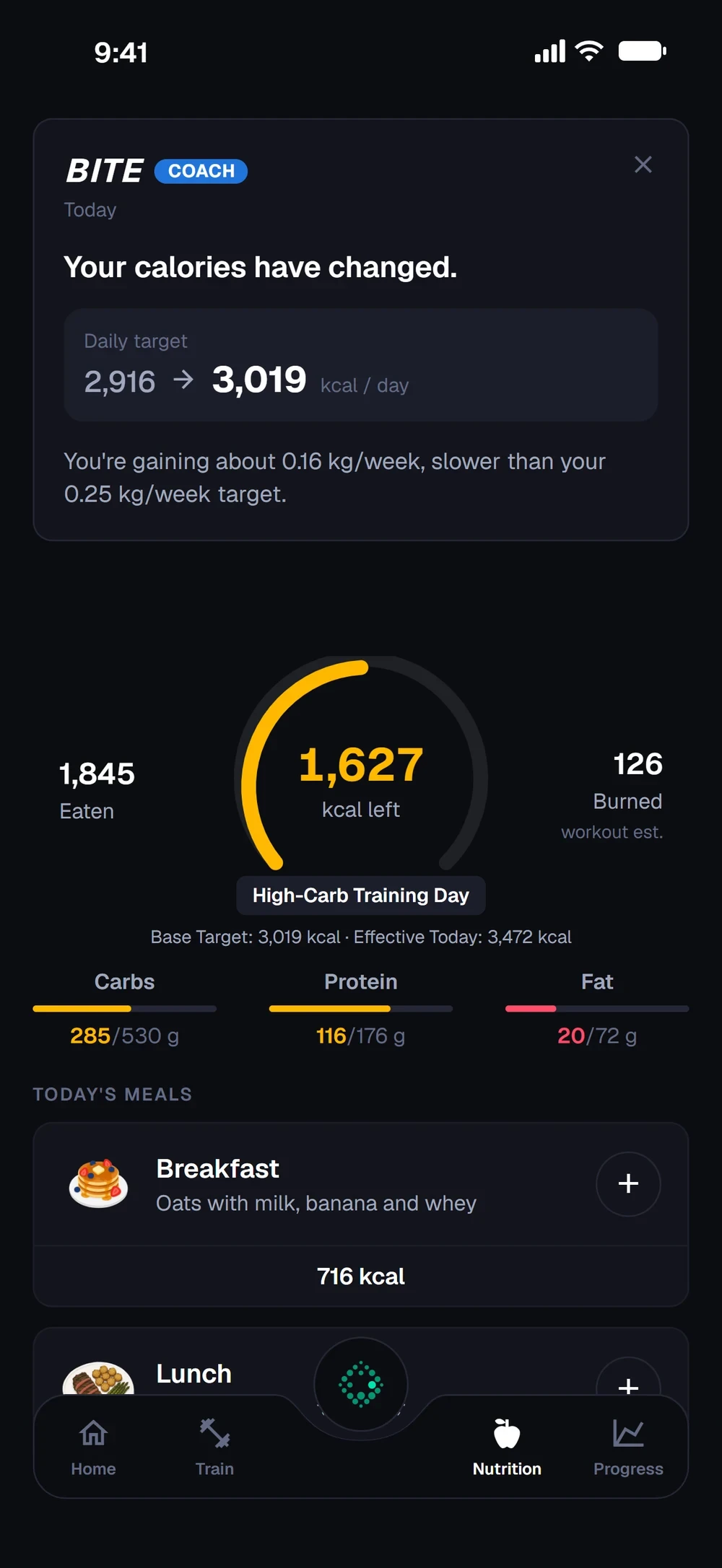

How does Bite set my calories?
Bite adjusts your calorie target each week based on your weight trend and goal.
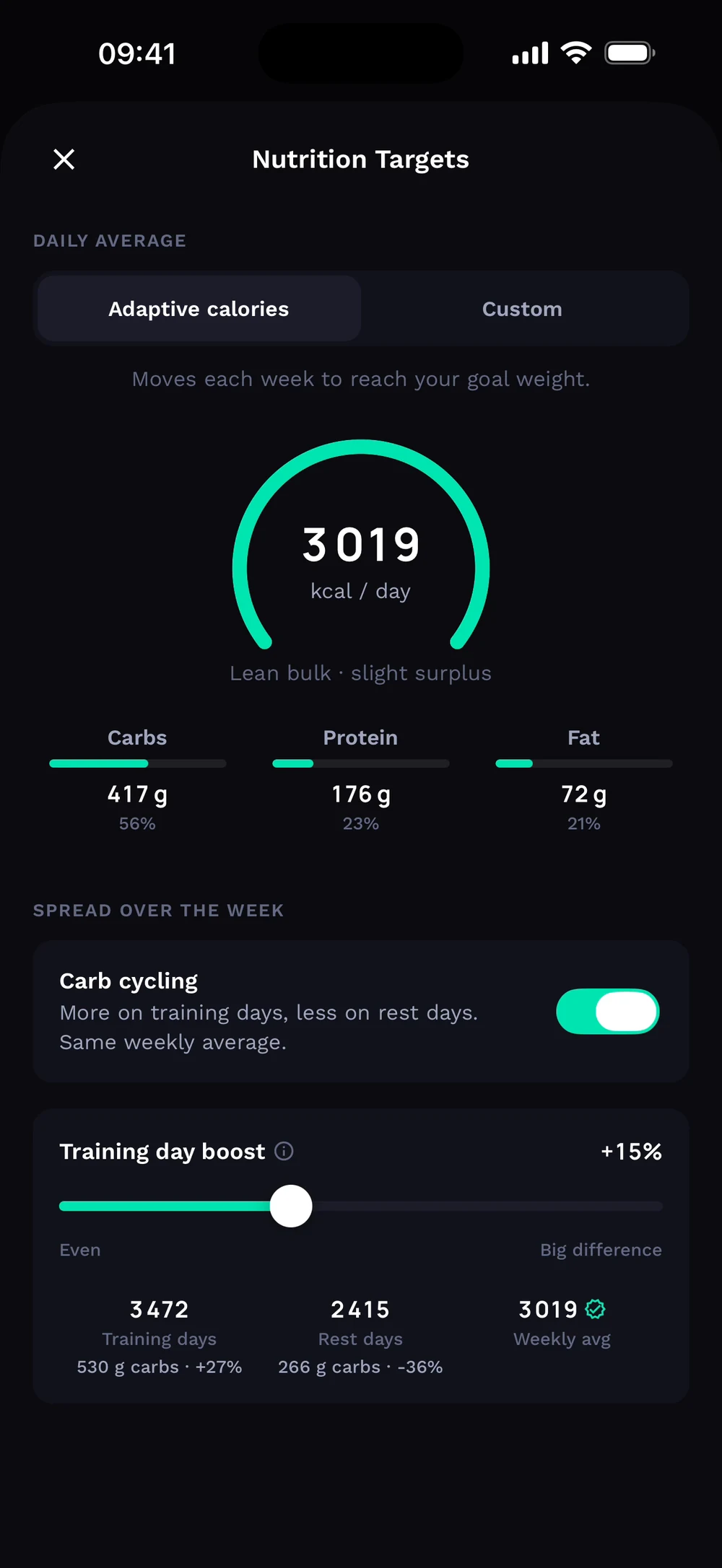
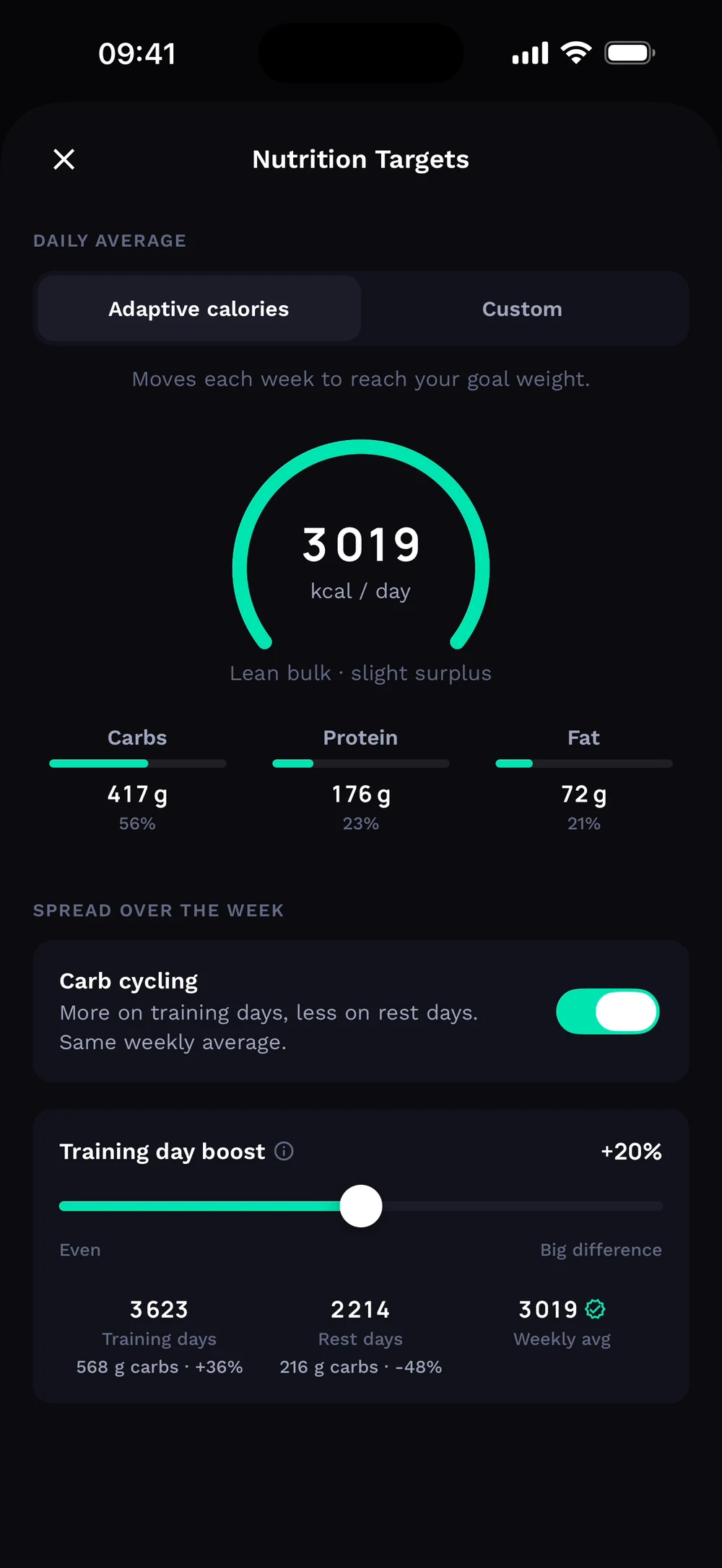
When your target changes, Bite Coach tells you on the Nutrition tab, with the old and new daily target and why. Tap the gear to open Nutrition Targets. Choose Adaptive calories or Custom.
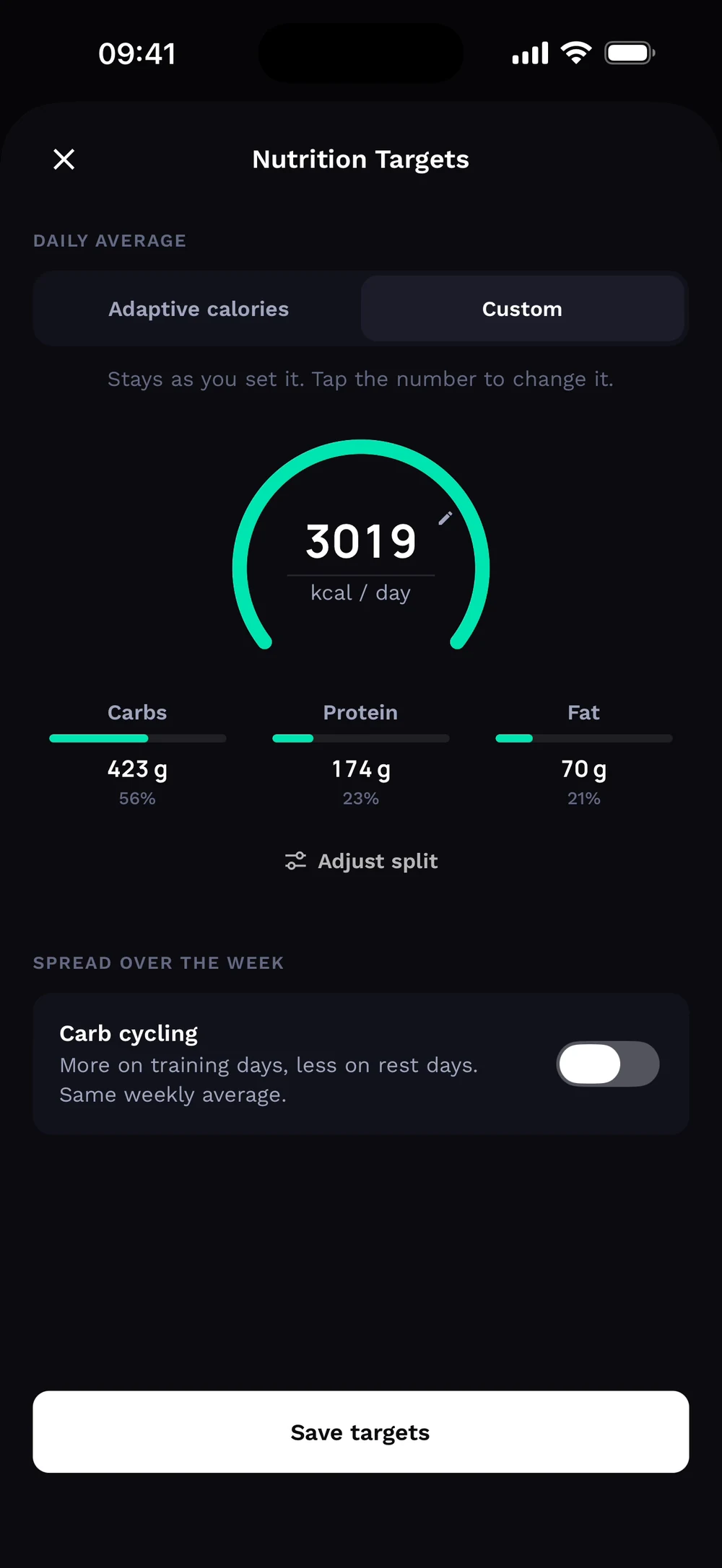
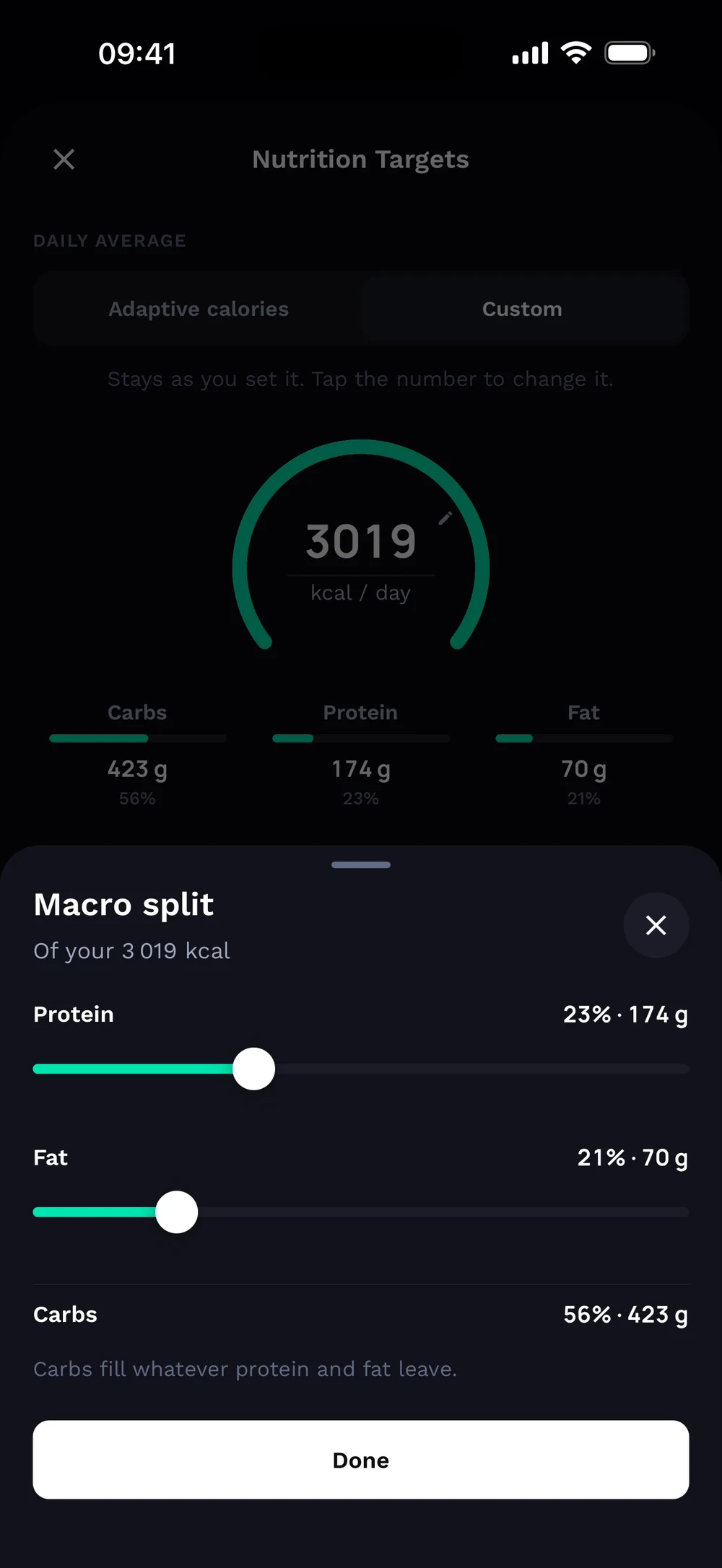
In Custom, tap the macro split to set protein, fat and carbs. Switch to Adaptive and Bite moves your target each week toward your goal weight.
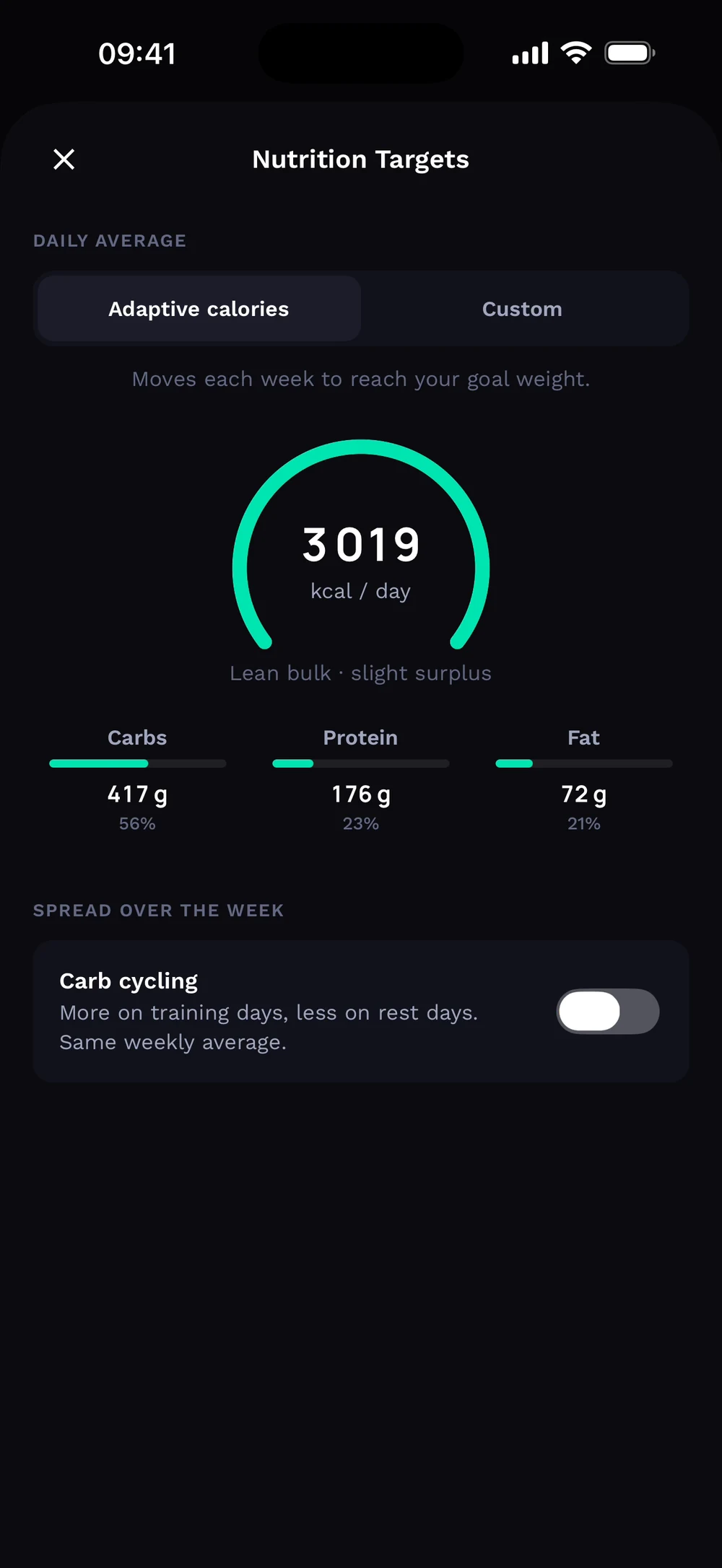
Turn on Carb cycling to spread your calories over the week. Set the training day boost to see your training and rest day targets.
Frequently asked questions
How does Bite set my calories?
Bite adjusts your calorie target each week based on your weight trend and goal. Here is how: Open Nutrition and tap the gear. Check your calories, macros and goal. Turn on adaptive calories. Each week Bite shows what changed and why.
Is adaptive calorie target free in Bite?
Adaptive calorie target is part of Bite Coach. The free app covers workout logging, programs and progress tracking.
Where do I find adaptive calorie target in the app?
Go to Nutrition > Targets.