
Delete a meal
Remove a meal you logged by mistake.
Free
Find it: Meal > delete

 Coming soon
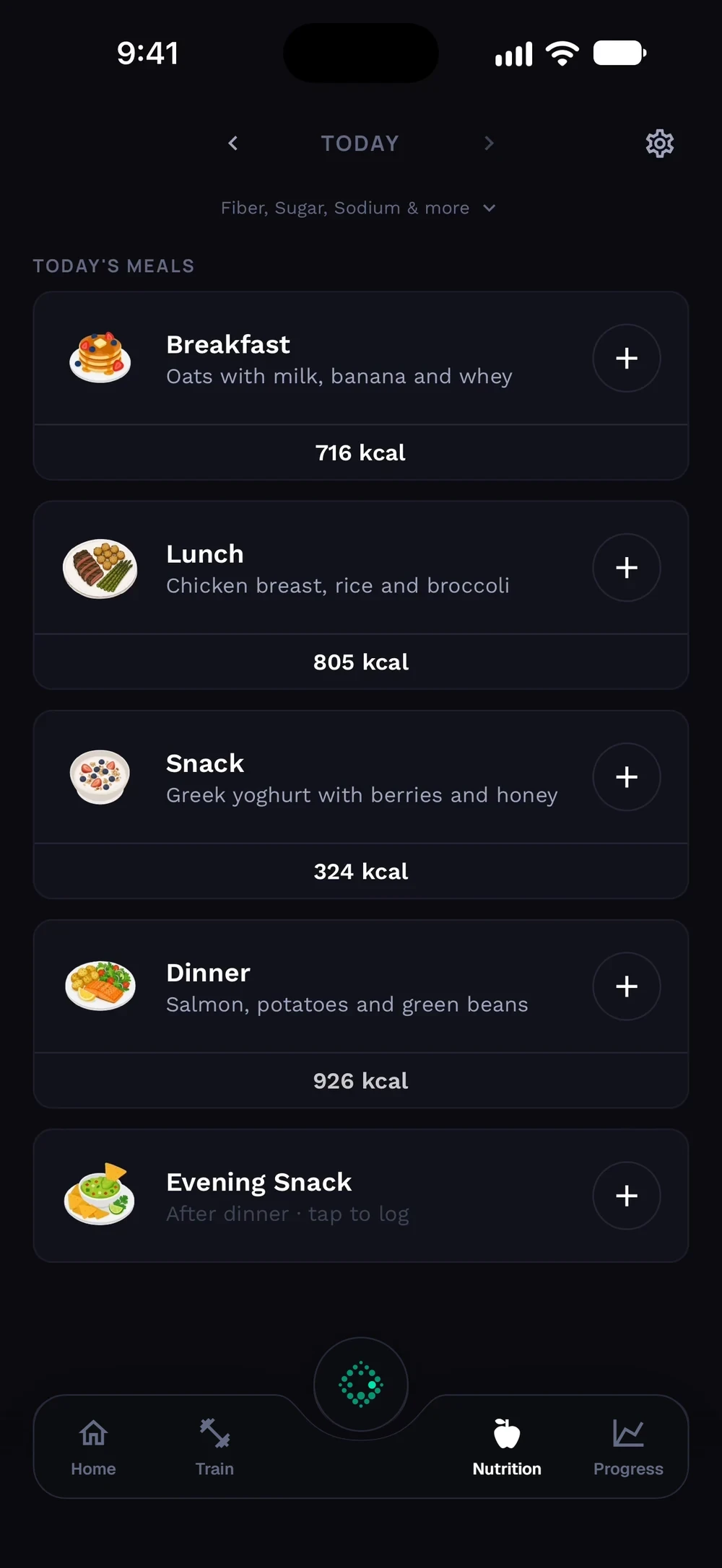

How do I delete a meal?
Remove a meal you logged by mistake.
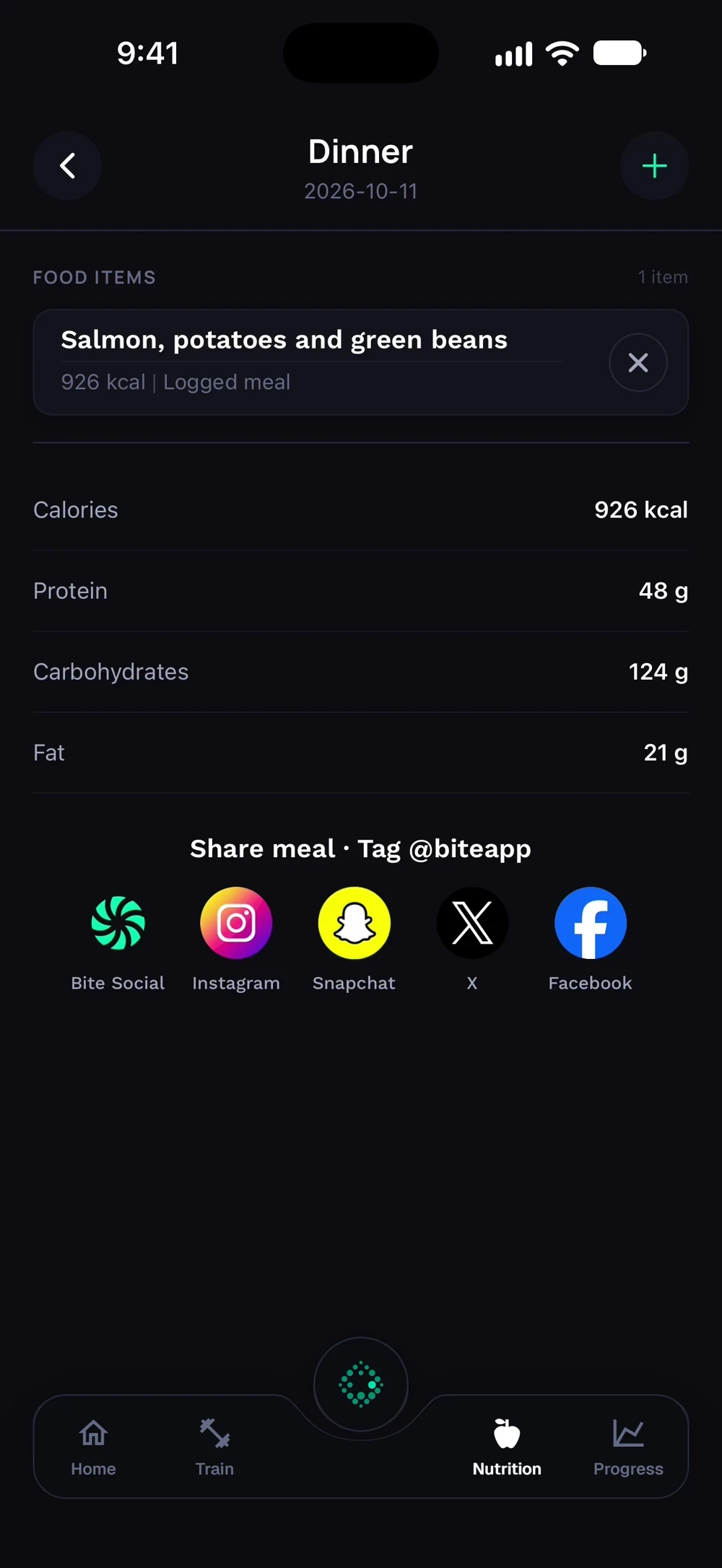
Open the meal you want to change. Tap the cross next to a food item to remove it.
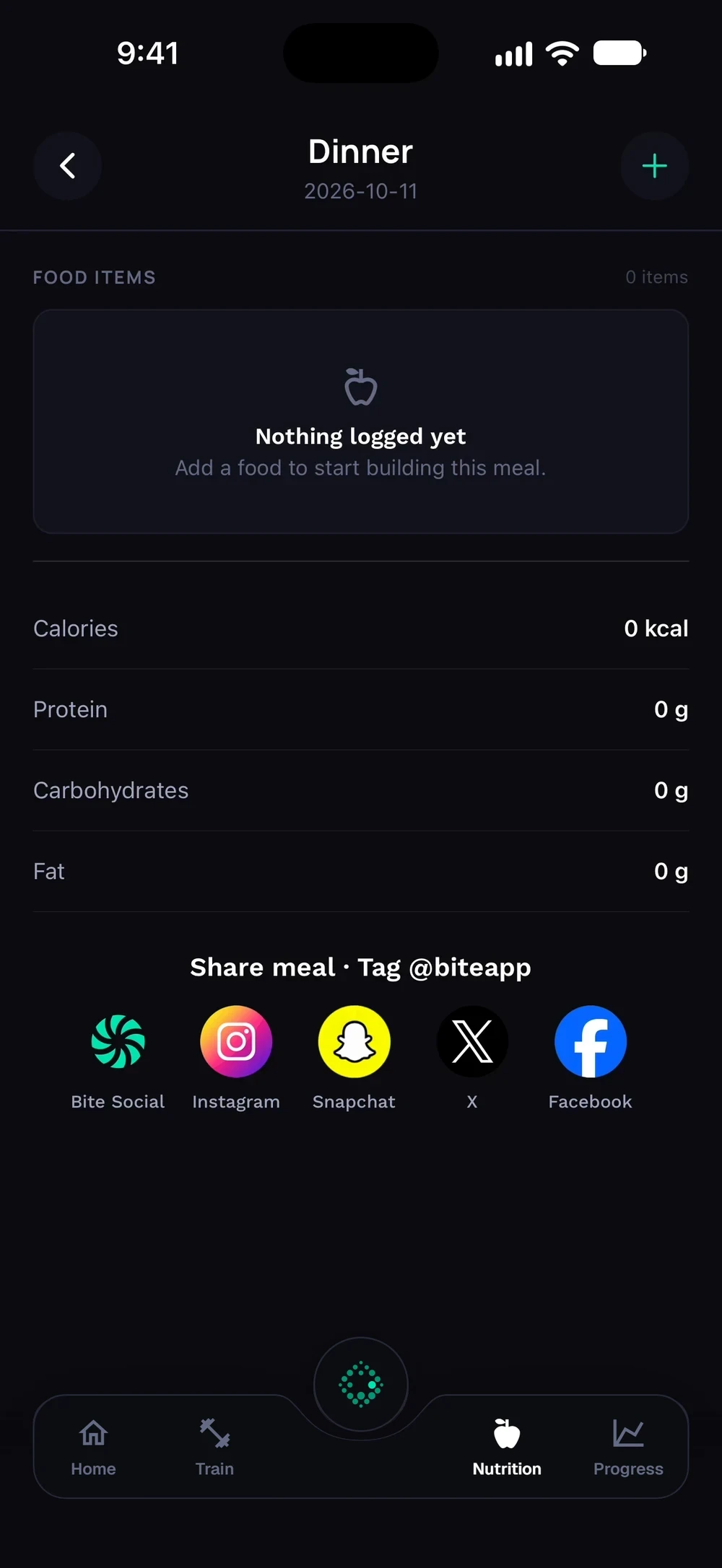
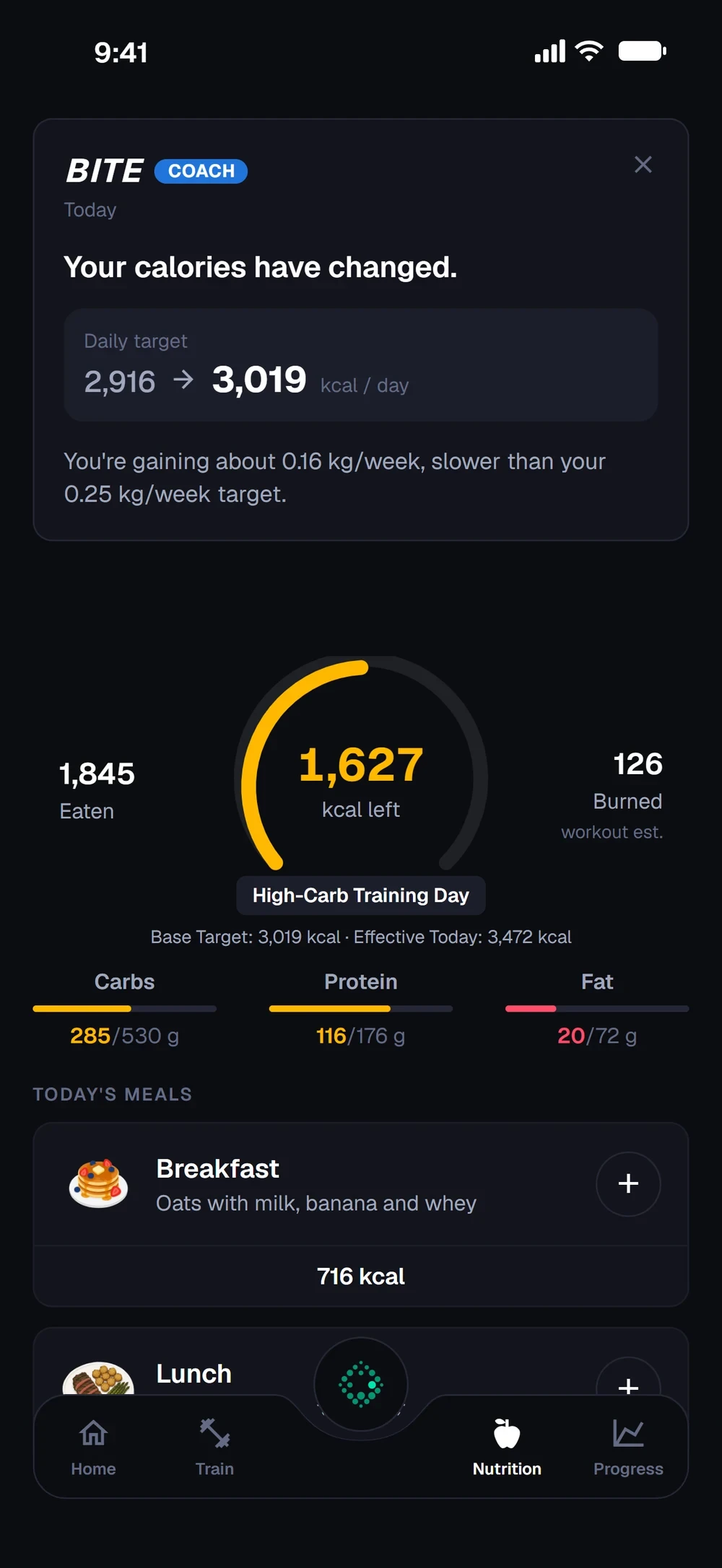
The meal is empty. Go back. Your overview is back to normal, without the deleted food.
Frequently asked questions
How do I delete a meal?
Remove a meal you logged by mistake. Here is how: Open the meal. Tap delete. Confirm.
Is delete a meal free in Bite?
Yes. Delete a meal is part of the free Bite app.
Where do I find delete a meal in the app?
Go to Meal > delete.