
Goal reached
When your weight reaches your goal, Bite asks what you want next.
Find it: Train > banner

 Coming soon
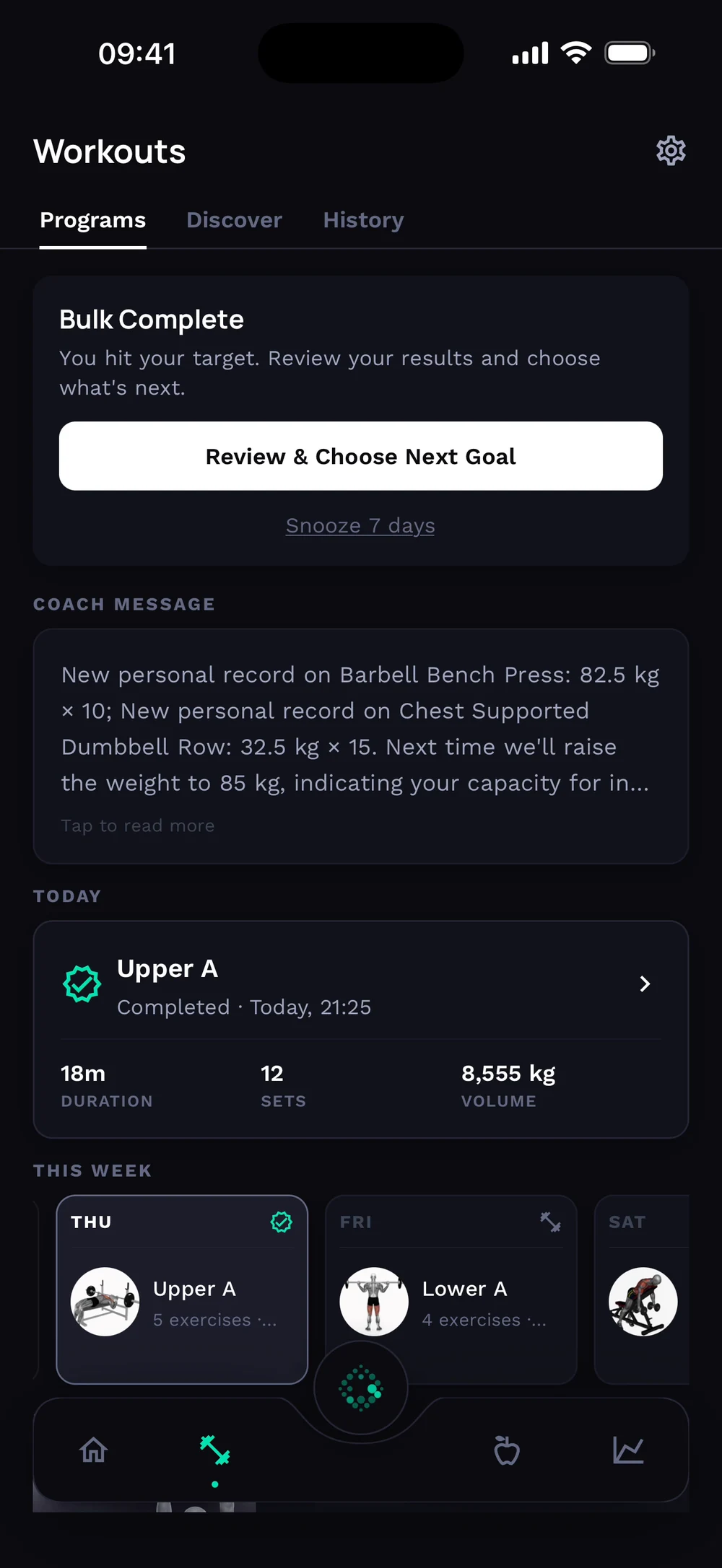

What happens when I reach my goal?
When your weight reaches your goal, Bite asks what you want next.
When your weight reaches your goal, a Bulk Complete card appears on Train. Tap Review and choose next goal. See what you achieved: total change, weekly rate, calories and how well you logged.
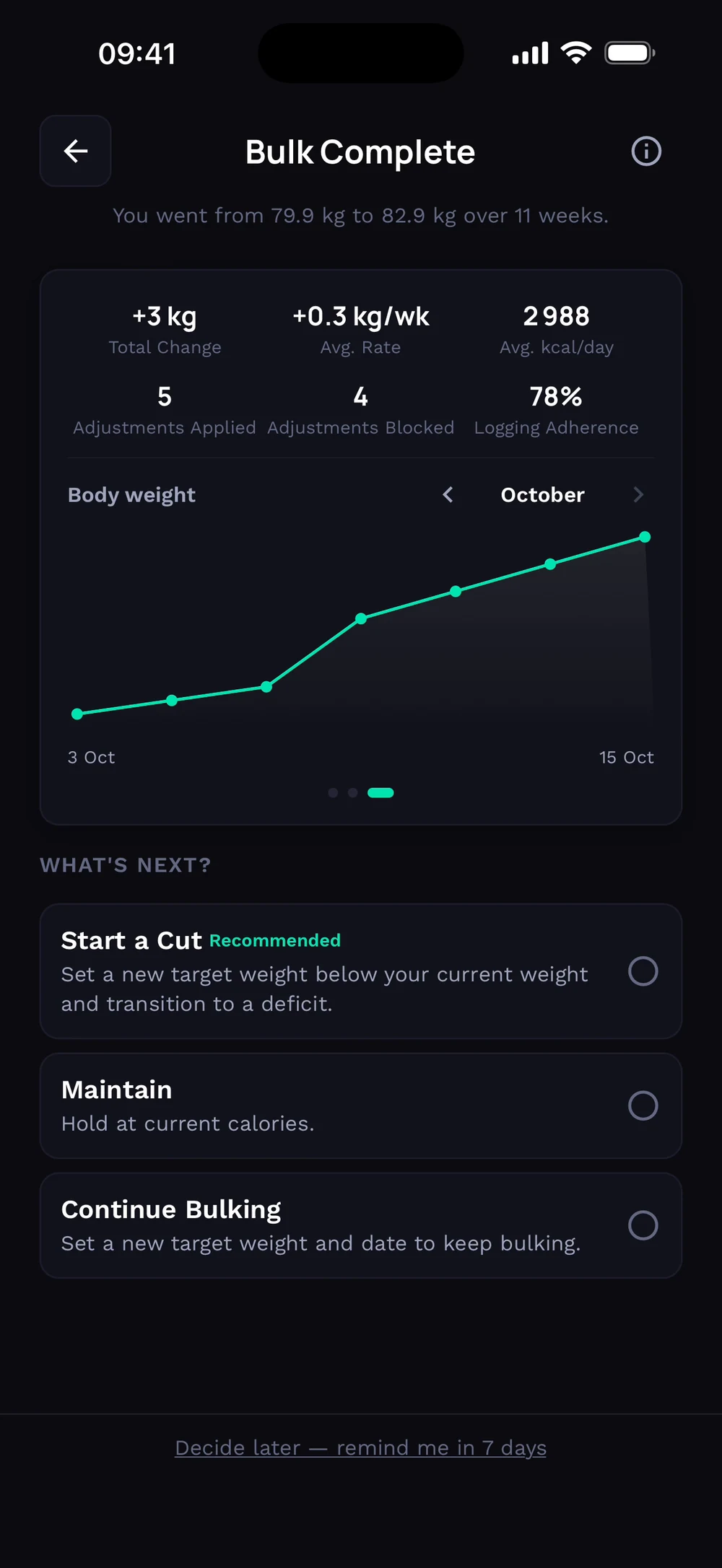
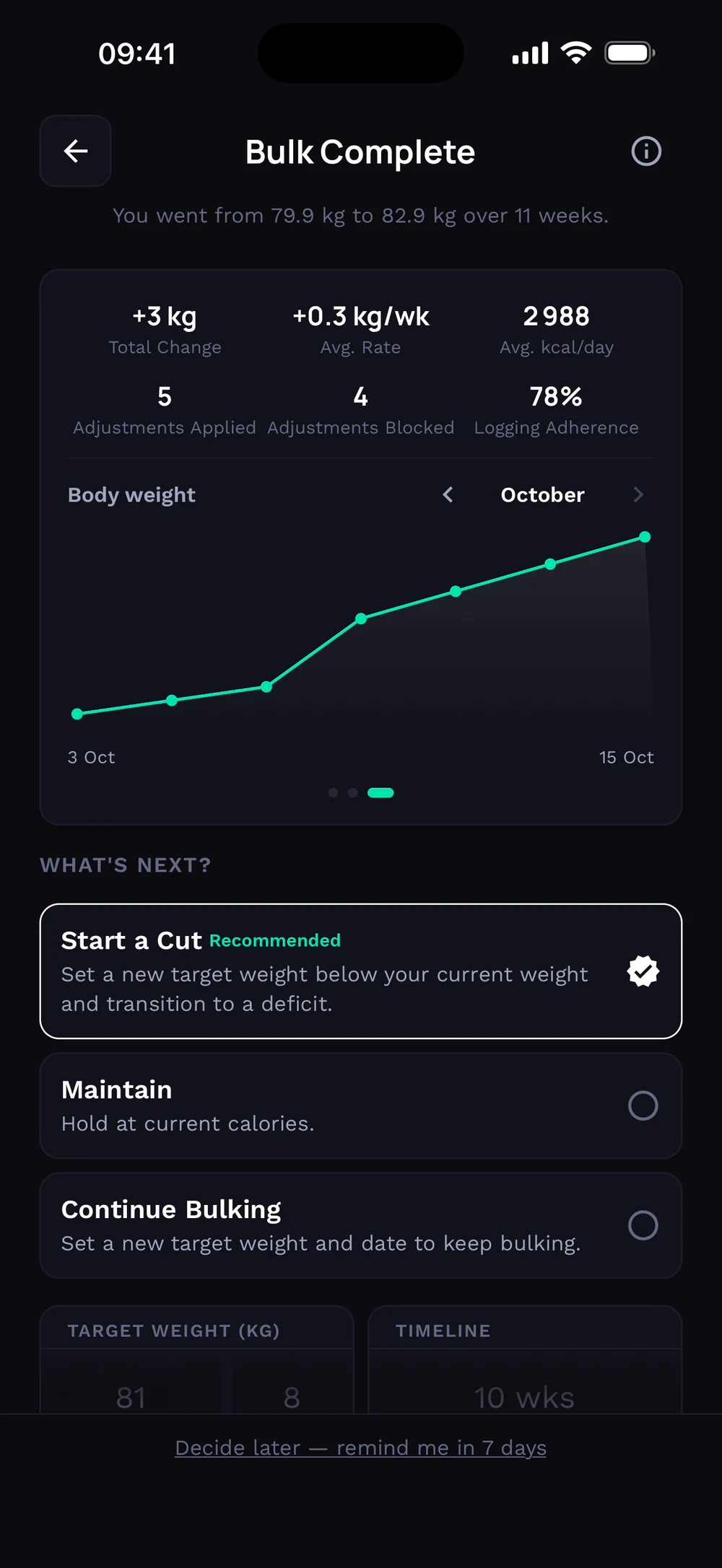
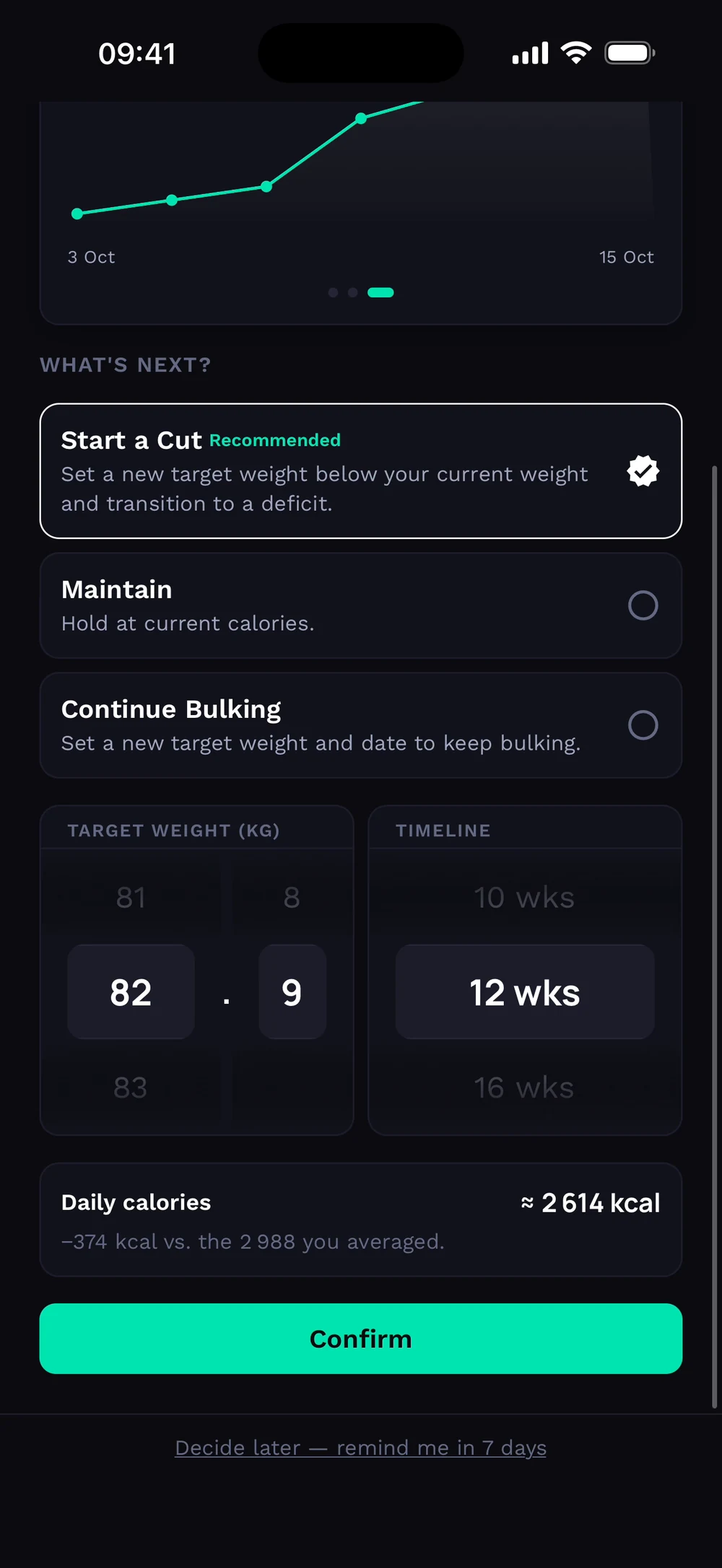
Scroll to What's next. Choose Start a Cut, Maintain or Continue Bulking, set the new target and tap Confirm.
Frequently asked questions
What happens when I reach my goal?
When your weight reaches your goal, Bite asks what you want next. Here is how: Log your weight as usual. When the weekly average reaches your target, a banner appears on Train. Open it to see your results. Choose what is next: cut, maintain or keep bulking.
Is goal reached free in Bite?
Yes. Goal reached is part of the free Bite app.
Where do I find goal reached in the app?
Go to Train > banner.