
Workout posts, likes and comments
Like and comment on a friend's workout.
Free
Find it: Home > post

 Coming soon

How do I comment on a workout?
Like and comment on a friend's workout.
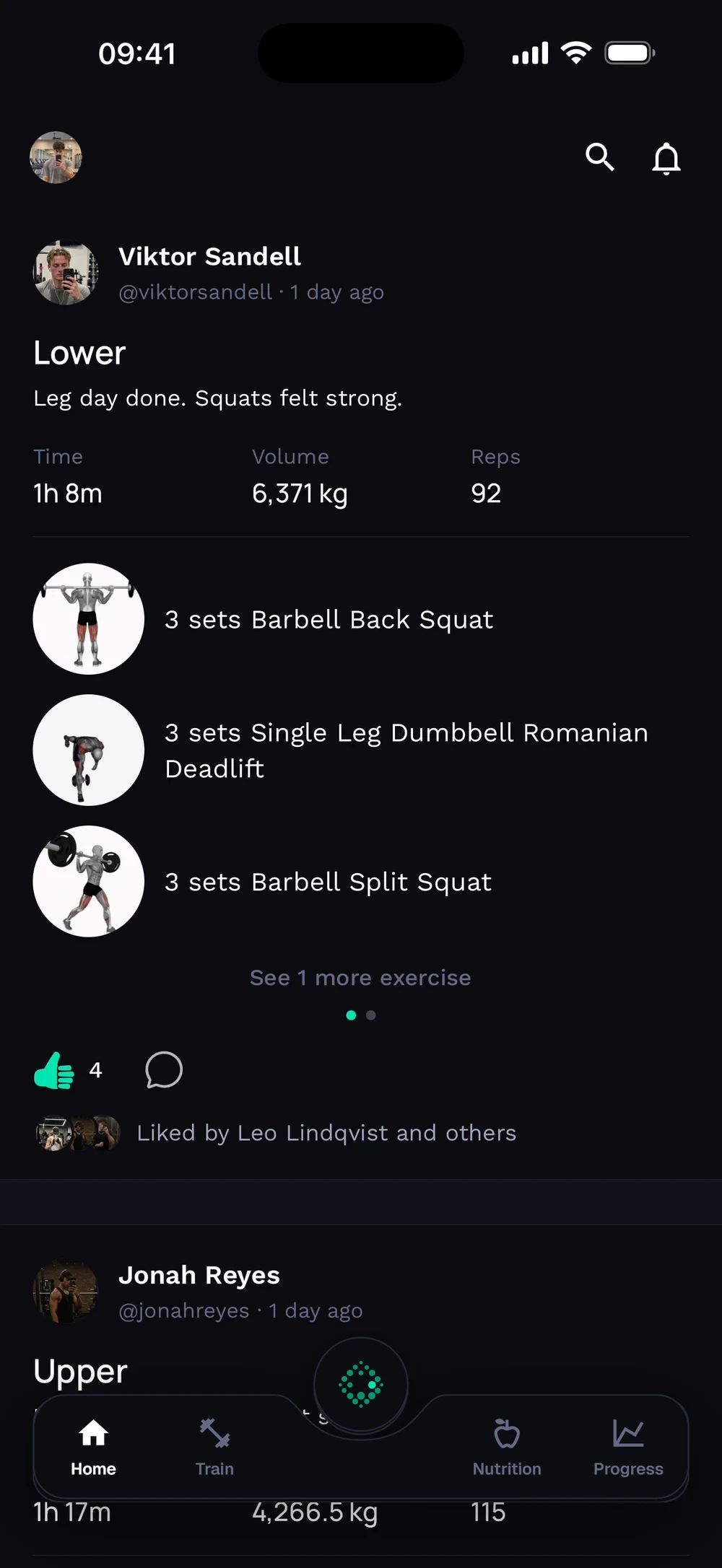
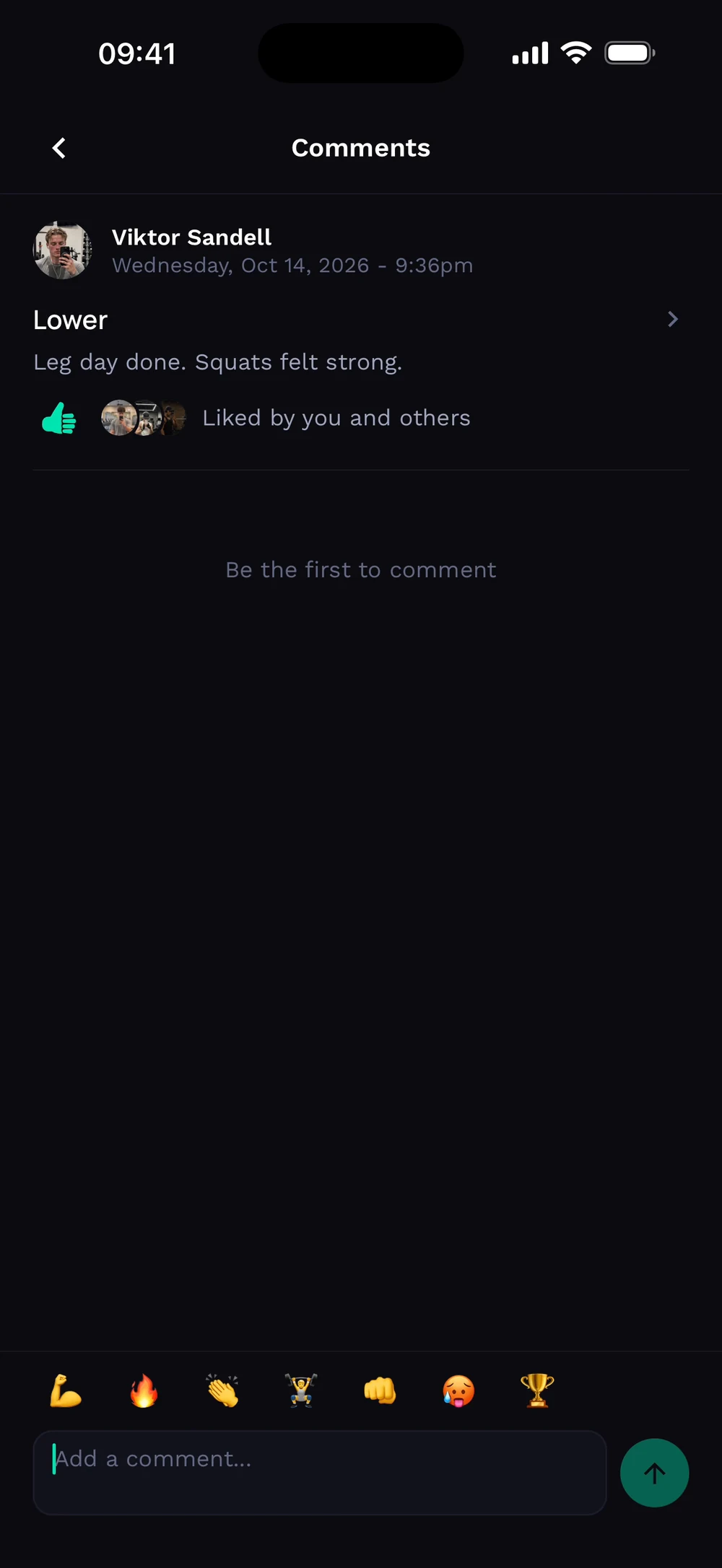
Tap the thumb on a post to like it. The comment bubble opens the discussion. Write a comment, add a quick emoji and tap send.
Frequently asked questions
How do I comment on a workout?
Like and comment on a friend's workout. Here is how: Tap a post. Tap the thumb to like it. Write a comment and send.
Is workout posts, likes and comments free in Bite?
Yes. Workout posts, likes and comments is part of the free Bite app.
Where do I find workout posts, likes and comments in the app?
Go to Home > post.