
Body measurements
Log your measurements on a figure your size and see how each part changes.
Find it: Progress > Health > plus button

 Coming soon

How do I log measurements?
Log your measurements on a figure your size and see how each part changes.
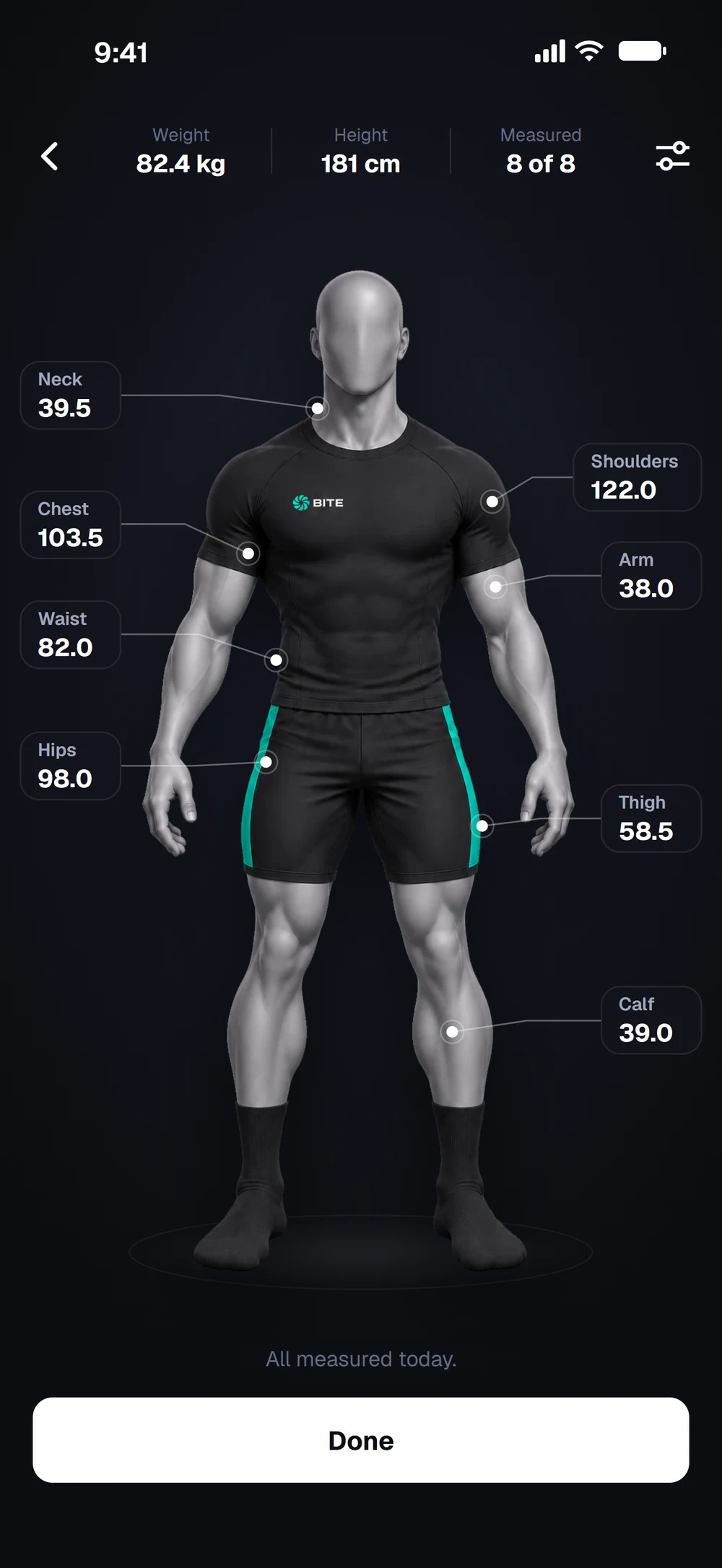
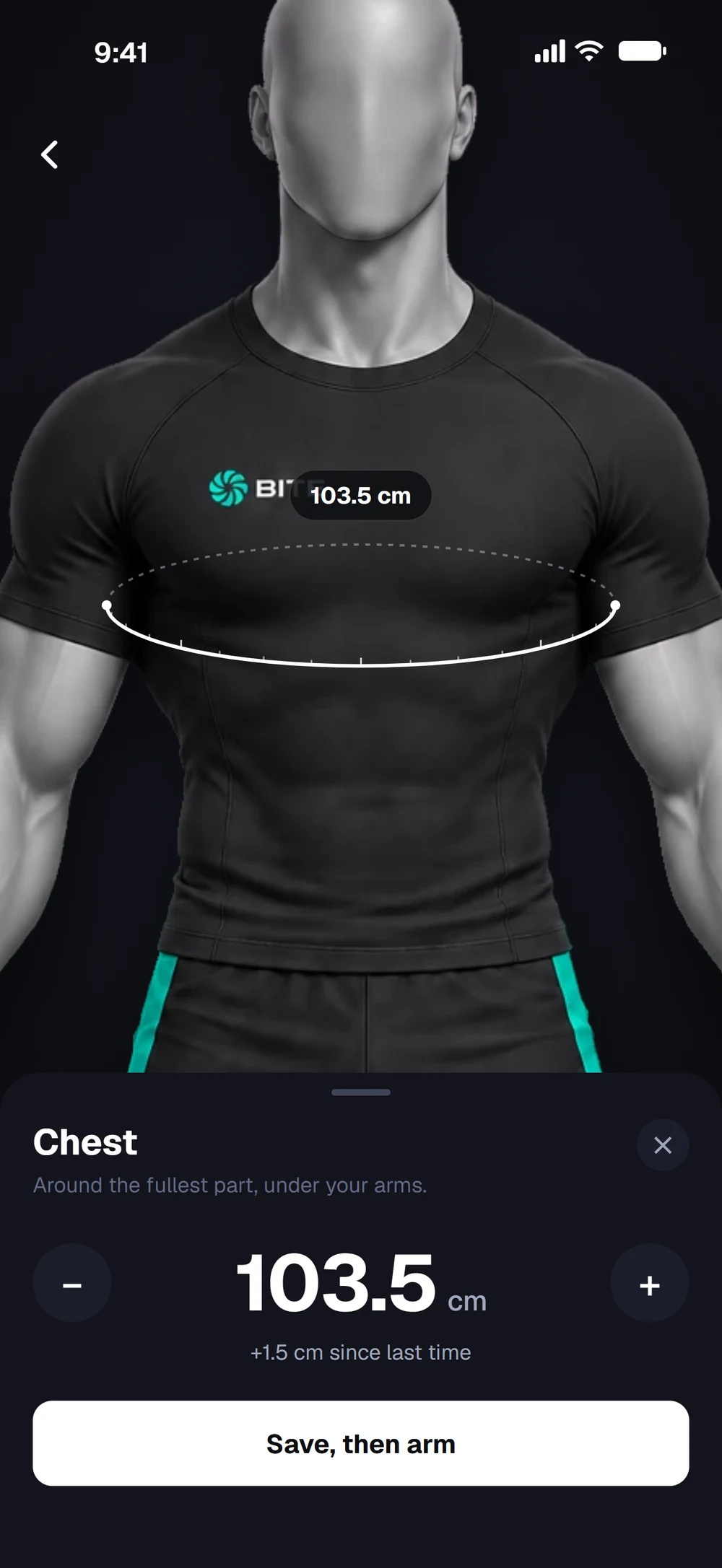
Your body as a figure in your weight class, with neck, shoulders, chest, arm, waist, hips, thigh and calf marked. Tap a part to measure it. The figure zooms in and shows where to put the tape. Set the value and save, then Bite moves you to the next part.
Frequently asked questions
How do I log measurements?
Log your measurements on a figure your size and see how each part changes. Here is how: Open Progress and the Health tab, then tap the plus button. Tap a part on the figure, for example Chest. Set the value with plus and minus, or tap the number to type it. Tap Save. Bite moves you to the next part.
Is body measurements free in Bite?
Yes. Body measurements is part of the free Bite app.
Where do I find body measurements in the app?
Go to Progress > Health > plus button.