
Health overview
Your body weight trend, goal and calories in one place.
Find it: Progress > Health

 Coming soon

How do I track my body weight?
Your body weight trend, goal and calories in one place.
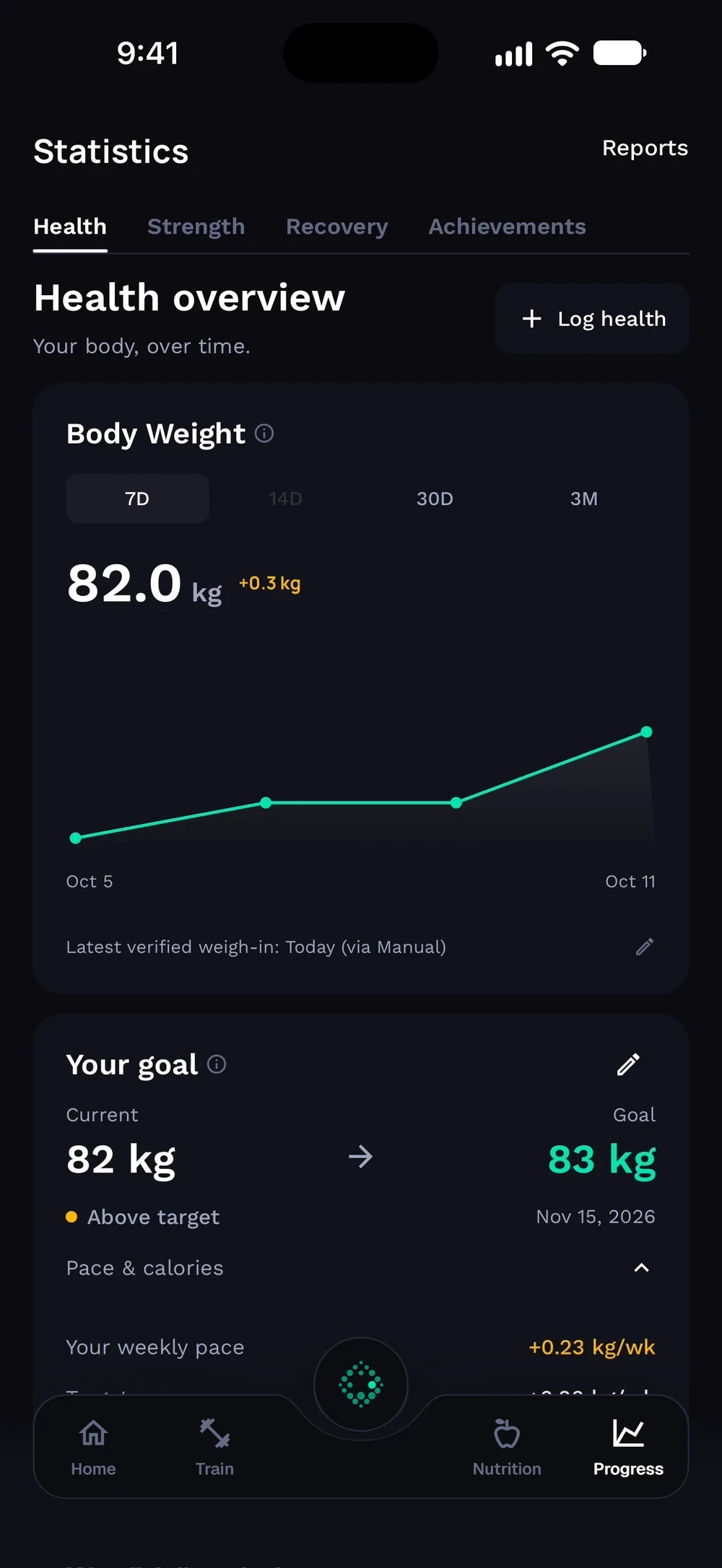
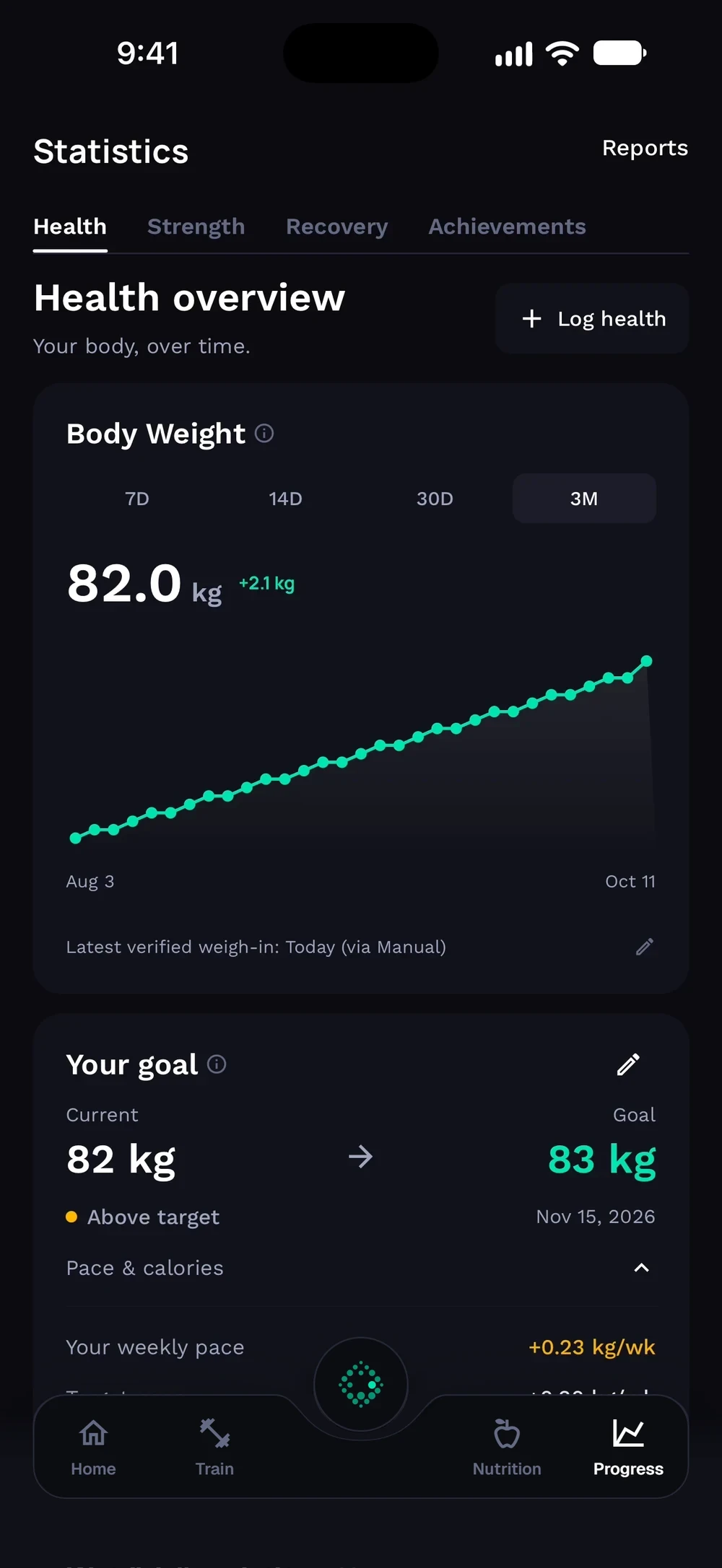
Open Progress and go to Health. Body Weight shows your trend with 7D, 14D, 30D and 3M ranges. Switch to 3M to see the longer trend.
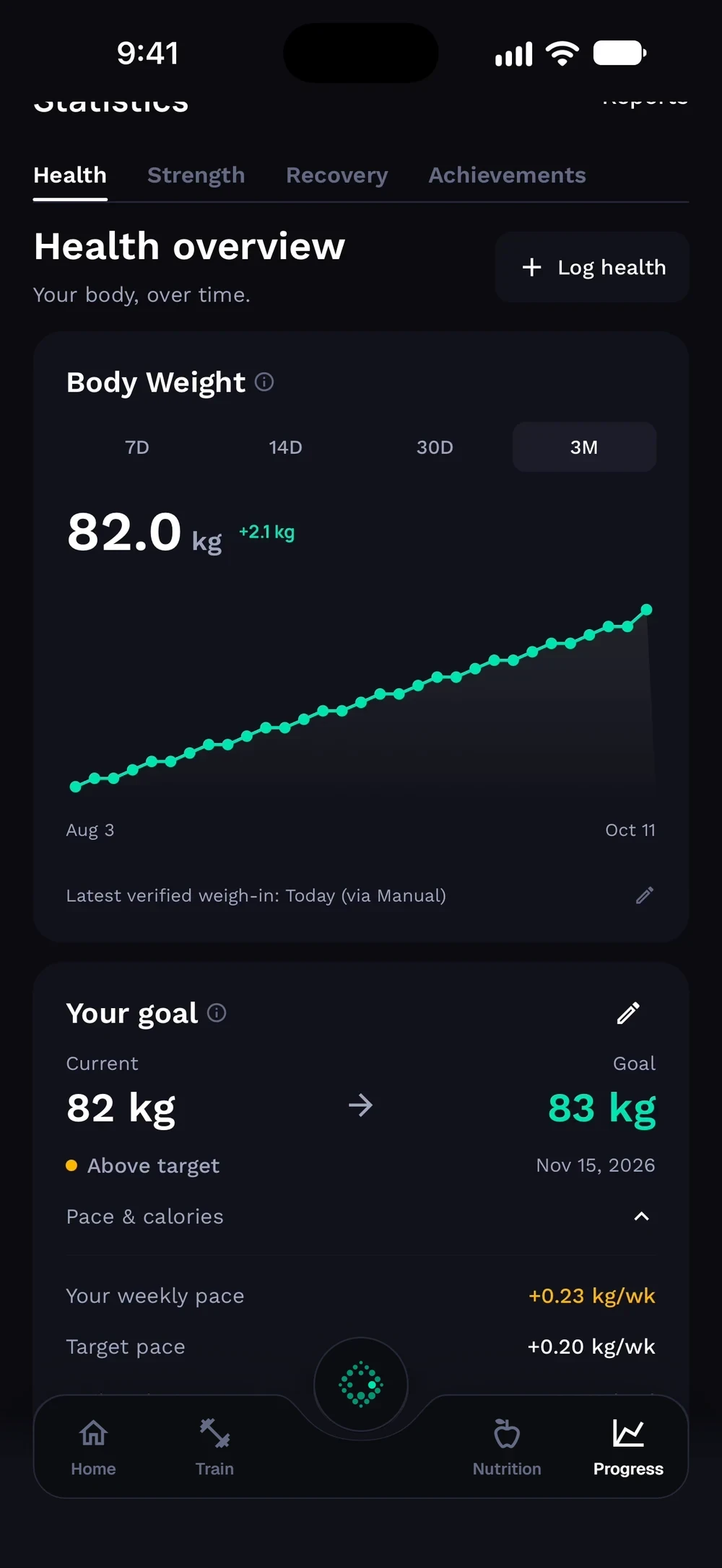
Your goal shows current and goal weight, with your pace and calories. Open Pace and calories to see your weekly pace and your daily calorie target.
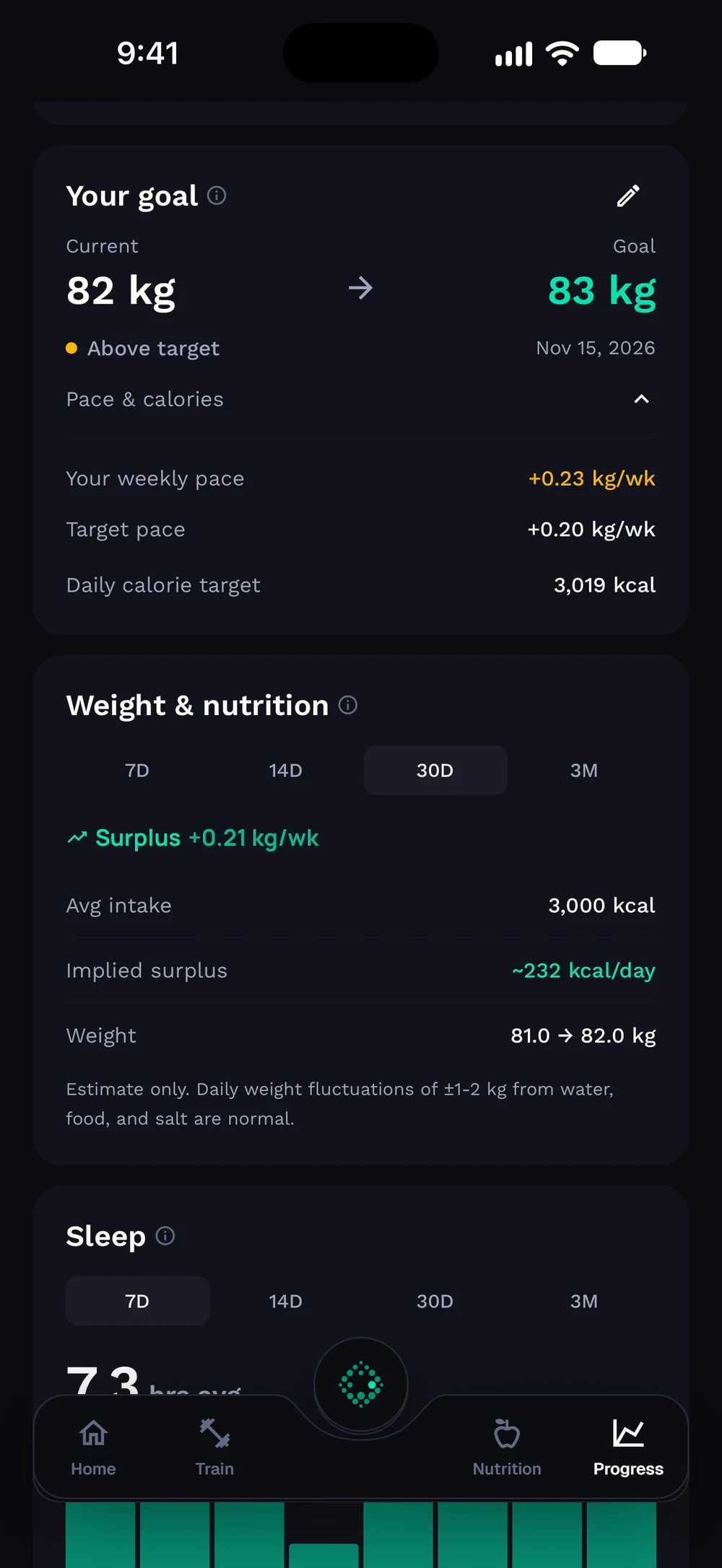
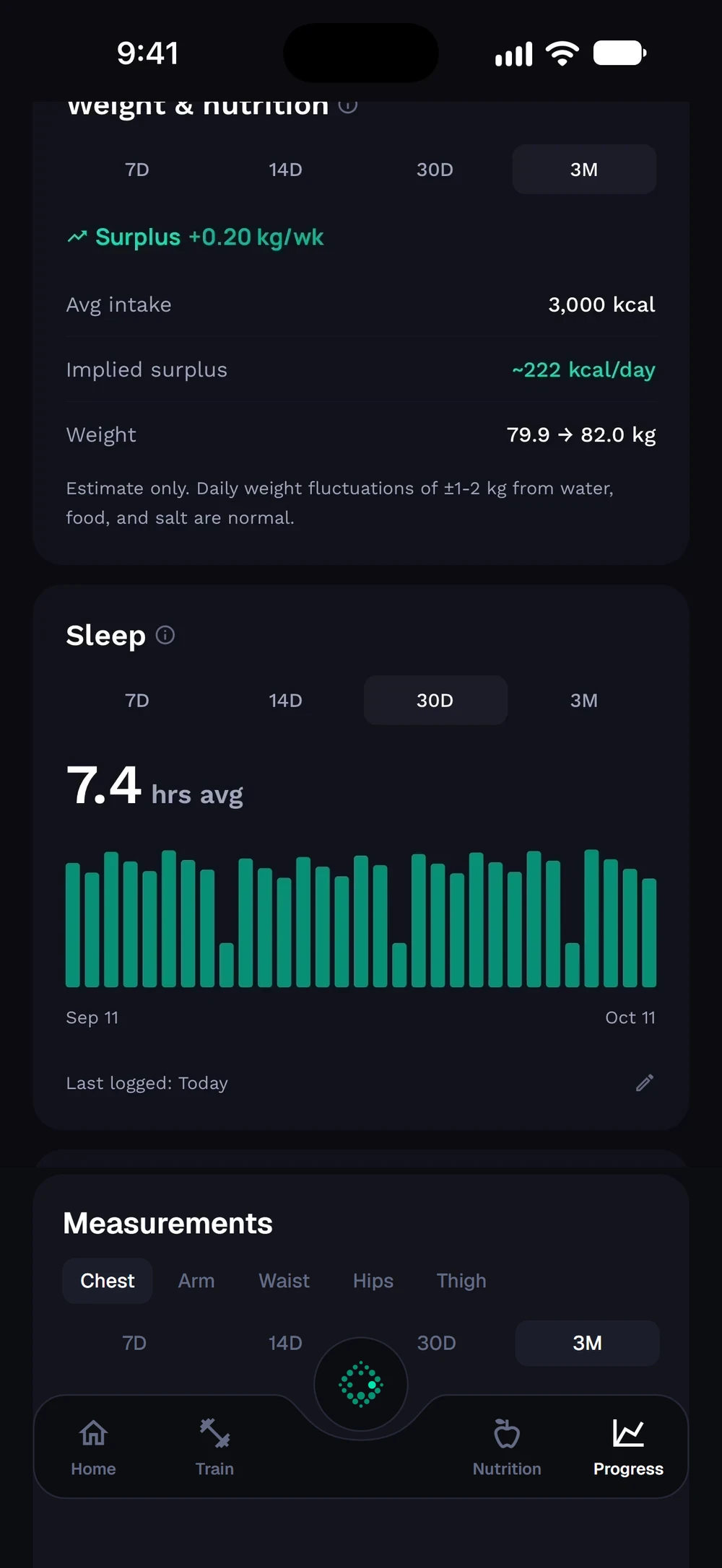
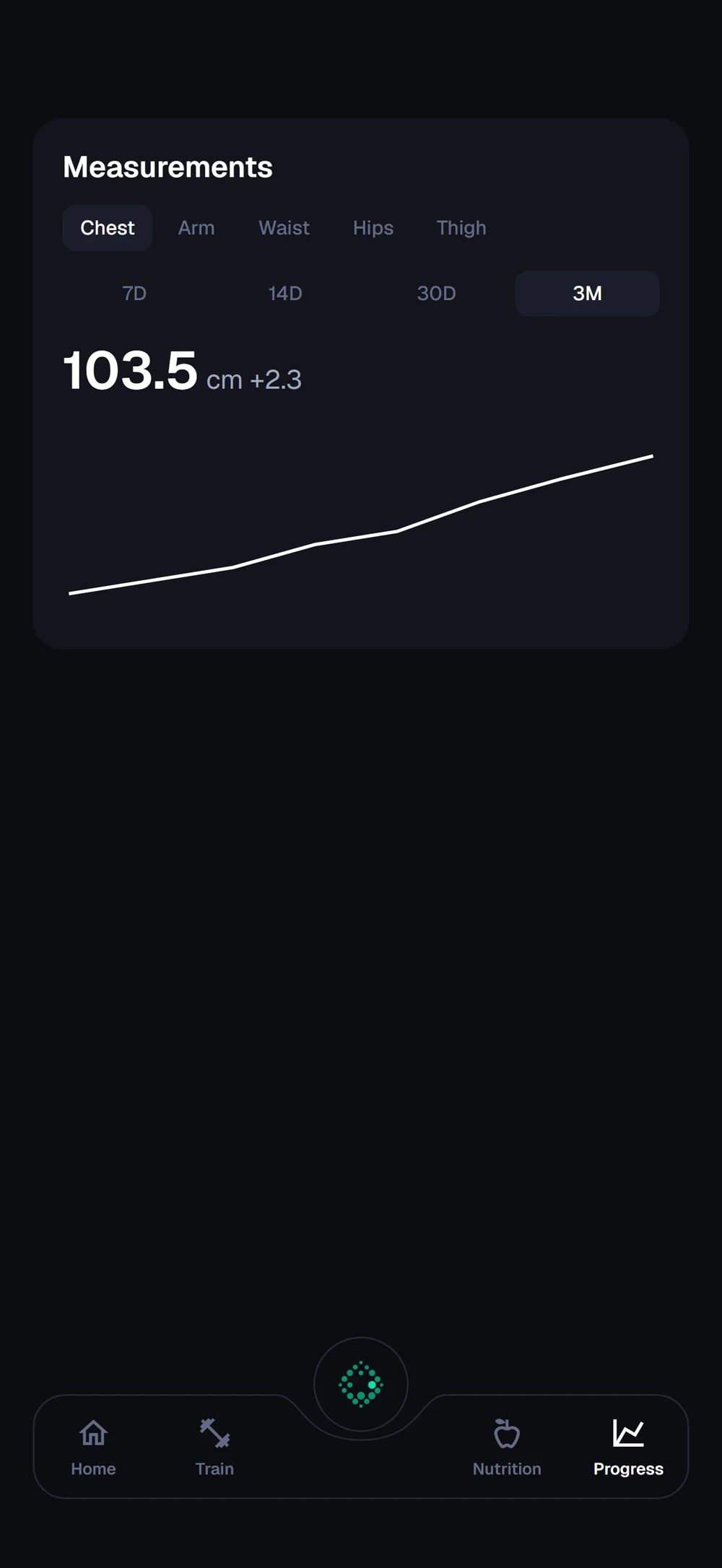
Weight and nutrition compares what you eat with your weight trend. Sleep shows your average below it. Scroll further for your measurements. Pick a part, such as chest, waist or arm, to see its chart.
Frequently asked questions
How do I track my body weight?
Your body weight trend, goal and calories in one place. Here is how: Open Progress and go to Health. Switch between 7 days, 14 days, 30 days and 3 months. Check your goal progress below the graph. Tap Log health to add a weight or measurement.
Is health overview free in Bite?
Yes. Health overview is part of the free Bite app.
Where do I find health overview in the app?
Go to Progress > Health.