
Coach settings
Choose which signals the coach watches and how it talks to you.
Bite Coach
Find it: Coach > Settings

 Coming soon
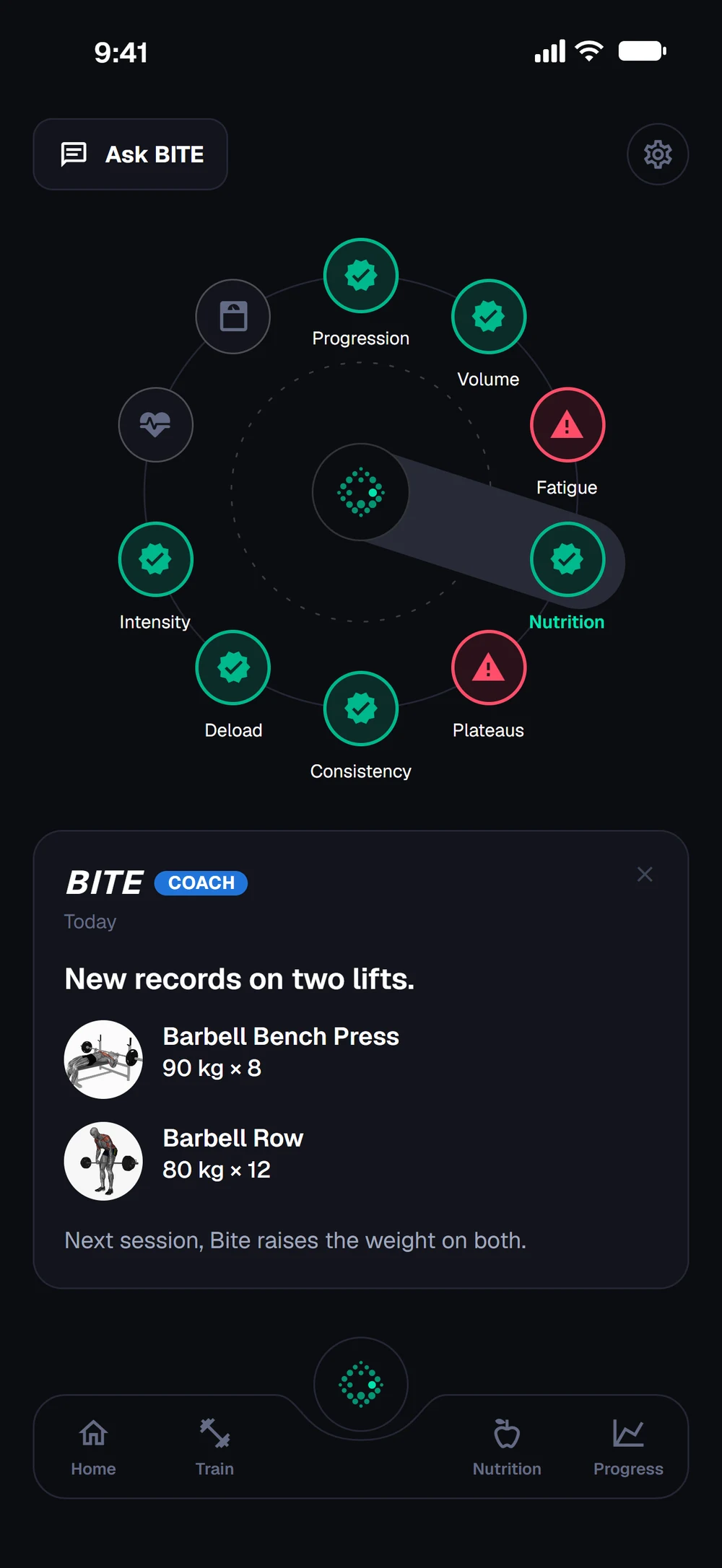

How do I change my coach settings?
Choose which signals the coach watches and how it talks to you.
Tap the gear on the Coach tab. Open Coach Settings.
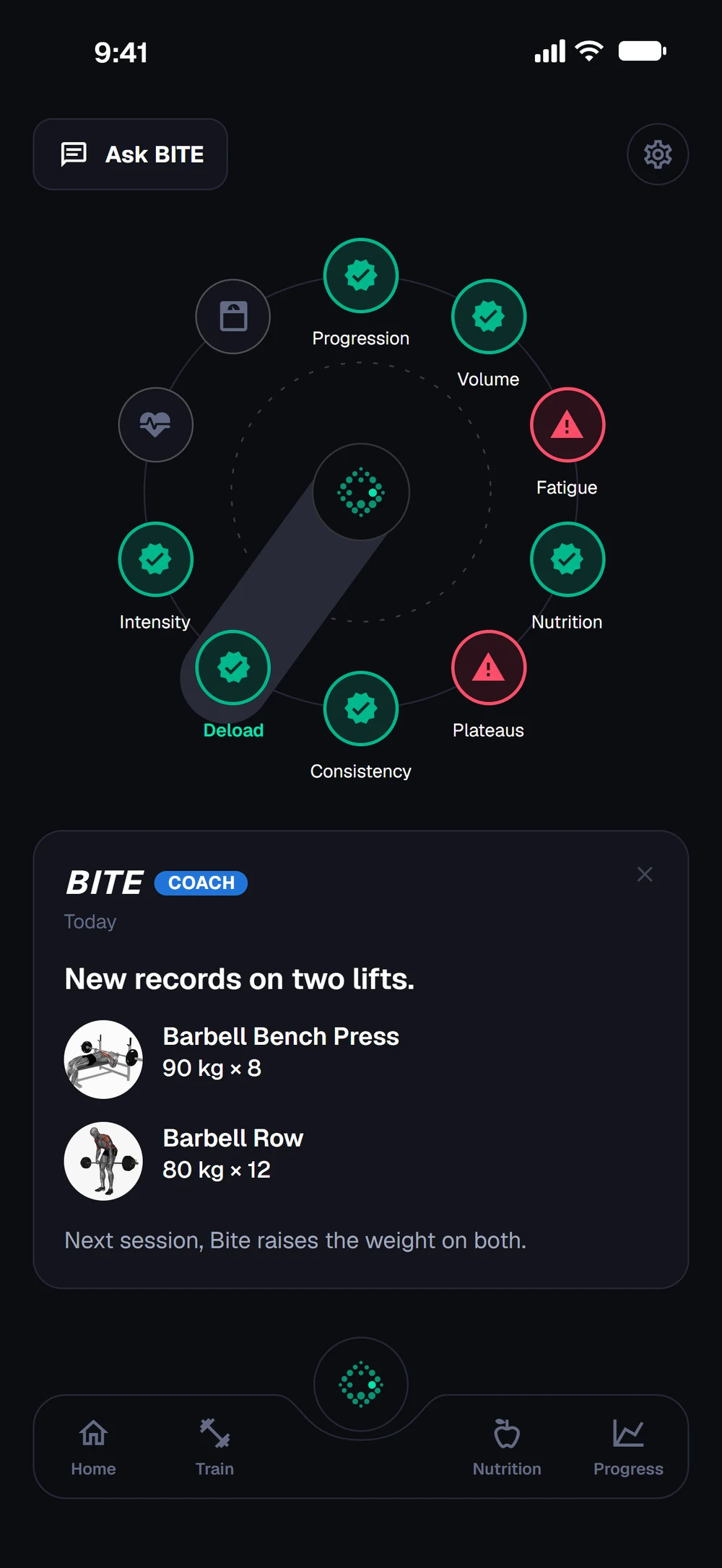
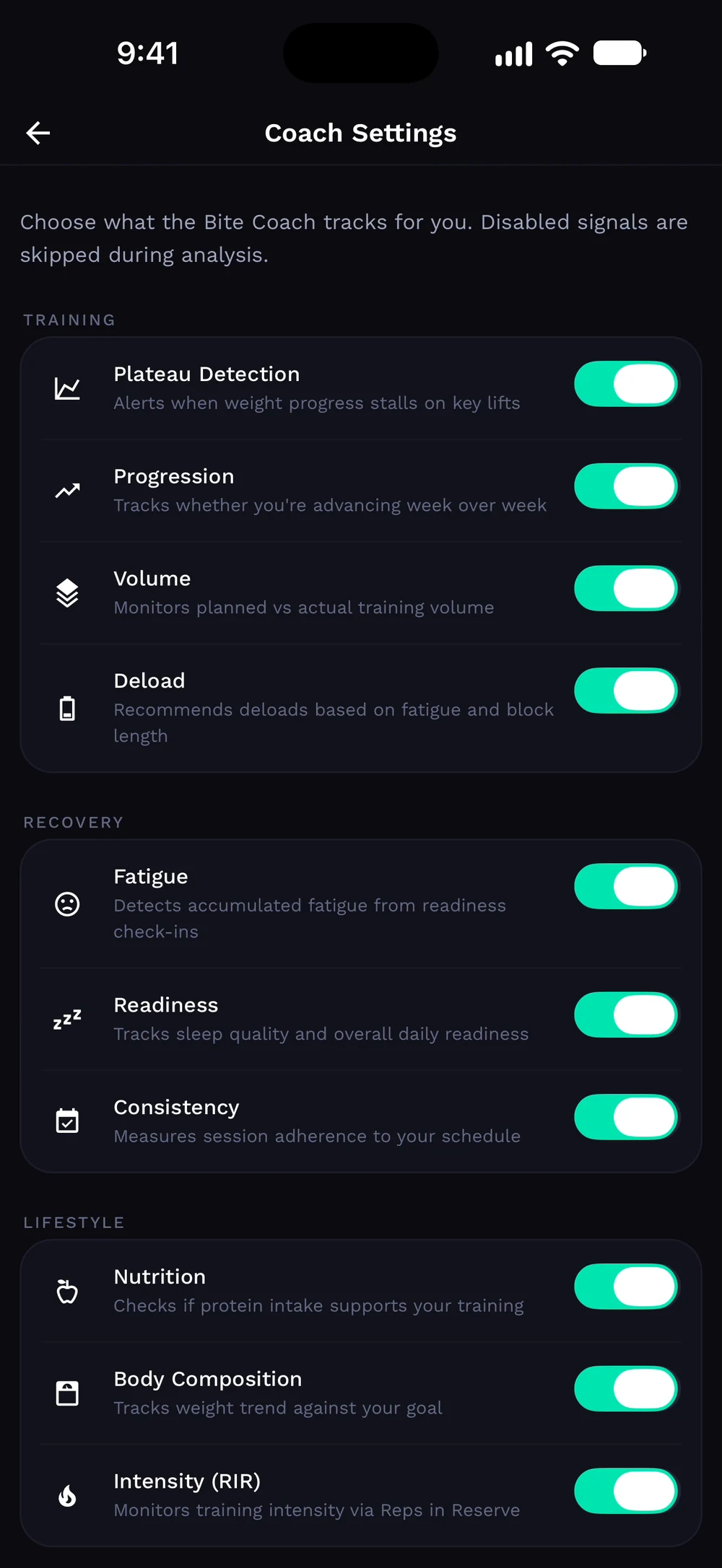
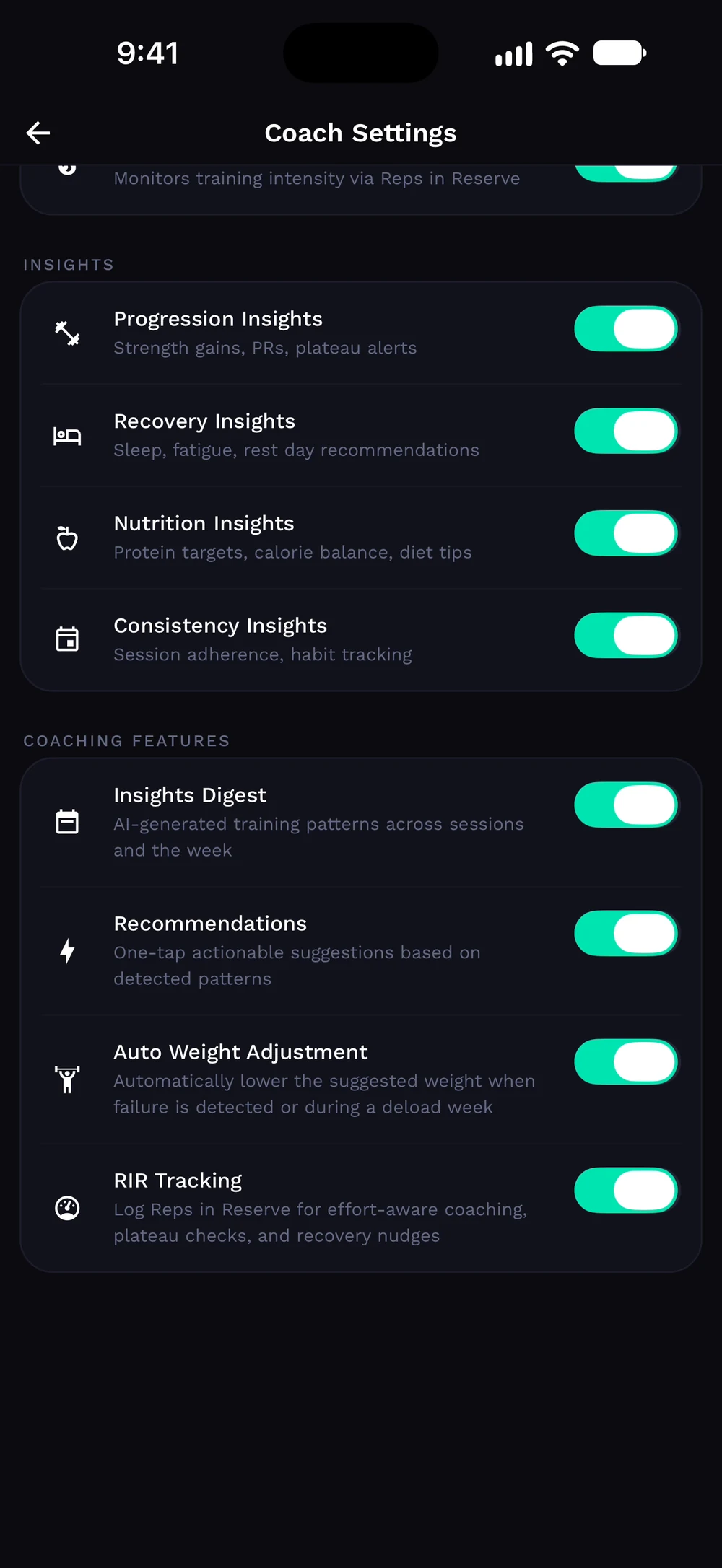
Switch the training signals on or off: plateau detection, progression, volume and deload. Choose your insights and coaching features, such as recommendations and auto weight adjustment.
Frequently asked questions
How do I change my coach settings?
Choose which signals the coach watches and how it talks to you. Here is how: Open the Coach tab and go to settings. Switch signals on or off. Pick your coaching style.
Is coach settings free in Bite?
Coach settings is part of Bite Coach. The free app covers workout logging, programs and progress tracking.
Where do I find coach settings in the app?
Go to Coach > Settings.