
One-tap recommendations
Bite proposes a change and you apply it with one tap.
Find it: Chat > Apply

 Coming soon
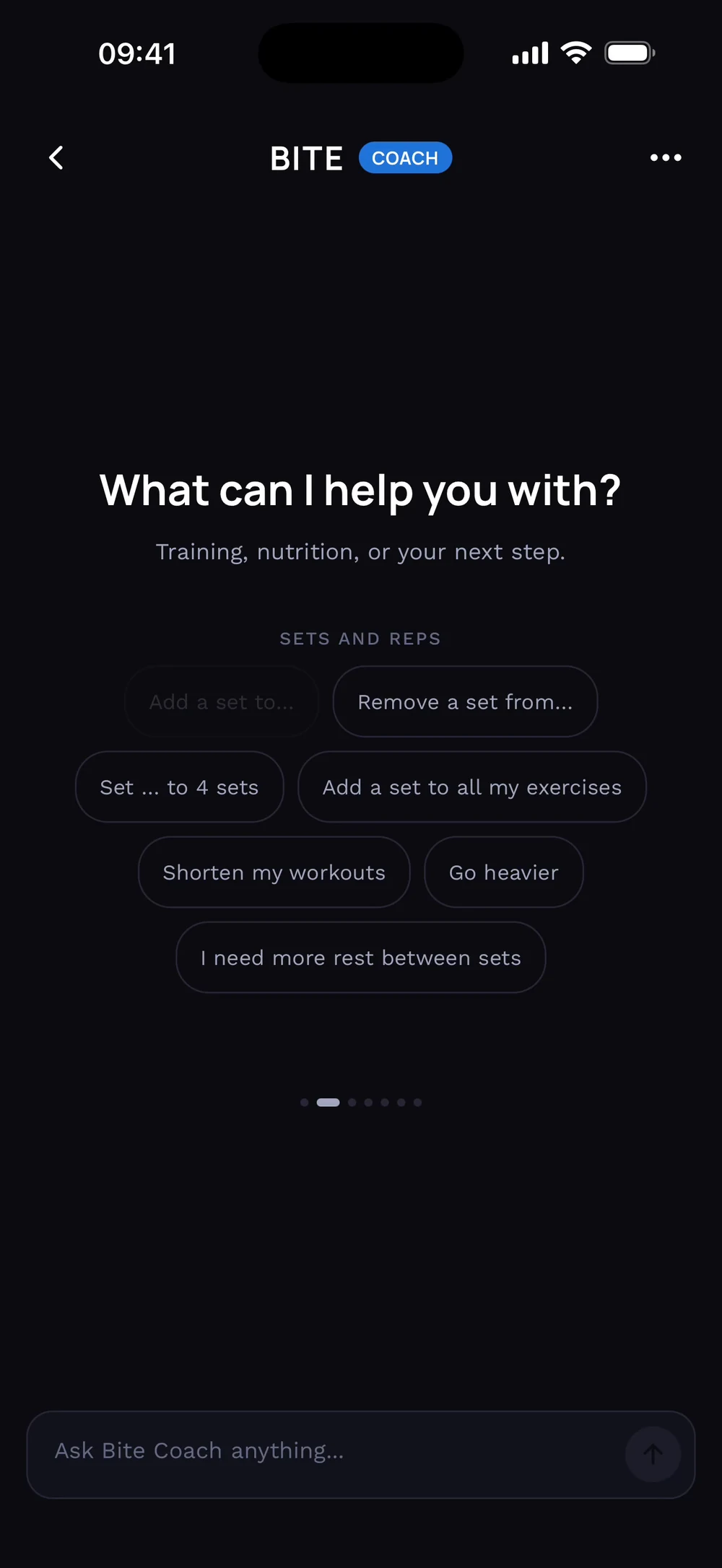

What are recommendations?
Bite proposes a change and you apply it with one tap.
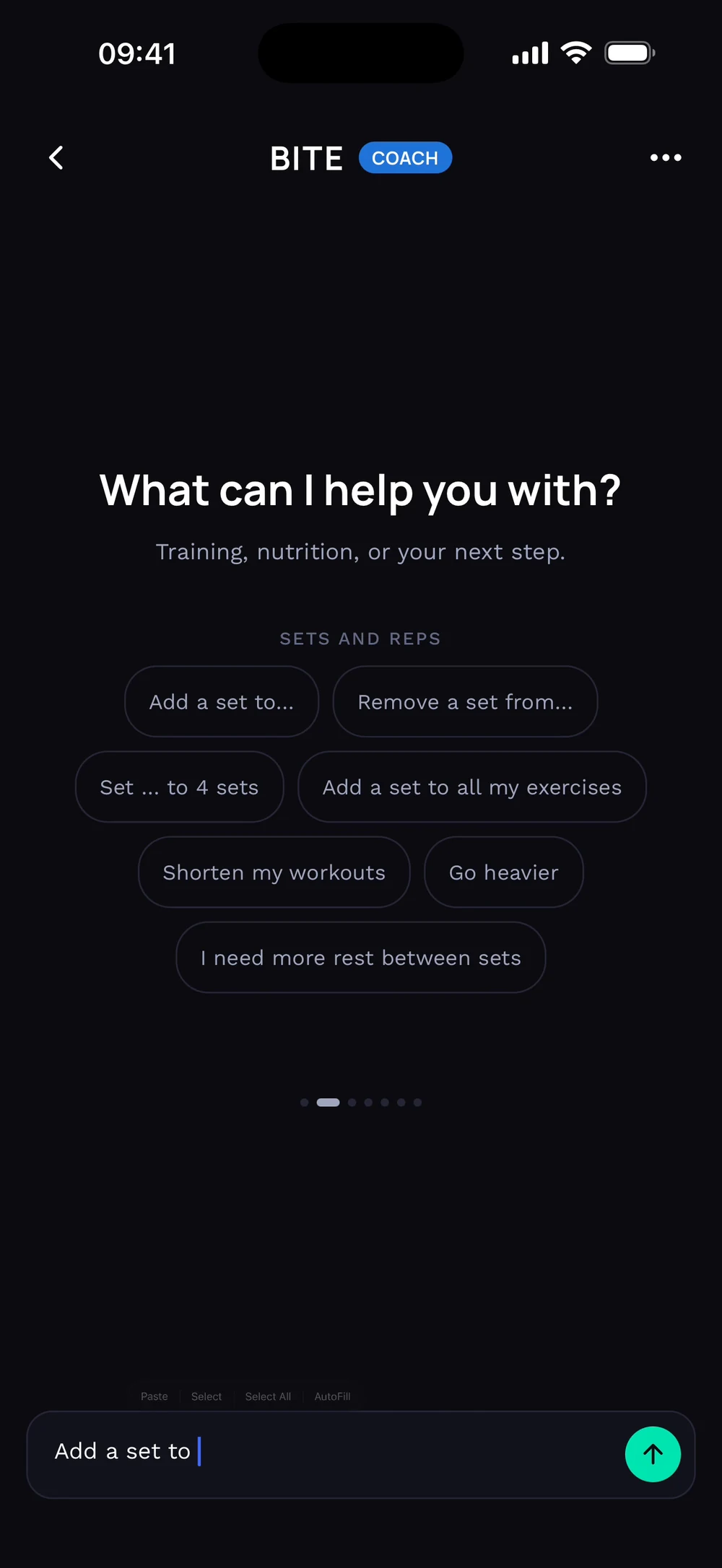
Open the chat and look at the suggestions, for example sets and reps. Write what you want, or tap a suggestion. Here: add a set to Arnold press.
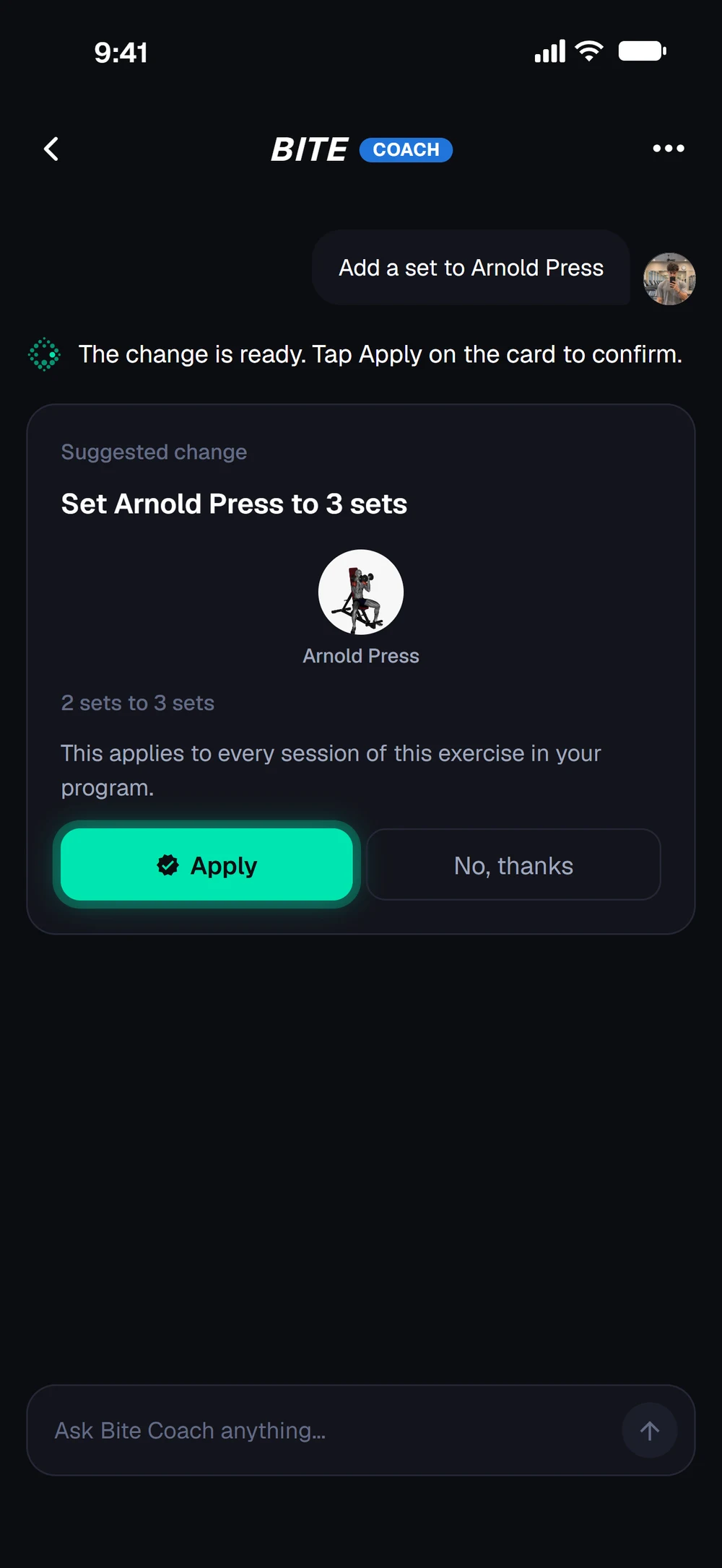
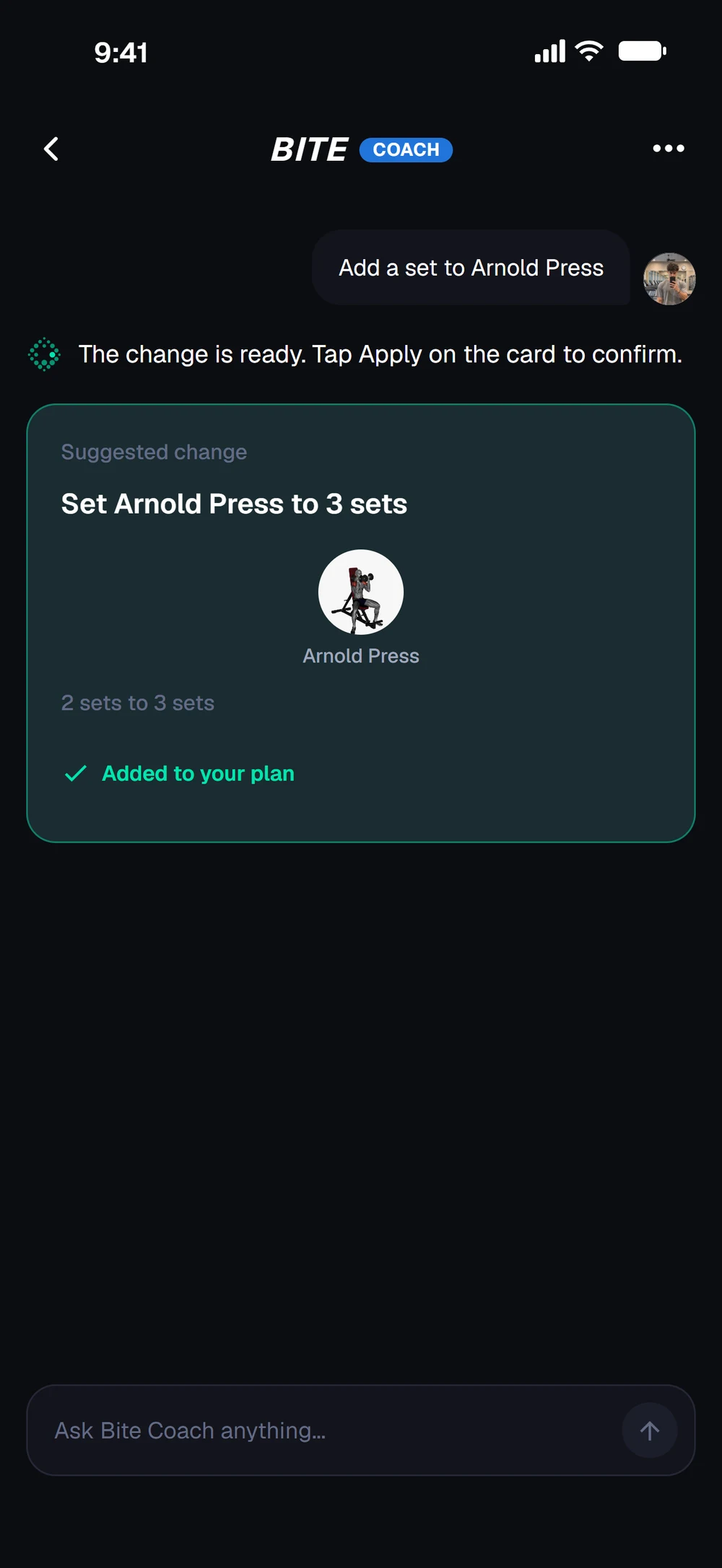
Bite shows the exact change on a card: Arnold Press goes from 2 to 3 sets. Tap Apply to confirm. The change is added to your plan. Applying it also earns XP.
Frequently asked questions
What are recommendations?
Bite proposes a change and you apply it with one tap. Here is how: Open the chat and look at the suggestions, for example sets and reps. Write what you want, or tap a suggestion. Here: add a set to Arnold press. Bite shows the exact change on a card: Arnold Press goes from 2 to 3 sets. Tap Apply to confirm. Applying the change earns XP.
Is one-tap recommendations free in Bite?
One-tap recommendations is part of Bite Coach. The free app covers workout logging, programs and progress tracking.
Where do I find one-tap recommendations in the app?
Go to Chat > Apply.