
Add a drop set
A drop set adds a lighter set straight after your last one. Add it from your program or ask the coach.
Find it: Program > exercise > Configure > Technique

 Coming soon

How do I add a drop set in Bite?
A drop set adds a lighter set straight after your last one. Add it from your program or ask the coach.
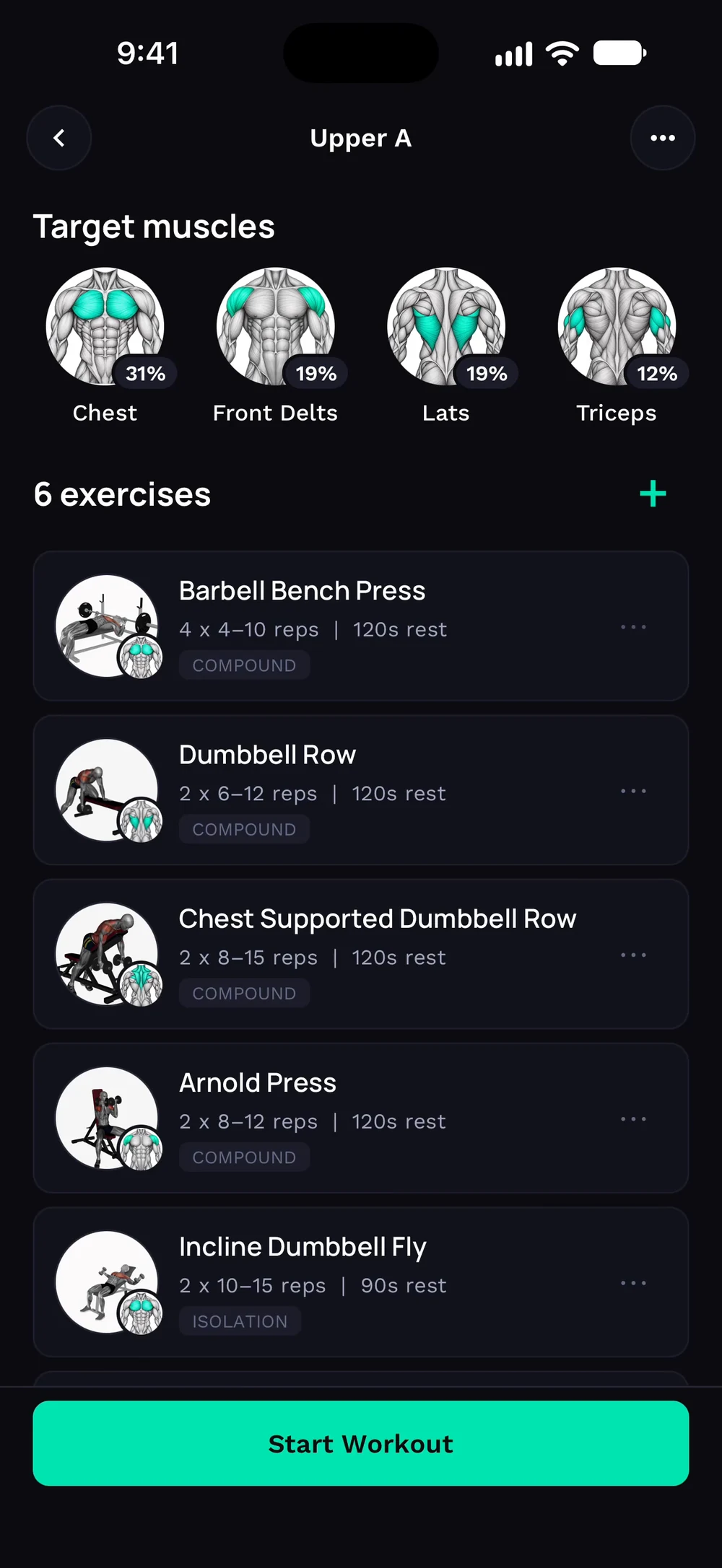
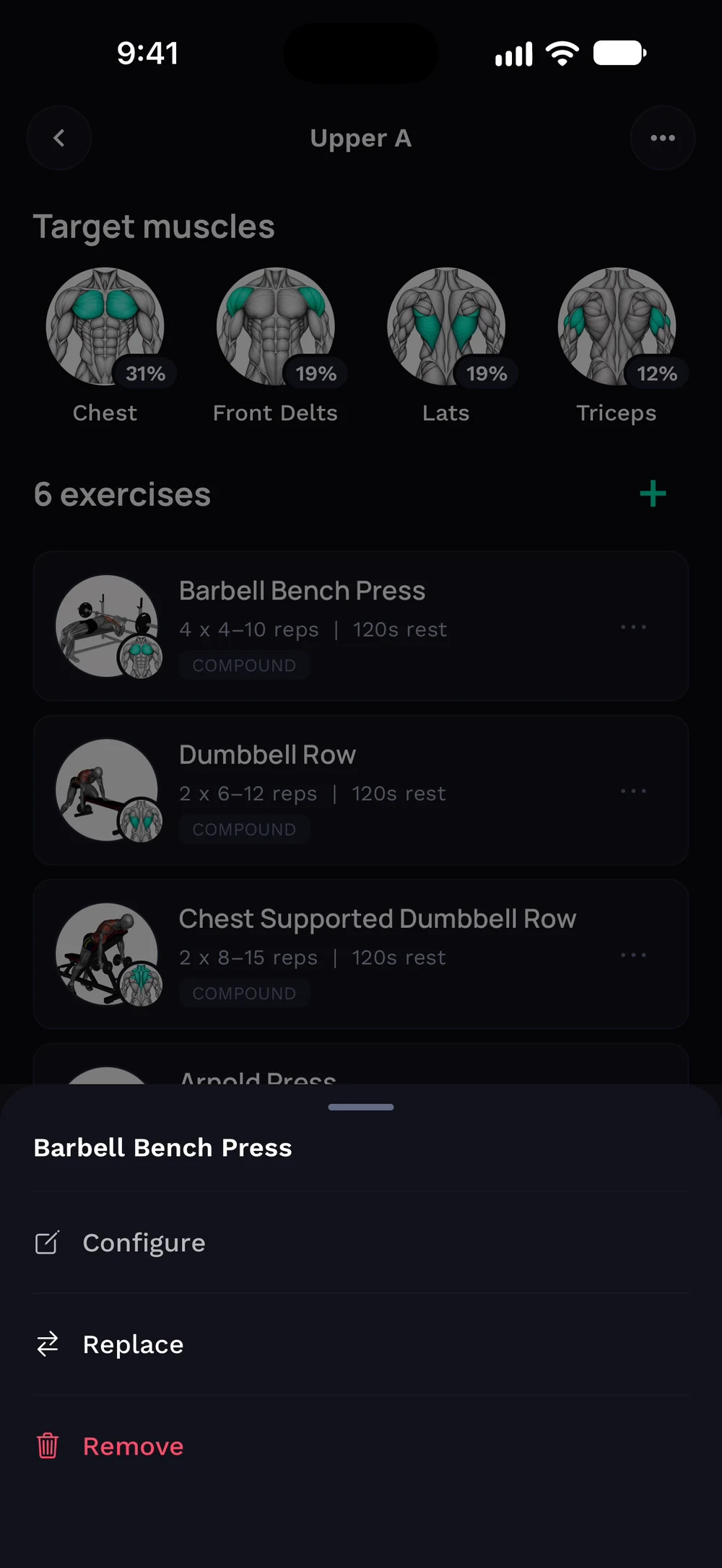
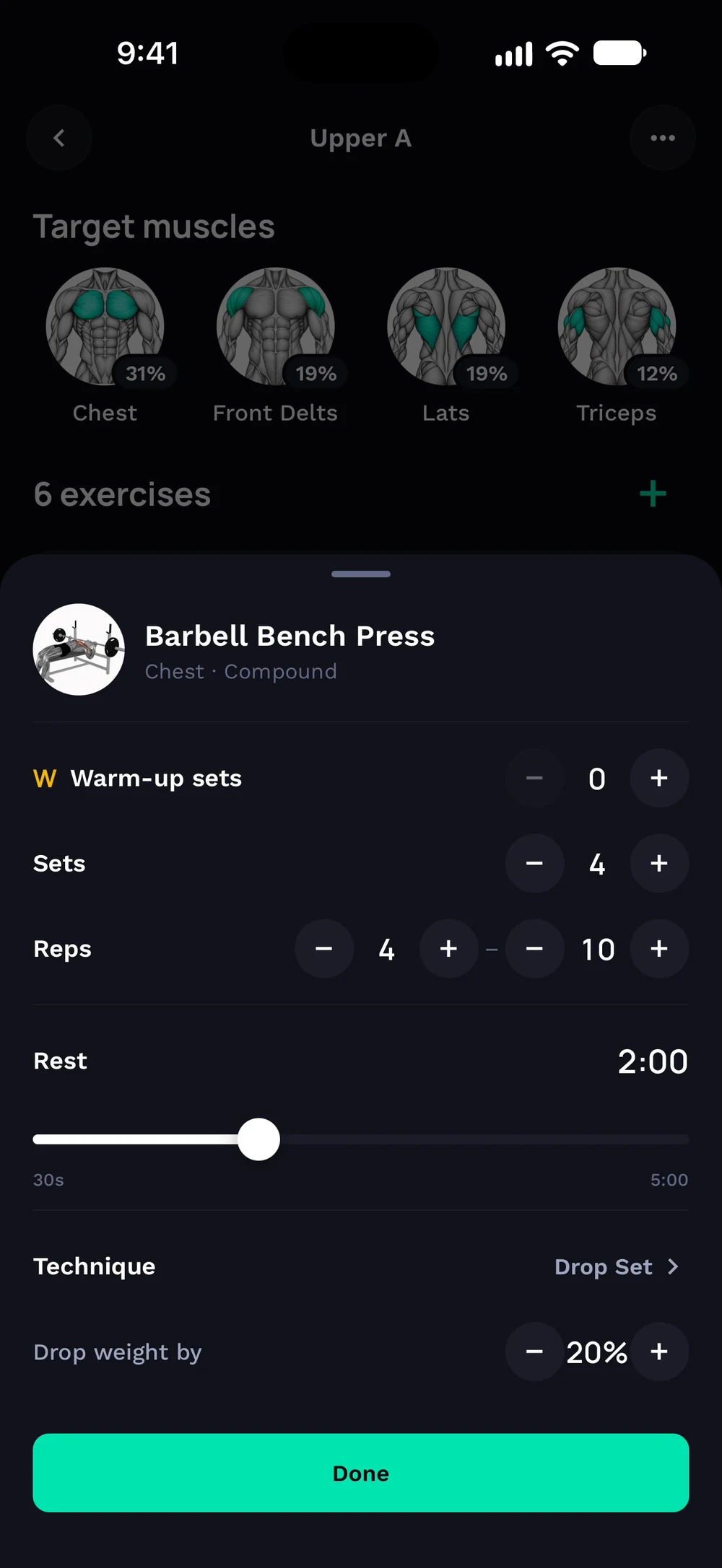
Open a day in your program and find the exercise you want to add a drop set to. Tap its three dots and choose Configure.
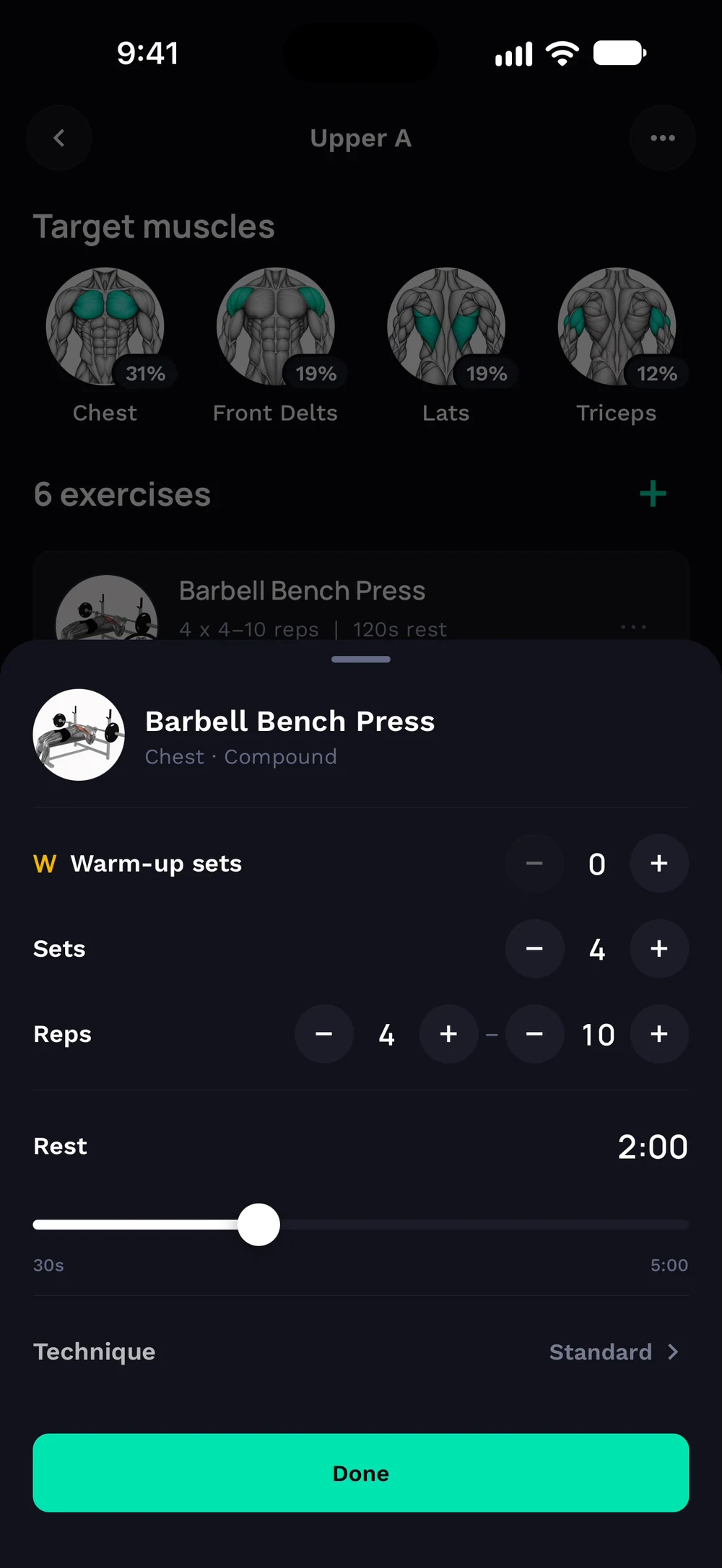
Tap Technique at the bottom of the sheet. Choose Drop Set.
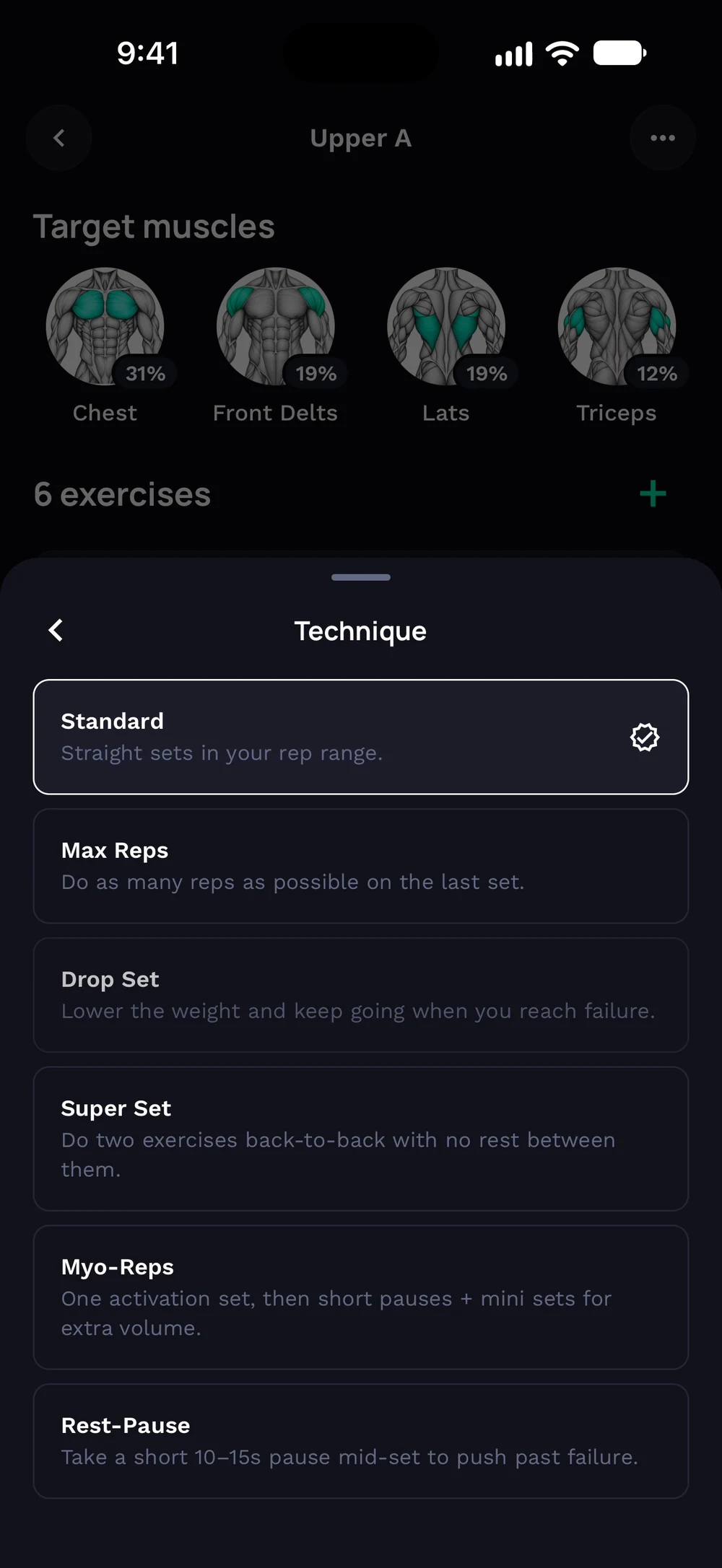
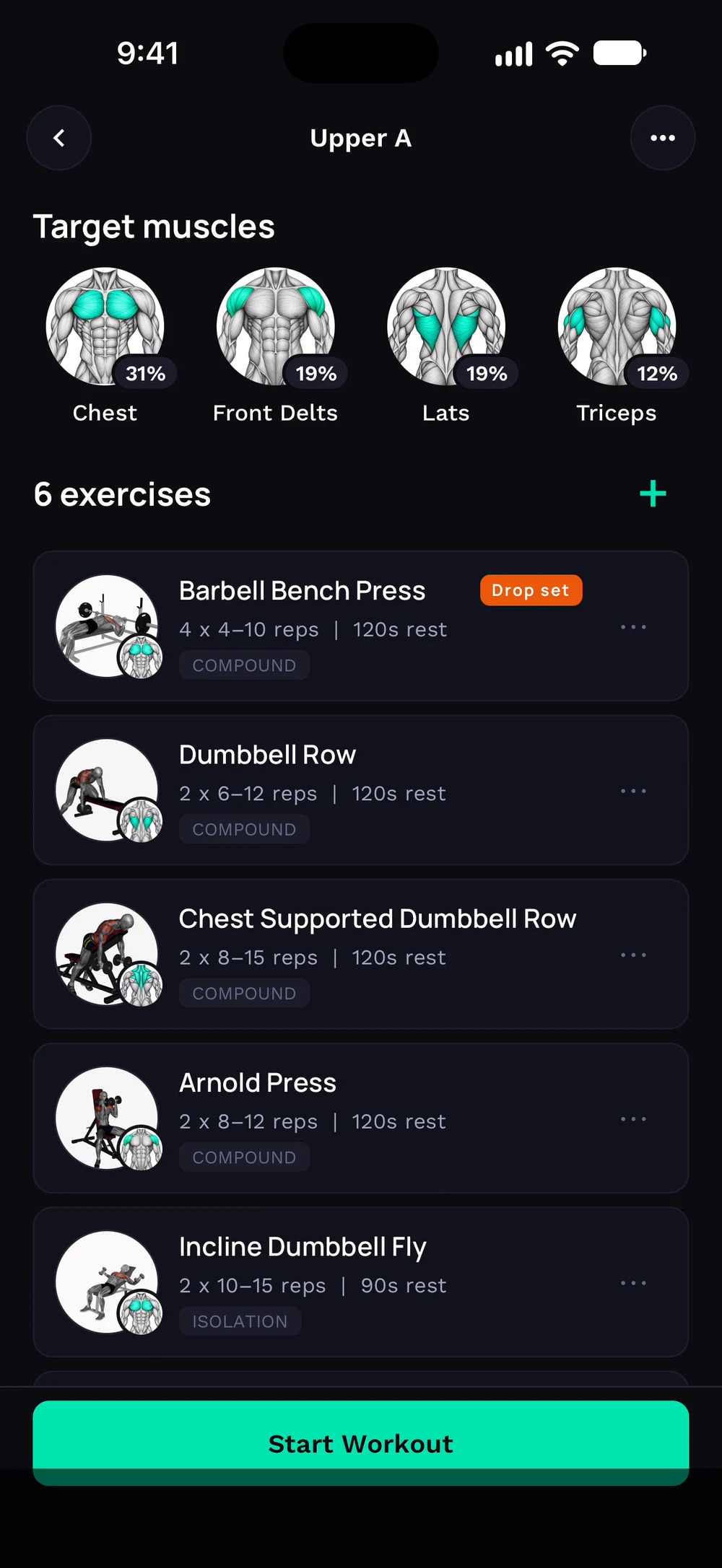
Set how much the weight drops, 20 percent by default, and tap Done. A Drop set badge shows on the exercise. In your workout, the drop set follows the last set.
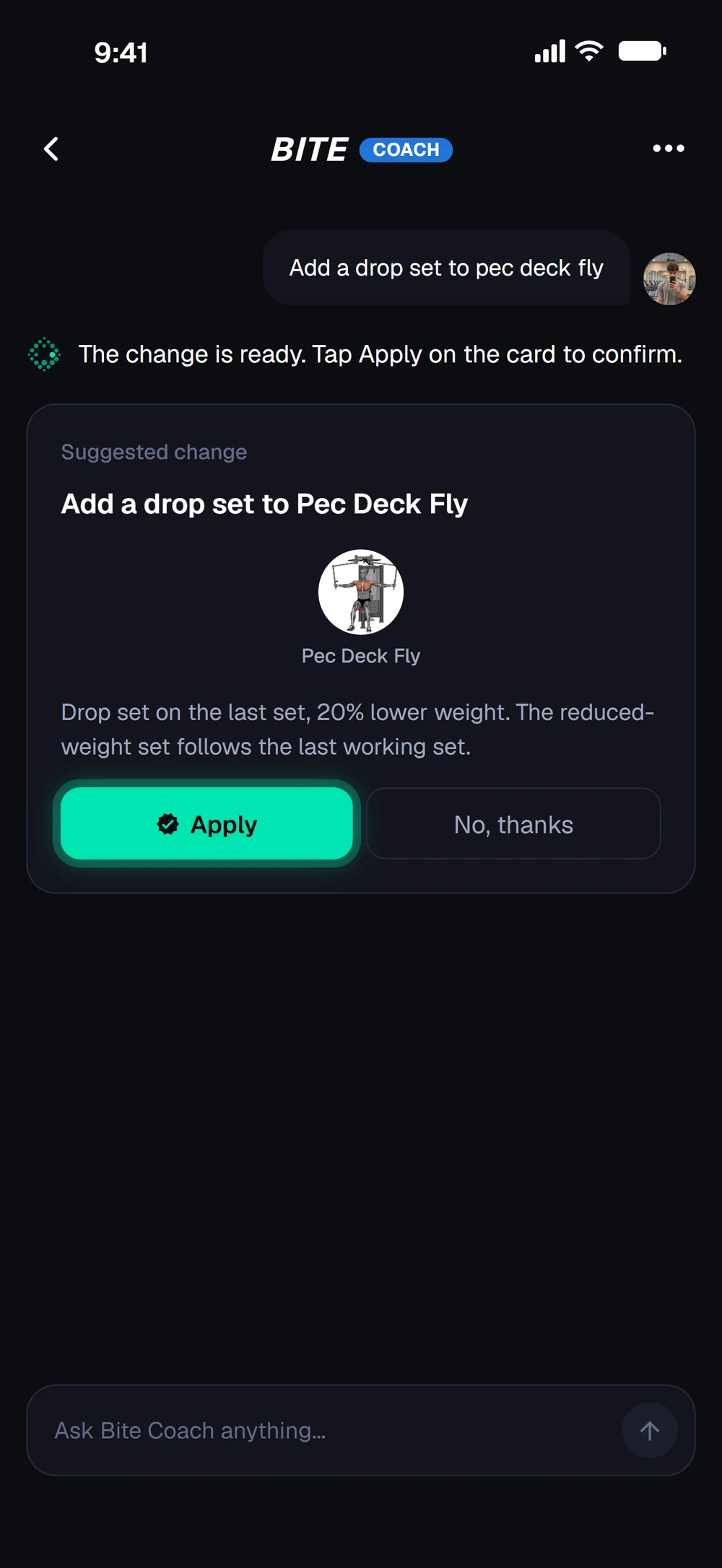
Or ask the coach, for example add a drop set to Pec Deck Fly, and tap Apply on the card.
Frequently asked questions
How do I add a drop set in Bite?
A drop set adds a lighter set straight after your last one. Add it from your program or ask the coach. Here is how: Open a day in your program, tap the three dots on the exercise and choose Configure. Tap Technique and choose Drop Set. Set the weight drop, 20 percent by default, and tap Done. In your workout, a drop set appears after the final set.
Is add a drop set free in Bite?
Yes. Add a drop set is part of the free Bite app.
Where do I find add a drop set in the app?
Go to Program > exercise > Configure > Technique.