
Morning check-in
Log your sleep and weight in a few seconds. Both are filled in from last time, so Save is often all it takes.
Free
Find it: Train > Morning check-in

 Coming soon

How do I log my sleep and weight in Bite?
Log your sleep and weight in a few seconds. Both are filled in from last time, so Save is often all it takes.
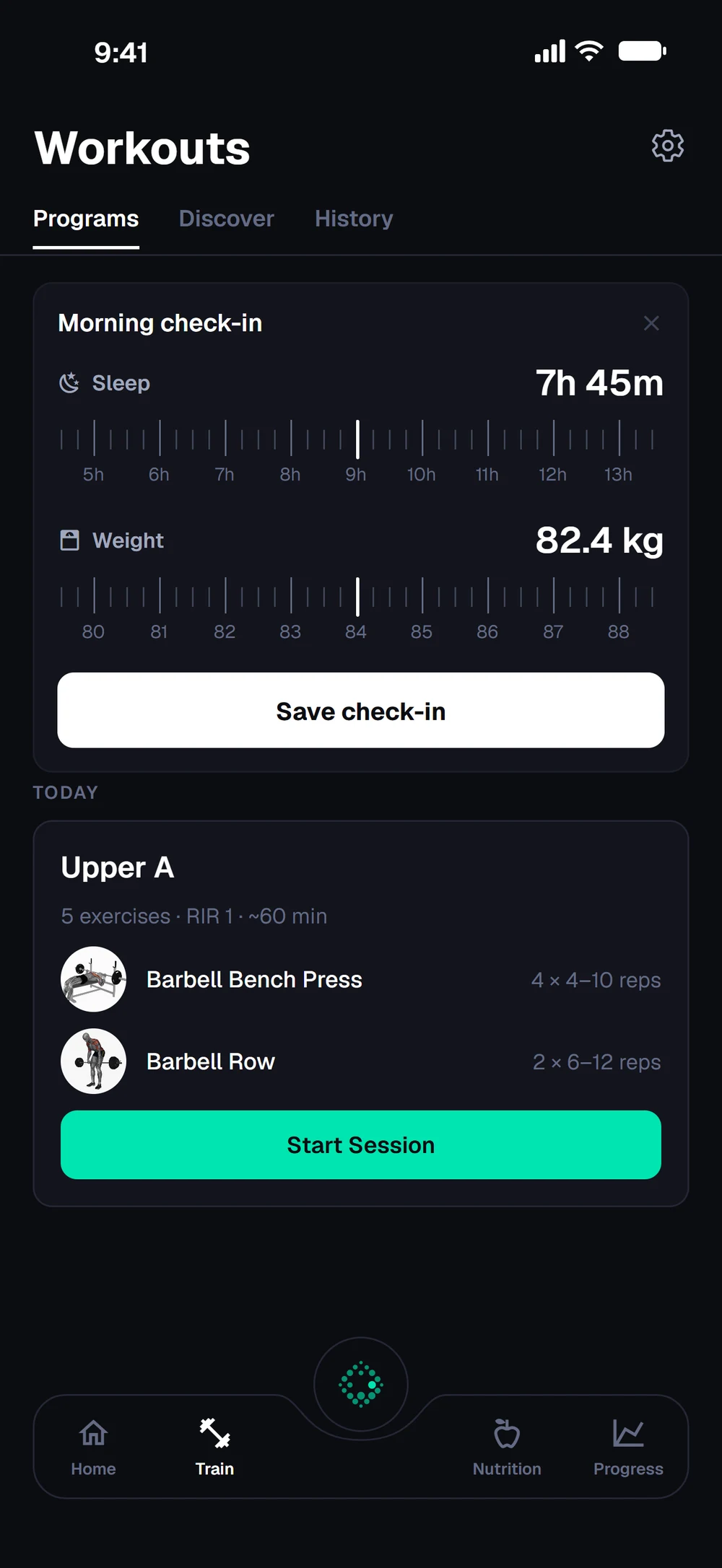
Each morning, a card on the Train tab asks for your sleep and weight. Drag each ruler, or tap the weight to type it, then tap Save check-in.
Frequently asked questions
How do I log my sleep and weight in Bite?
Log your sleep and weight in a few seconds. Both are filled in from last time, so Save is often all it takes. Here is how: Open the Train tab in the morning. Drag the ruler to set how long you slept. Drag the weight ruler, or tap the number to type it. Tap Save check-in.
Is morning check-in free in Bite?
Yes. Morning check-in is part of the free Bite app.
Where do I find morning check-in in the app?
Go to Train > Morning check-in.