
Add and remove sets
Add or remove a set while you train without leaving the workout.
Free
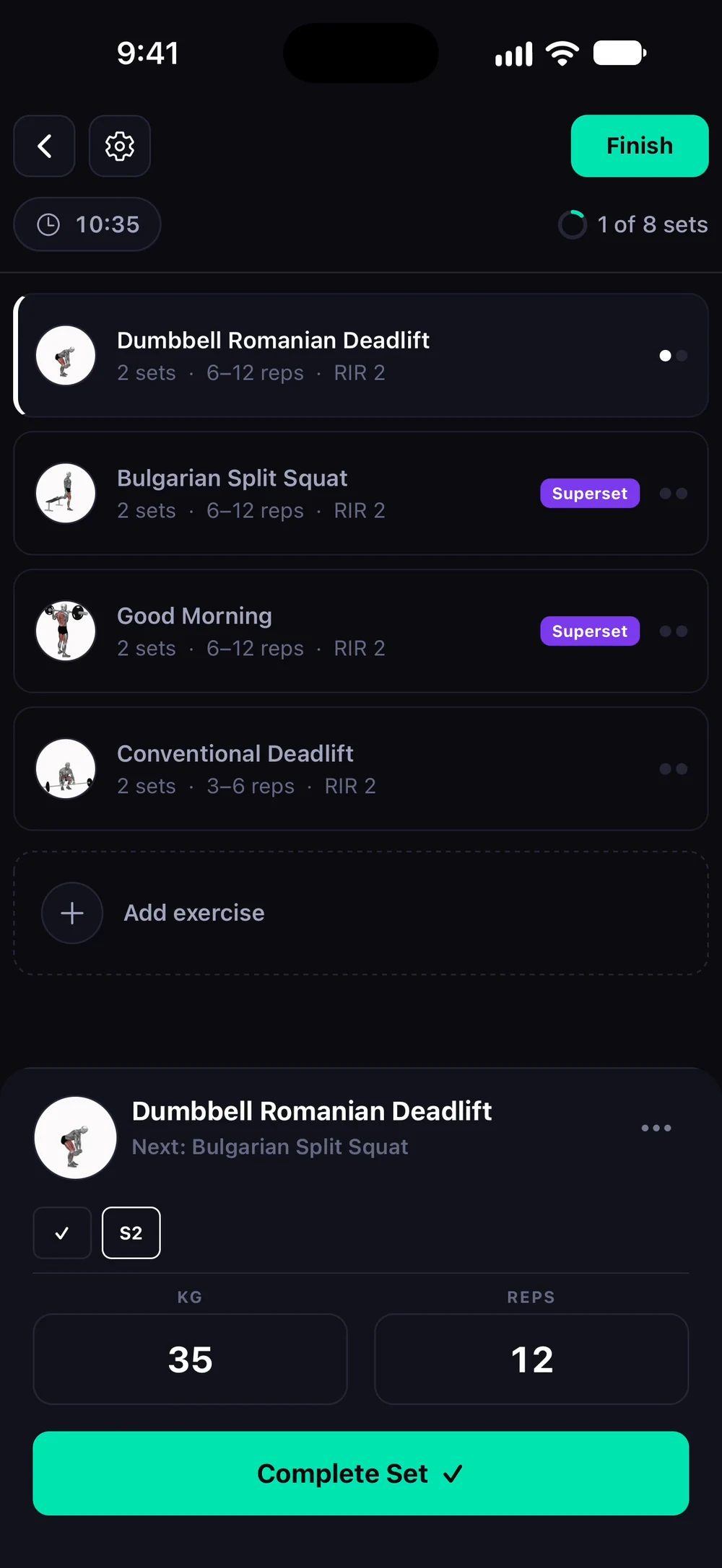
Find it: Workout > exercise menu

 Coming soon

How do I add or remove a set?
Add or remove a set while you train without leaving the workout.
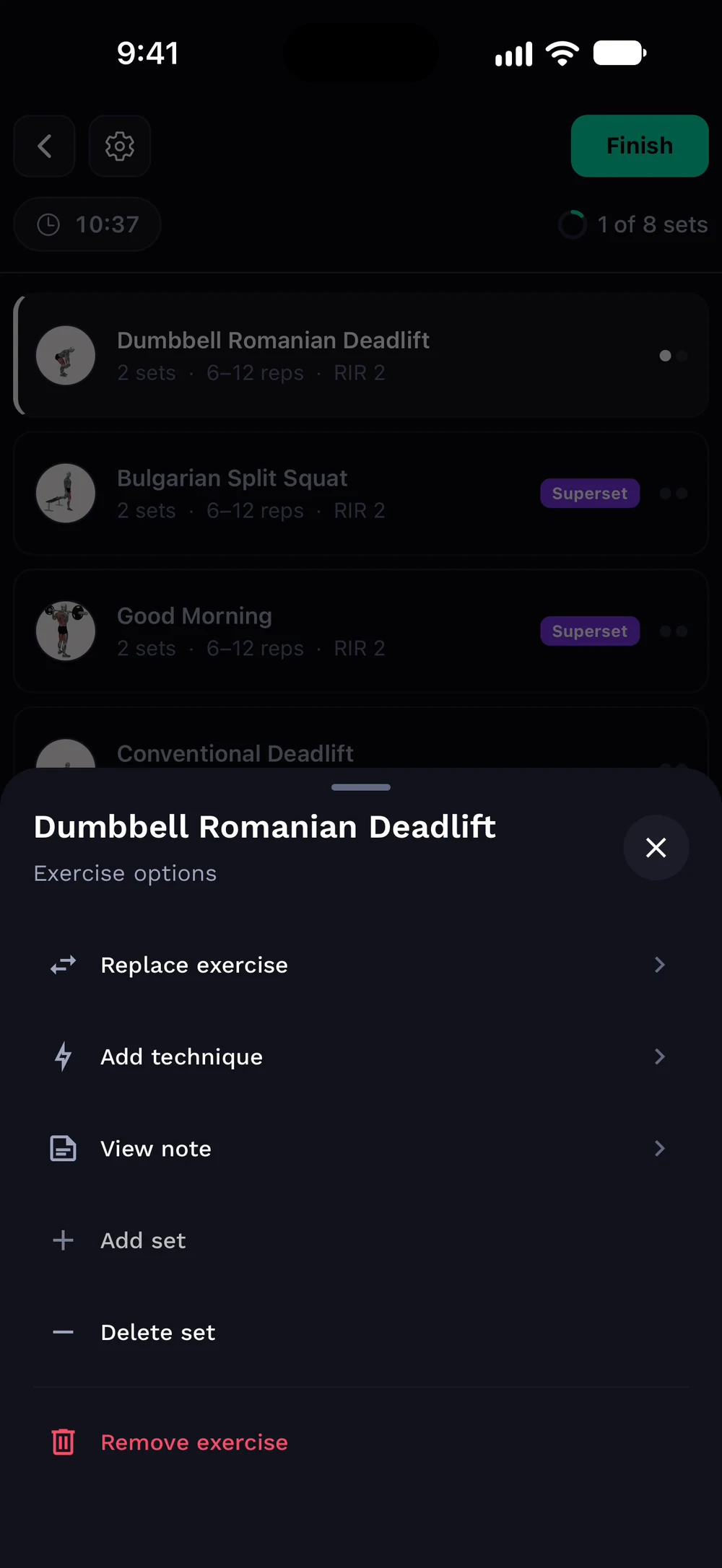
Tap the three dots on an exercise to open its options. Choose Add set to add one, or Delete set to remove one. Replace exercise, technique and notes are in the same list.
Frequently asked questions
How do I add or remove a set?
Add or remove a set while you train without leaving the workout. Here is how: Tap the three dots on an exercise. Choose Add set or Remove set. The new set copies the weight and reps of the one before it.
Is add and remove sets free in Bite?
Yes. Add and remove sets is part of the free Bite app.
Where do I find add and remove sets in the app?
Go to Workout > exercise menu.