
Create a program manually
Build your own program from scratch, one day and one exercise at a time.
Find it: Train > Programs > Create

 Coming soon

How do I make my own program?
Build your own program from scratch, one day and one exercise at a time.
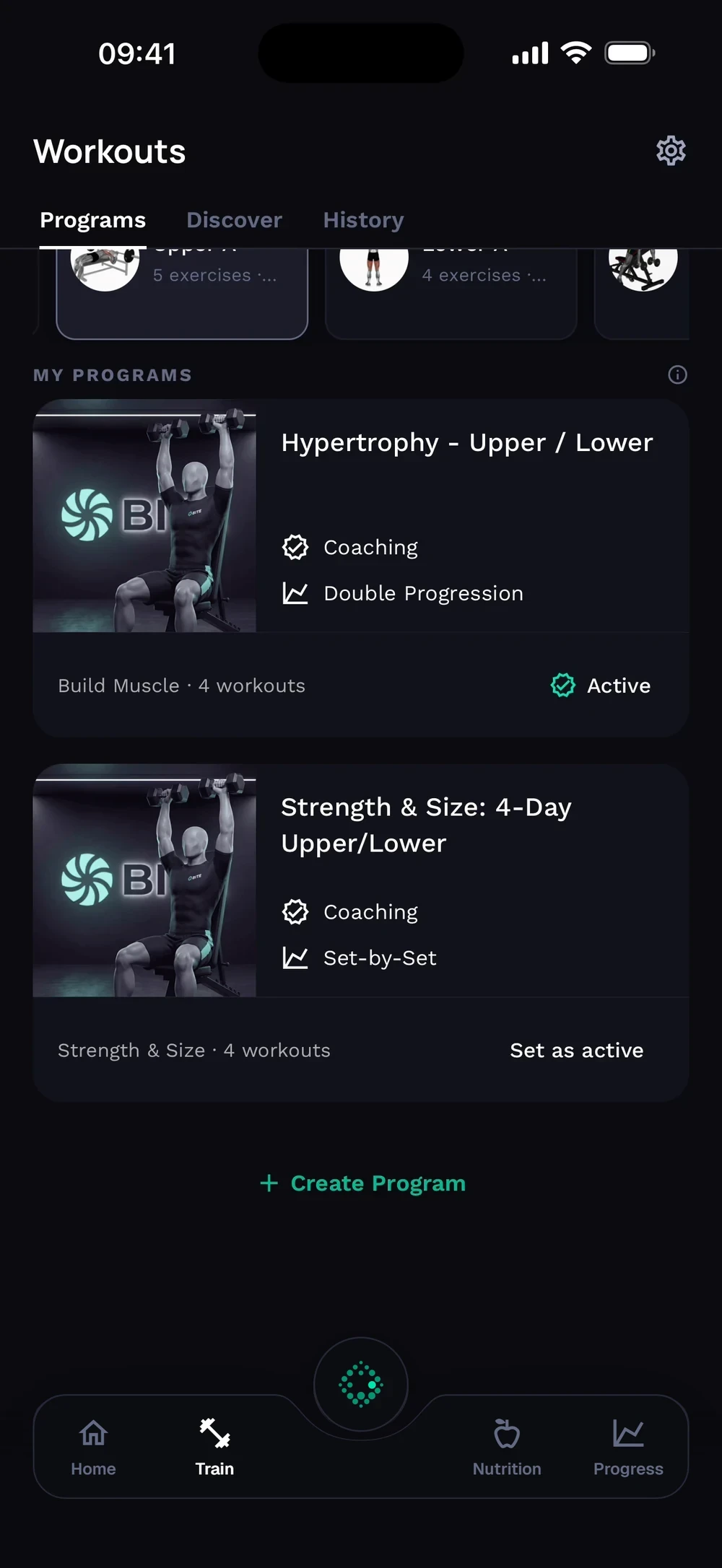
Tap Create Program under your programs. Choose Build It Yourself for full control.
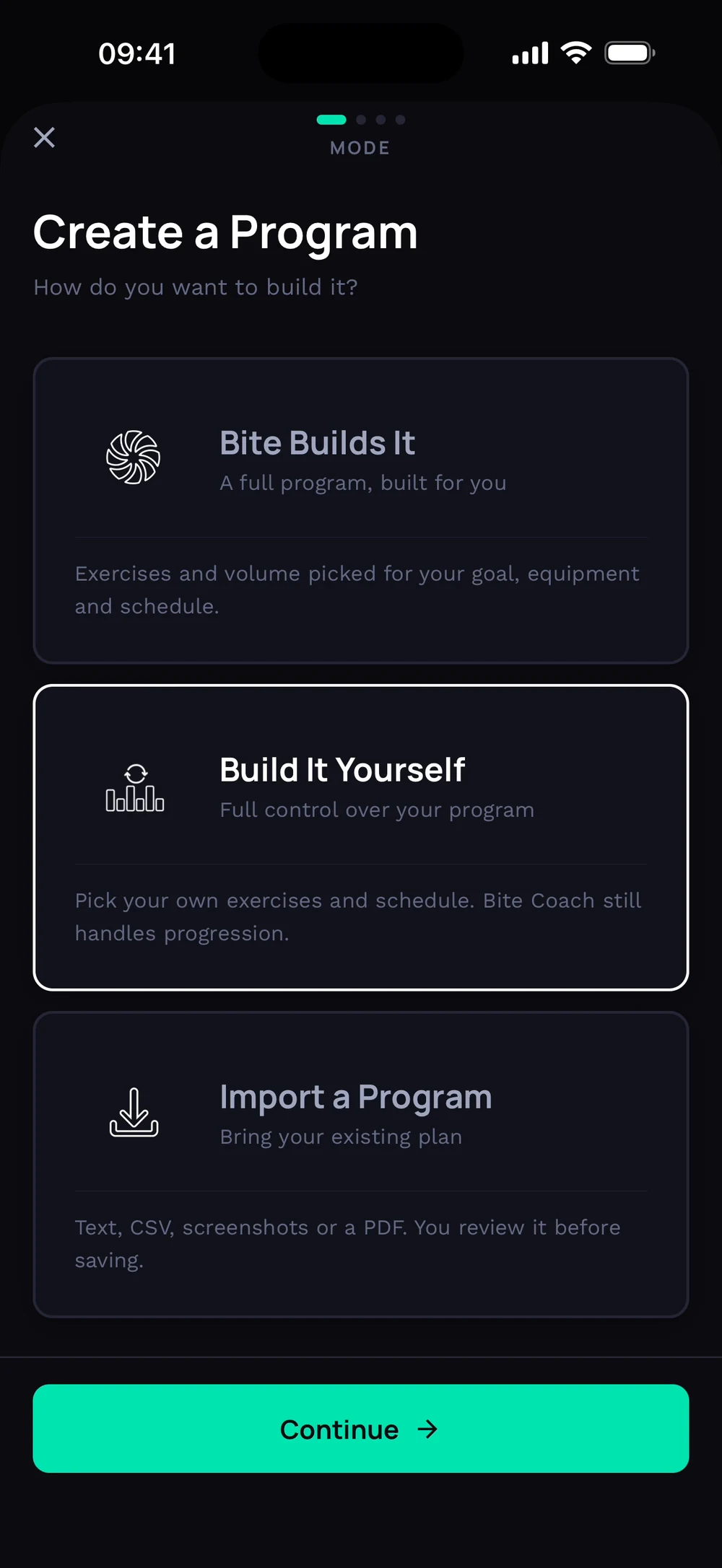
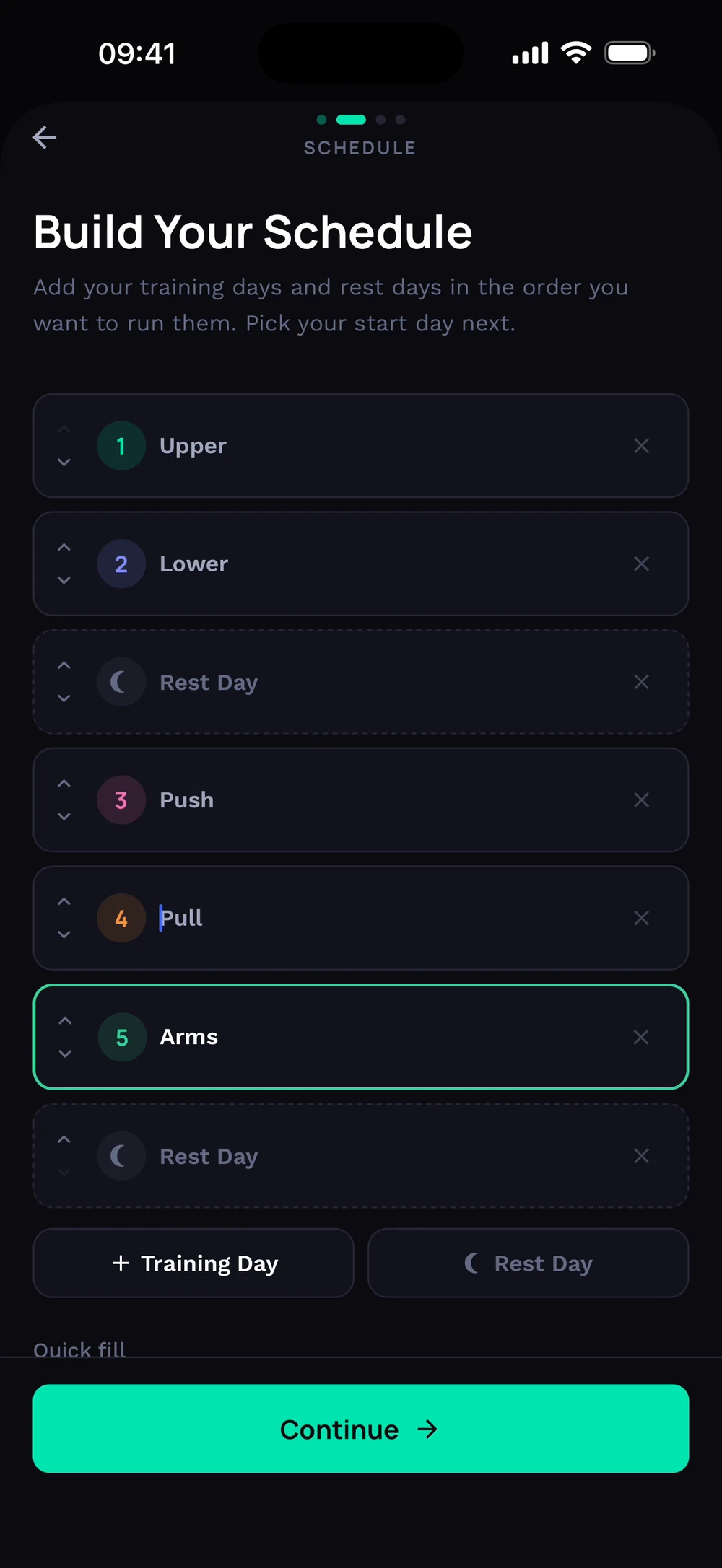
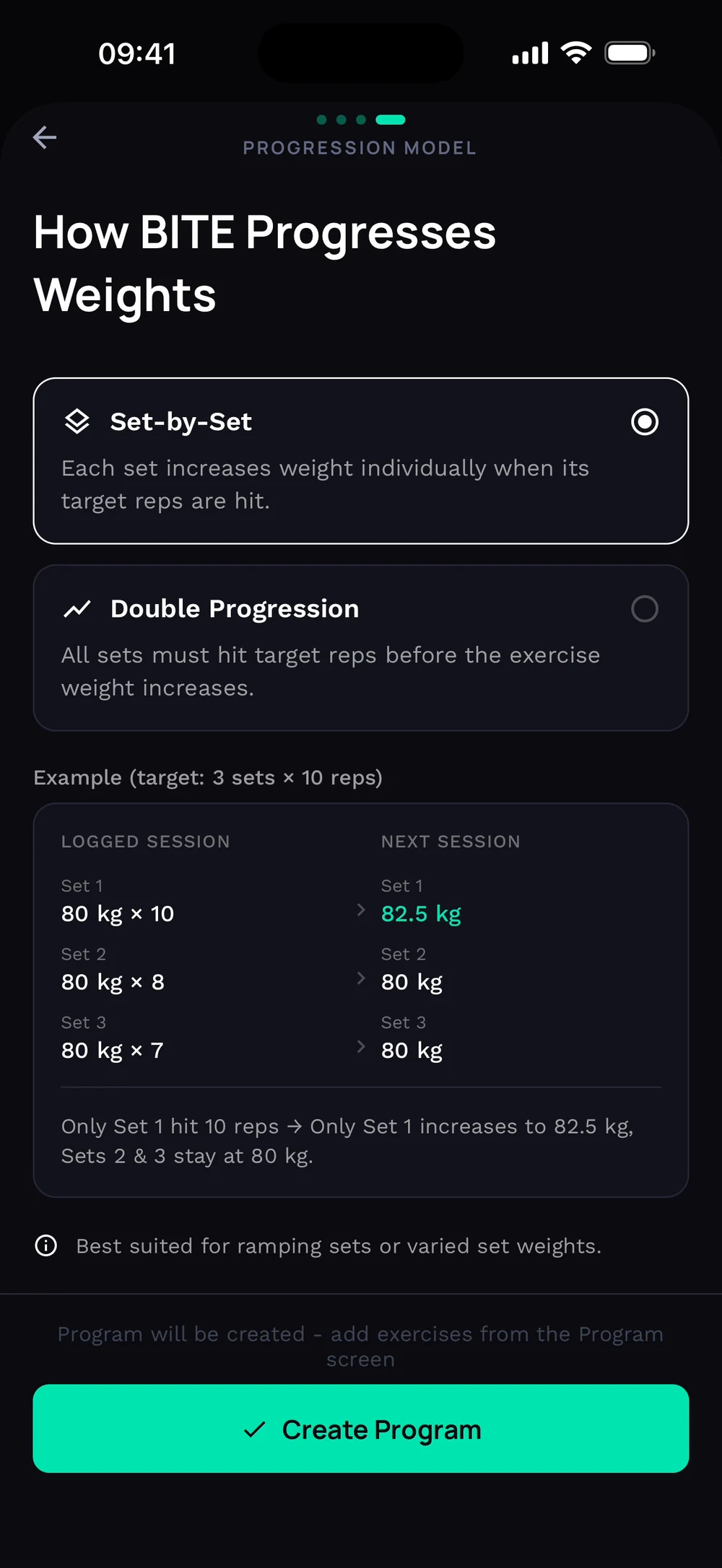
Build your schedule: add training days and rest days in the order you want. Name each day, or use the Quick fill chips (Push, Pull, Legs) to fill them in. Pick how weights progress and tap Create Program.
Frequently asked questions
How do I make my own program?
Build your own program from scratch, one day and one exercise at a time. Here is how: Tap Create Program under your programs. Choose Build It Yourself for full control. Build your schedule: add training days and rest days in the order you want. Name each day, or use the Quick fill chips (Push, Pull, Legs) to fill them in. Pick how weights progress and tap Create Program.
Is create a program manually free in Bite?
Yes. Create a program manually is part of the free Bite app.
Where do I find create a program manually in the app?
Go to Train > Programs > Create.