
Exercise details, progress and history
Open any exercise to see how to do it, your progress and your history.
Free
Find it: Exercise > info

 Coming soon
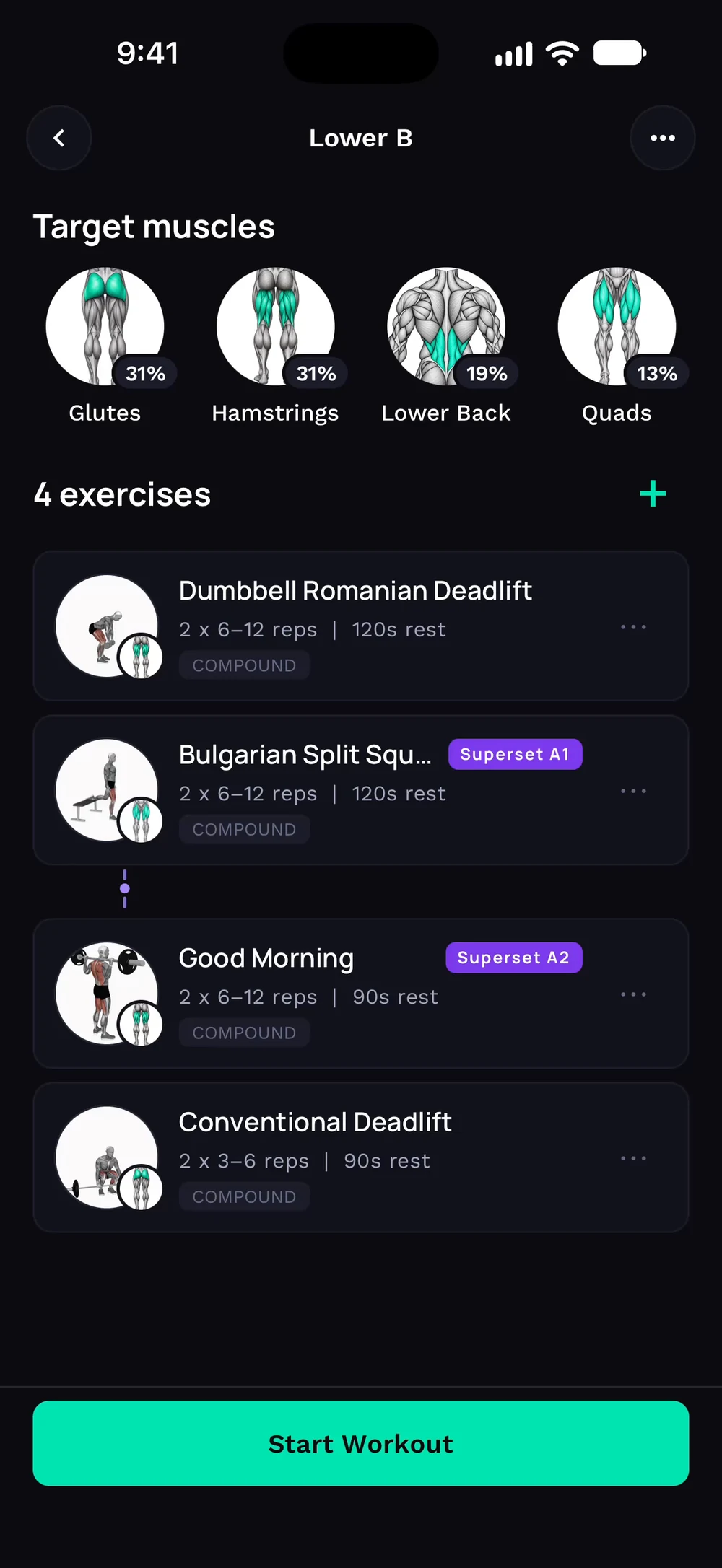

Where do I see how an exercise is progressing?
Open any exercise to see how to do it, your progress and your history.
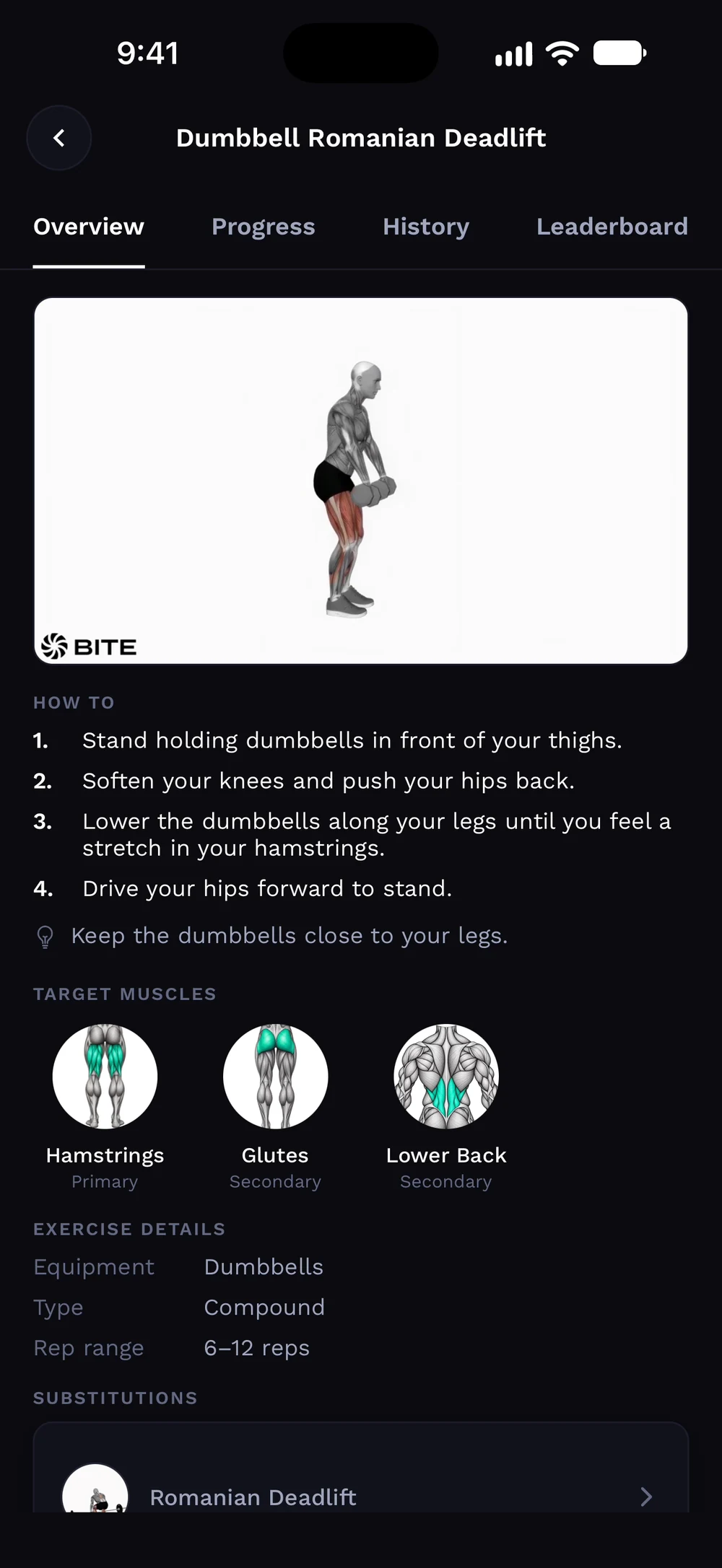
Tap an exercise in your day to open it. The Overview tab has a video, step by step instructions and the muscles it trains.
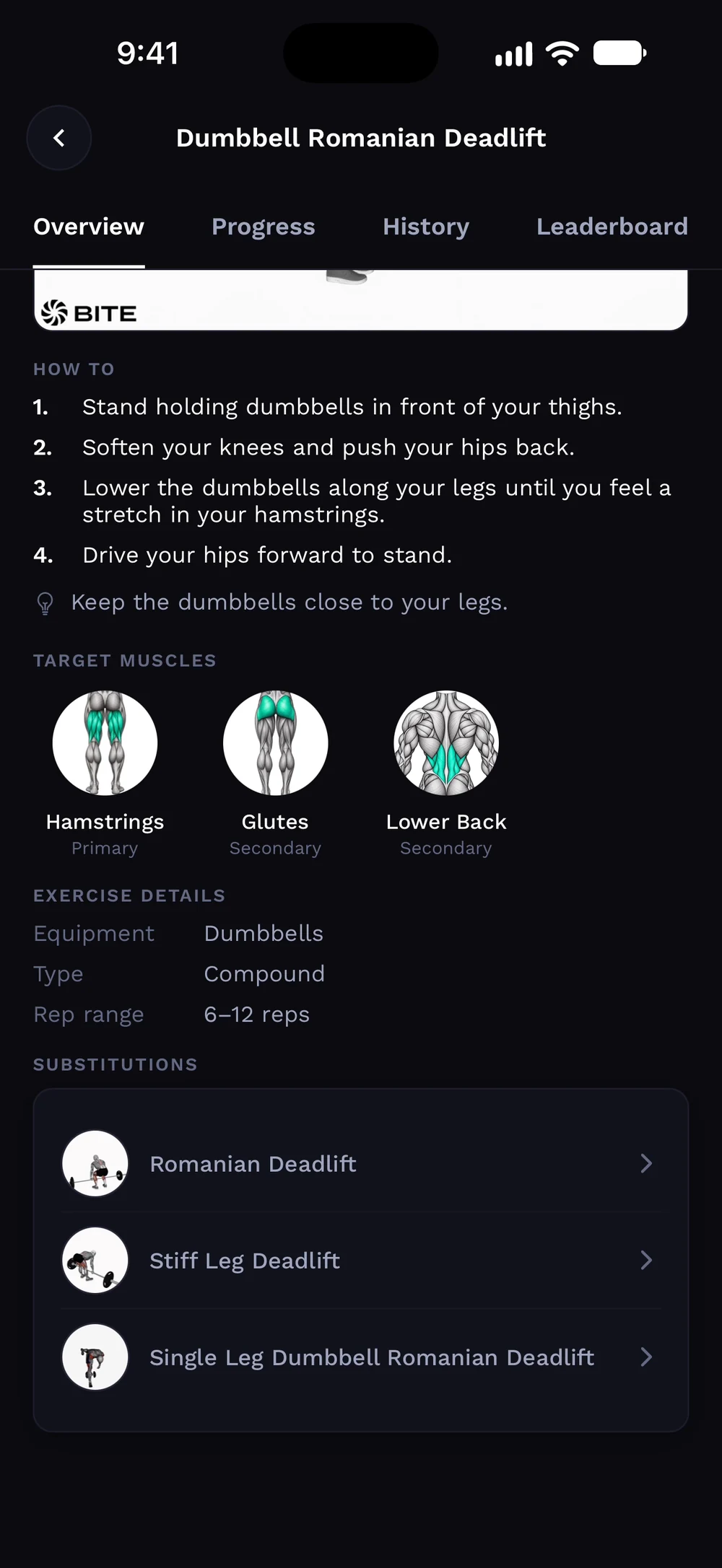
Scroll for equipment, rep range and substitutions.
Frequently asked questions
Where do I see how an exercise is progressing?
Open any exercise to see how to do it, your progress and your history. Here is how: Tap an exercise name. Read the instructions and tips on the Overview tab. Check your estimated 1RM trend on the Progress tab. See every session on the History tab.
Is exercise details, progress and history free in Bite?
Yes. Exercise details, progress and history is part of the free Bite app.
Where do I find exercise details, progress and history in the app?
Go to Exercise > info.