
Exercise notes
Keep a note on any exercise, like seat height or a cue. It shows up next time.
Free
Find it: Workout > exercise menu > Note

 Coming soon

How do I add a note to an exercise?
Keep a note on any exercise, like seat height or a cue. It shows up next time.
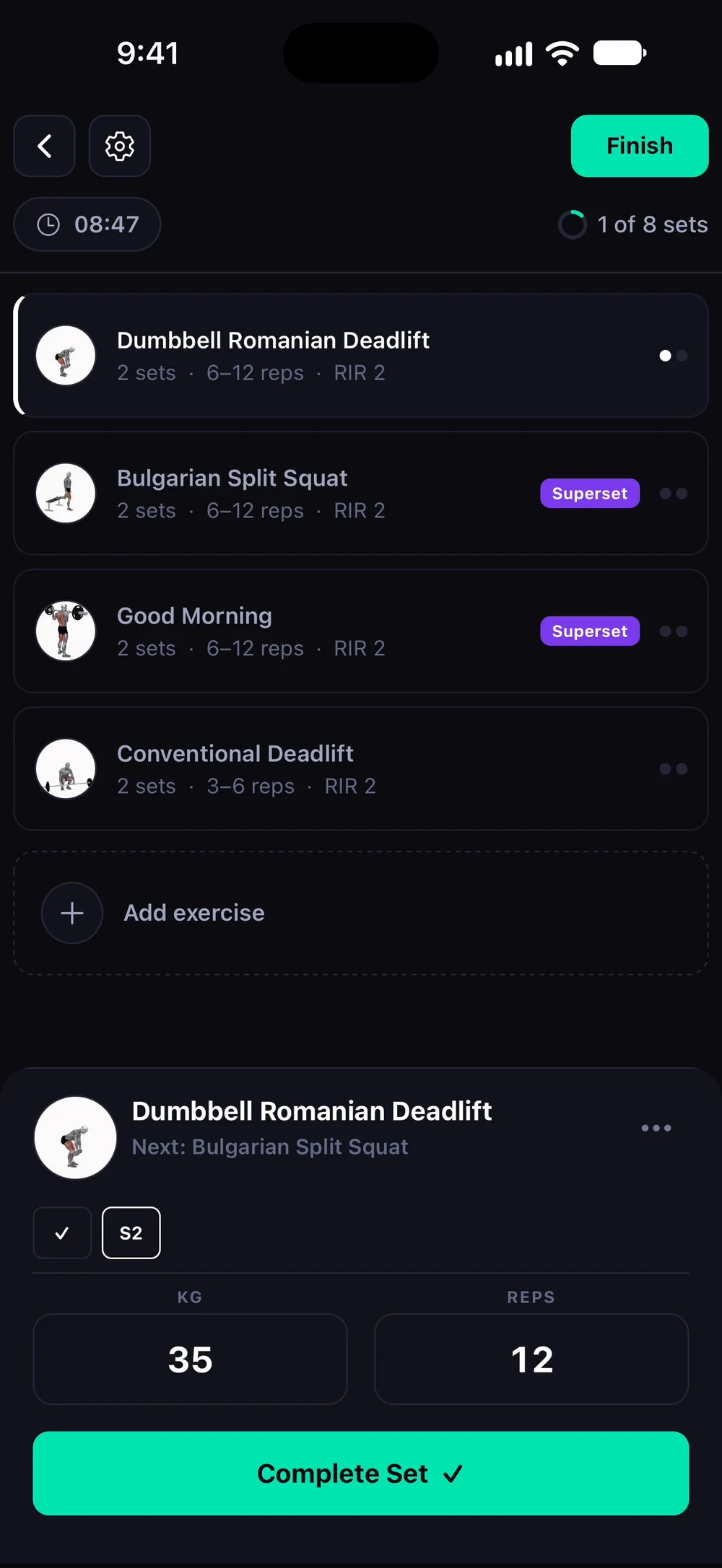
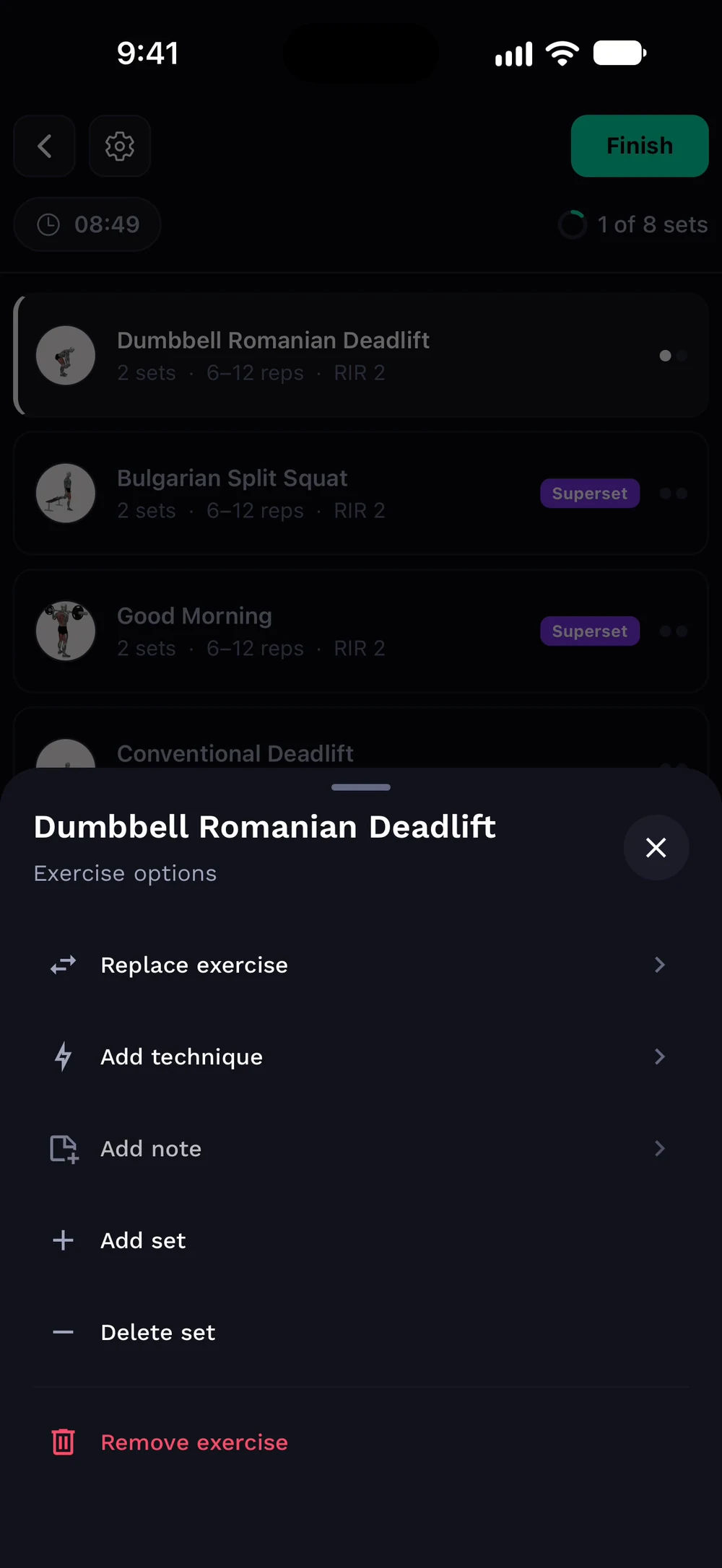
Tap the three dots on the exercise. Choose View note (or Add note) in the exercise options.
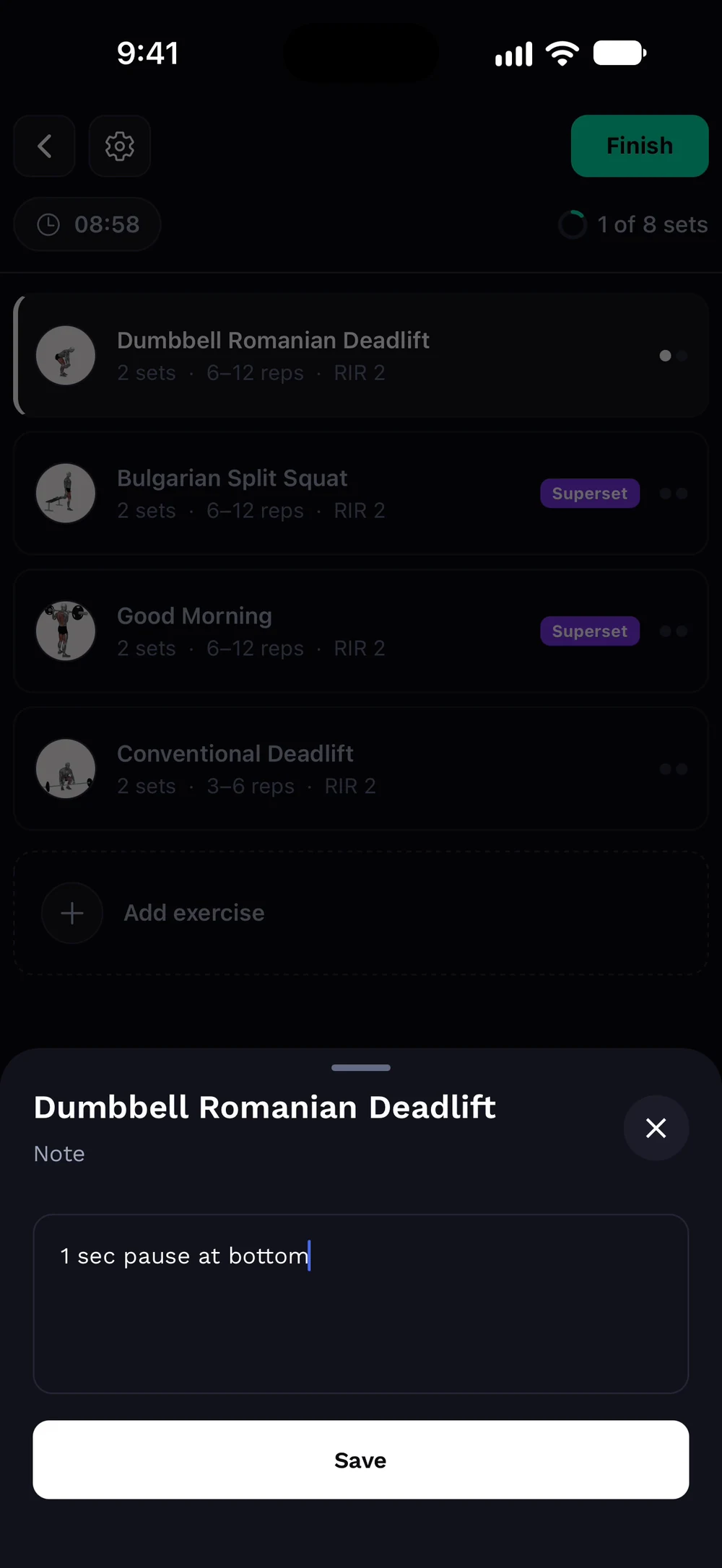
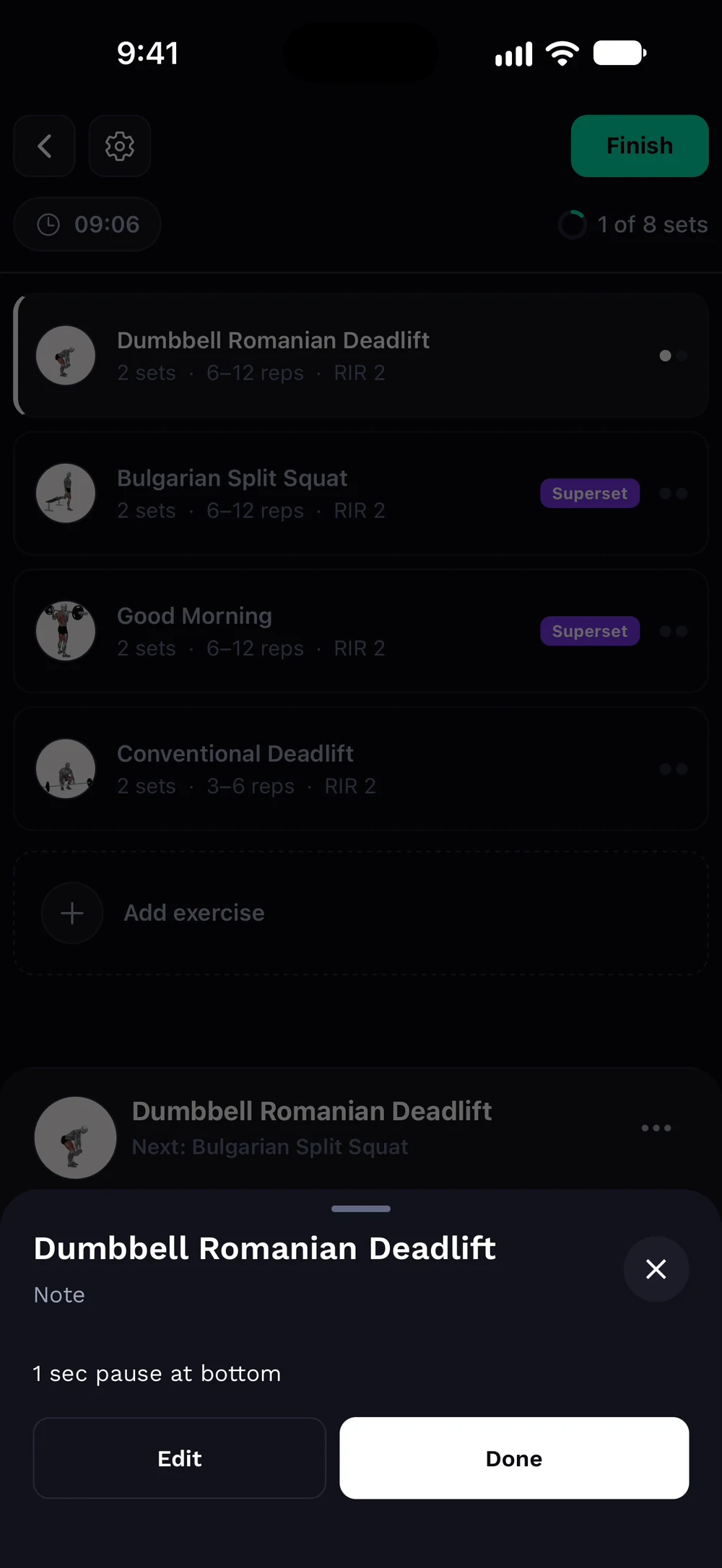
Write your note, for example 1 sec pause at bottom, and tap Save. The note stays on the exercise. Tap Edit to change it or Done to close.
Frequently asked questions
How do I add a note to an exercise?
Keep a note on any exercise, like seat height or a cue. It shows up next time. Here is how: Tap the three dots on an exercise. Choose Note. Write your note and save. The note stays on the exercise for your next session.
Is exercise notes free in Bite?
Yes. Exercise notes is part of the free Bite app.
Where do I find exercise notes in the app?
Go to Workout > exercise menu > Note.