
Live Activity and Dynamic Island
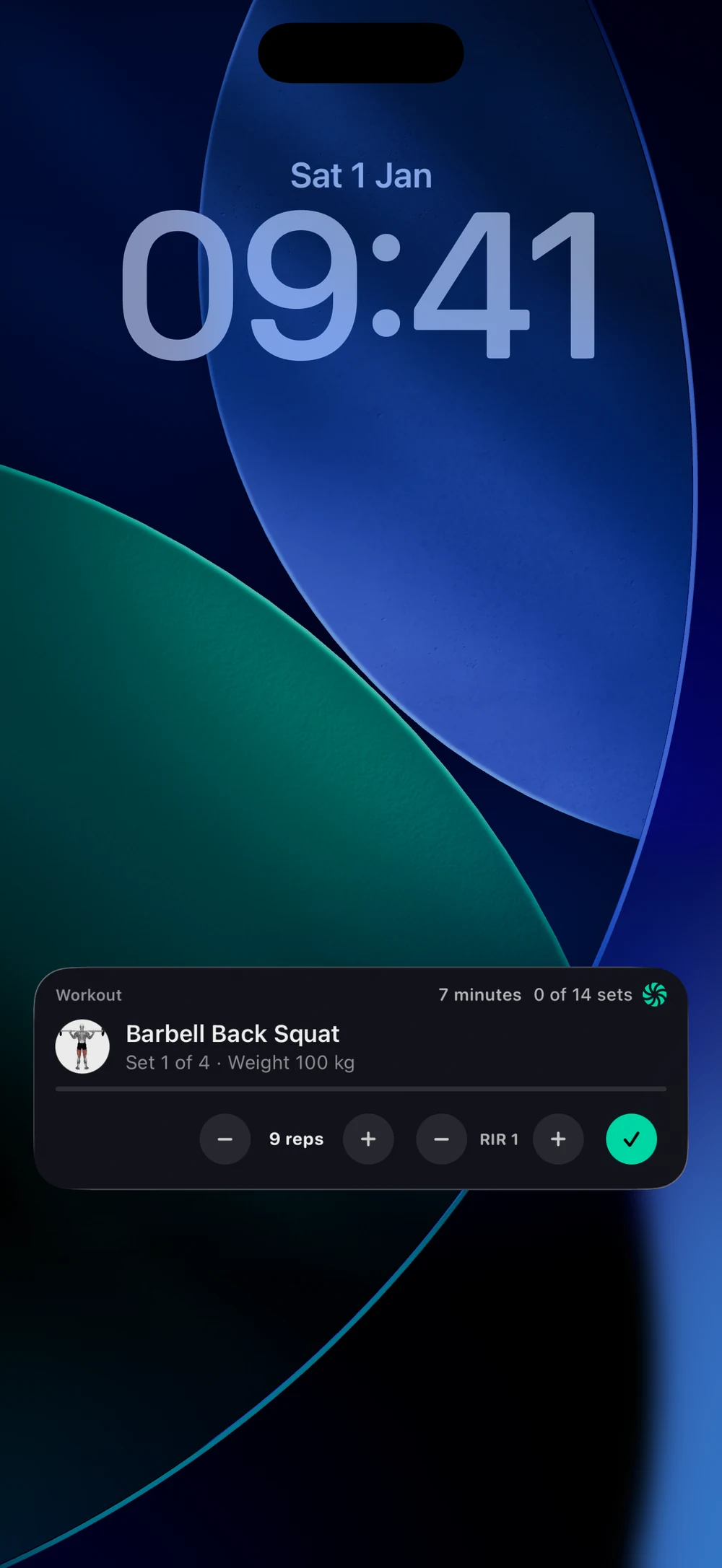
Your workout follows you to the Lock Screen and Dynamic Island, with controls for the current set.
Find it: Lock Screen during a workout

 Coming soon

Does Bite show my workout on the Lock Screen?
Your workout follows you to the Lock Screen and Dynamic Island, with controls for the current set.
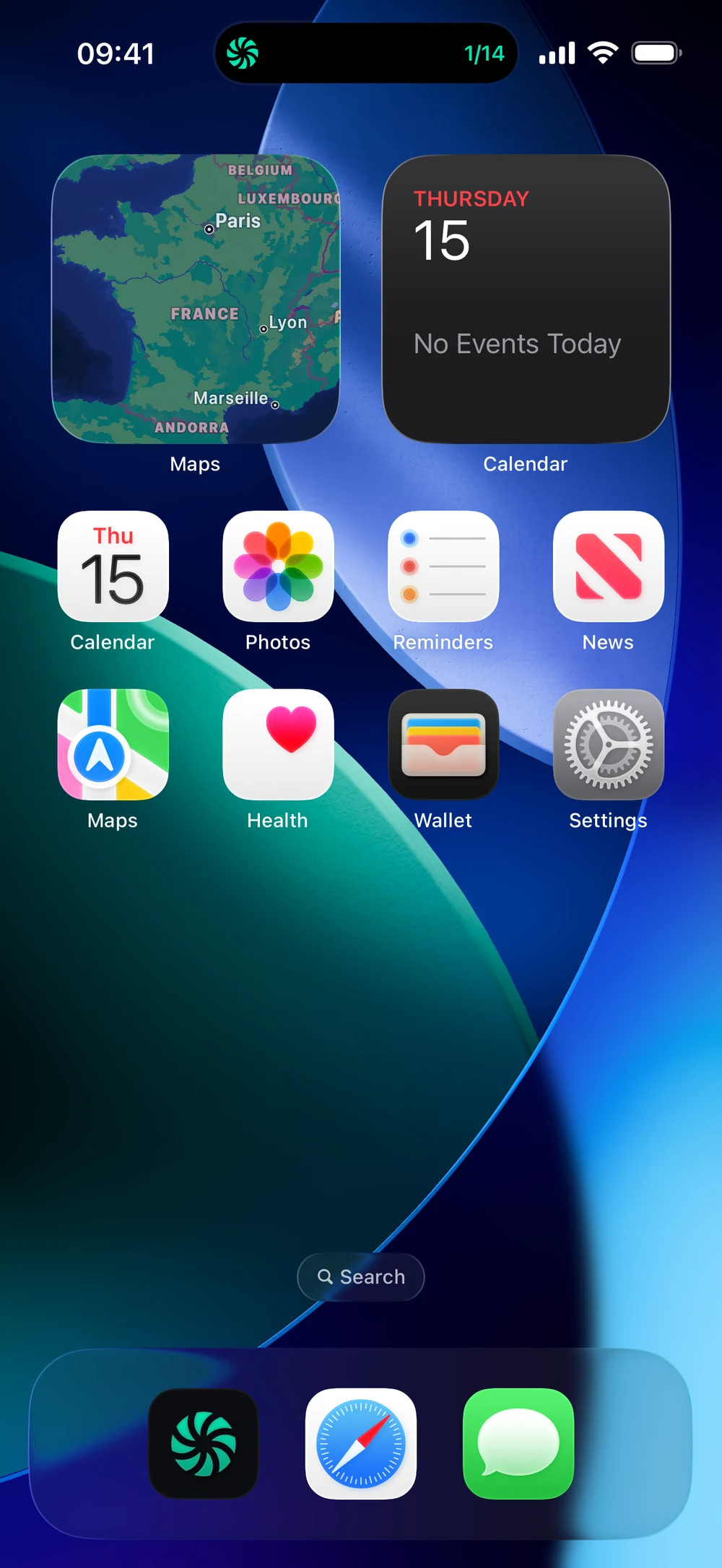
Start a workout and lock your phone. The Lock Screen shows the exercise, set and weight, with buttons to log it. On the Home Screen, the Dynamic Island shows your progress, here 1 of 14 sets.
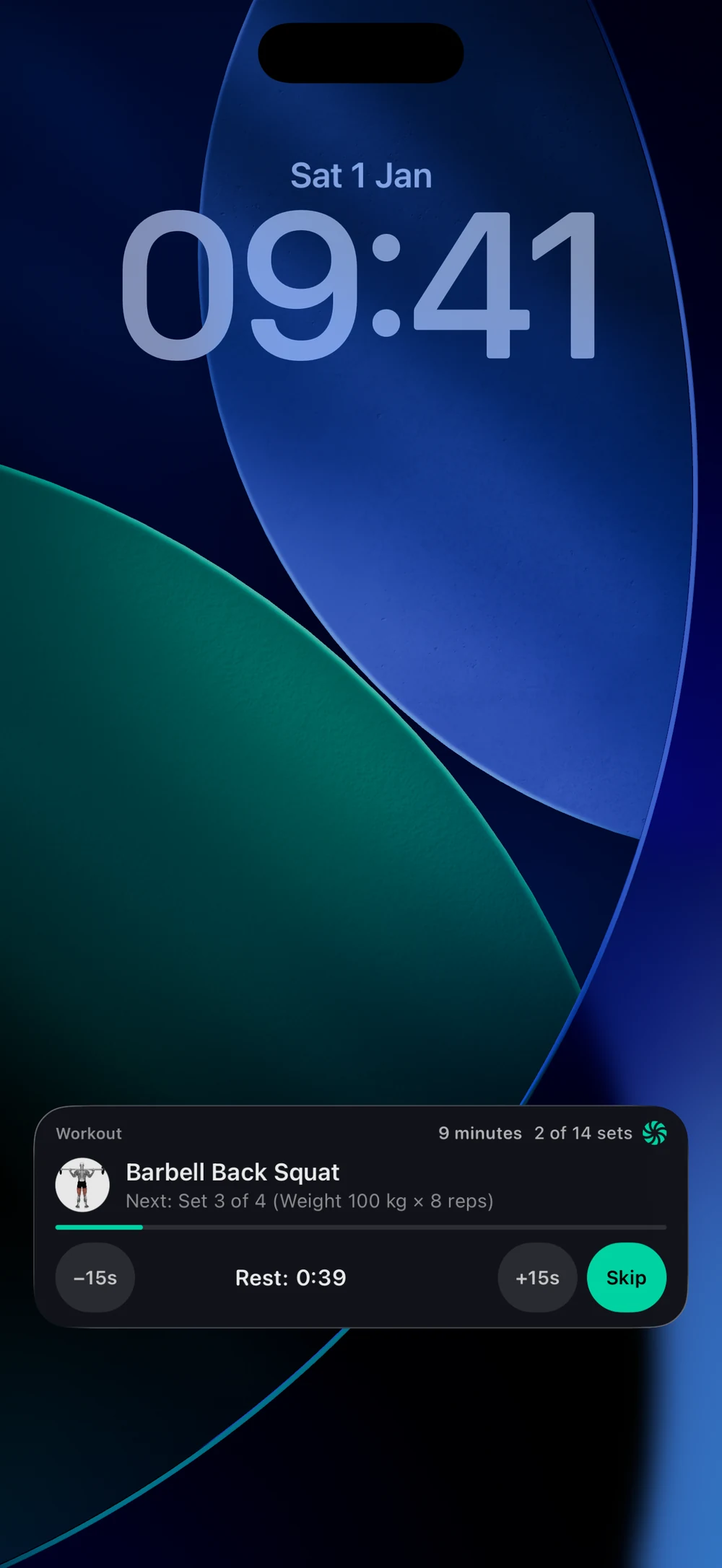
During rest, the Lock Screen shows the countdown with -15s, +15s and Skip.
Frequently asked questions
Does Bite show my workout on the Lock Screen?
Your workout follows you to the Lock Screen and Dynamic Island, with controls for the current set. Here is how: Start a workout and lock your phone. The Lock Screen card shows the exercise, set, weight and reps. Adjust reps and RIR and tap the check to log a set. During rest you see the countdown with -15s, +15s and Skip.
Is live activity and dynamic island free in Bite?
Yes. Live Activity and Dynamic Island is part of the free Bite app.
Where do I find live activity and dynamic island in the app?
Go to Lock Screen during a workout.