
Link a superset in a program
Pair two exercises as a superset in your program.
Free
Find it: Program > exercise > Superset

 Coming soon

How do I make a superset in my program?
Pair two exercises as a superset in your program.
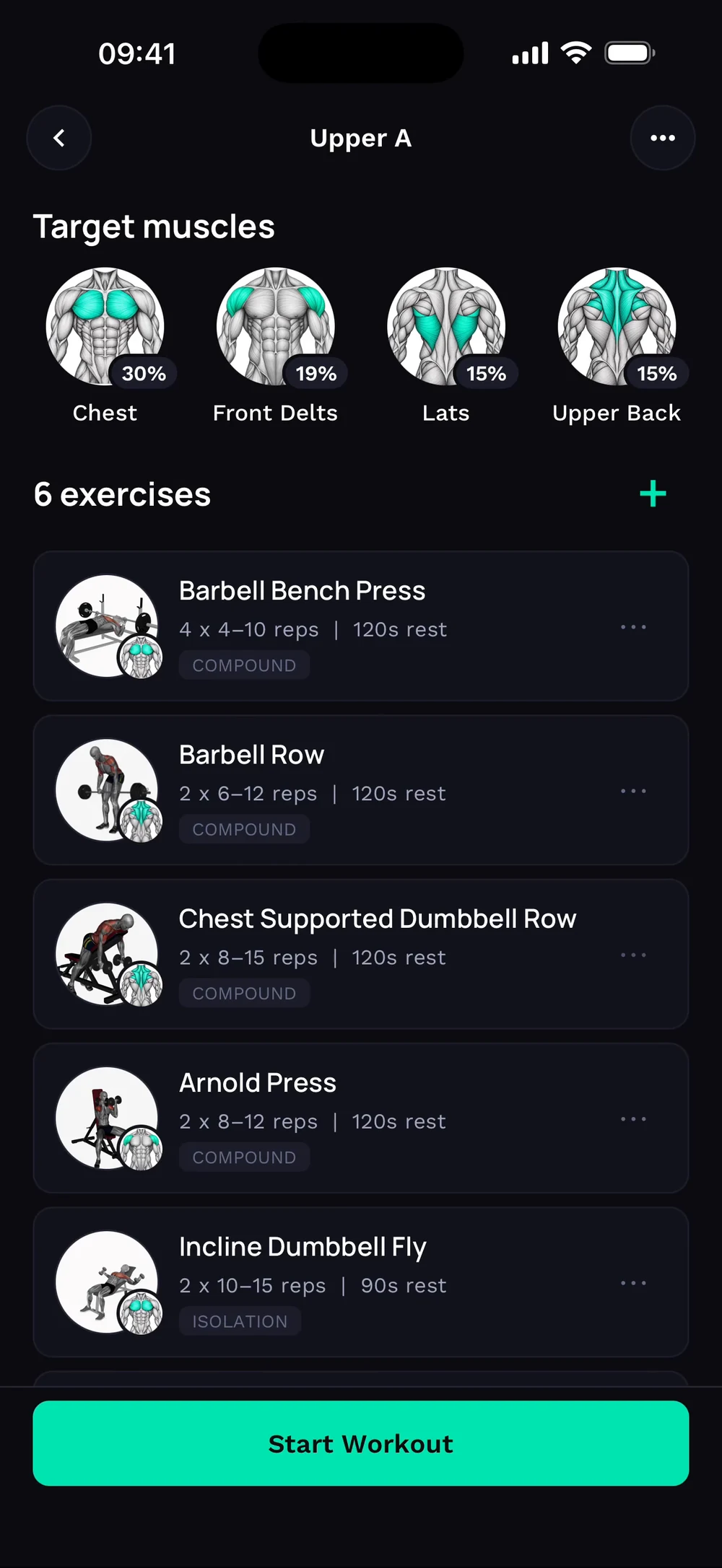
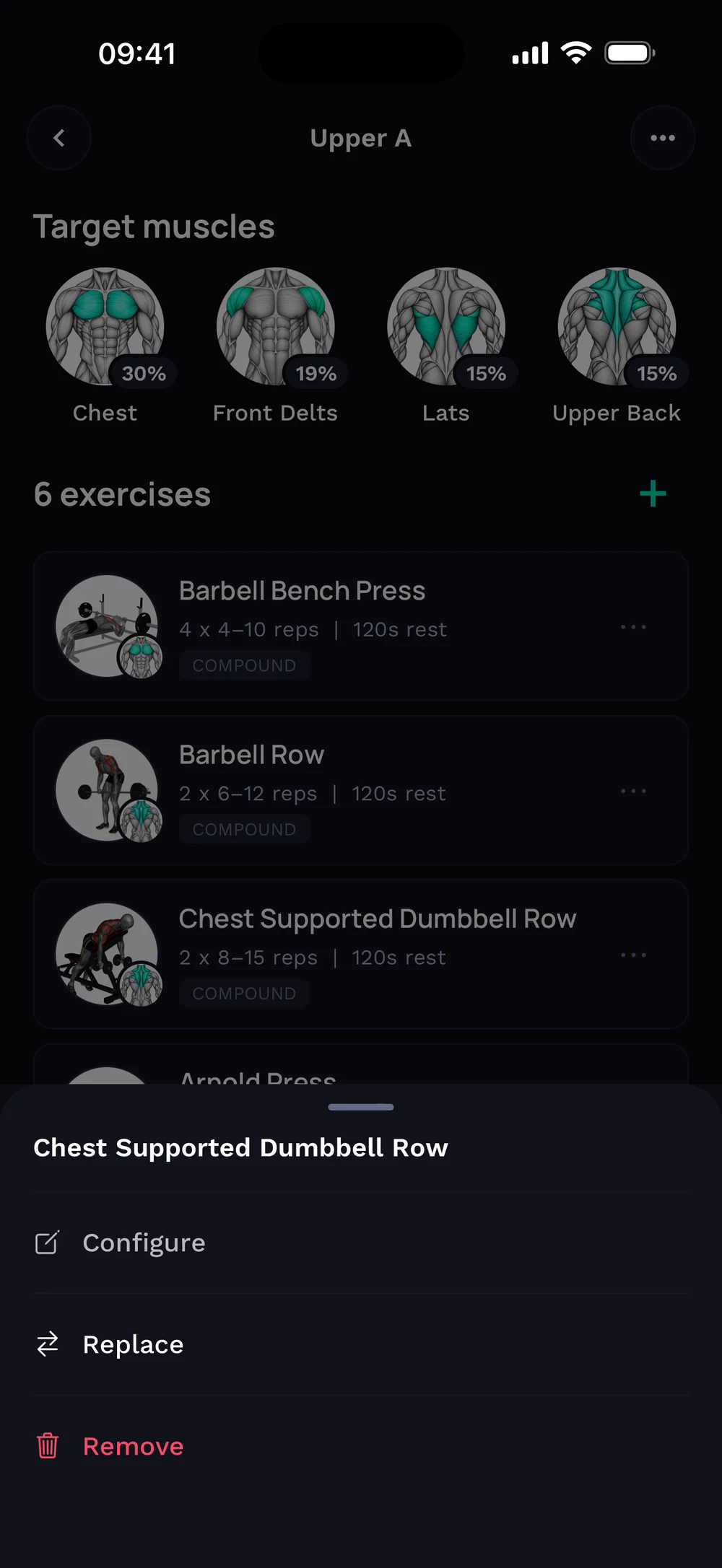
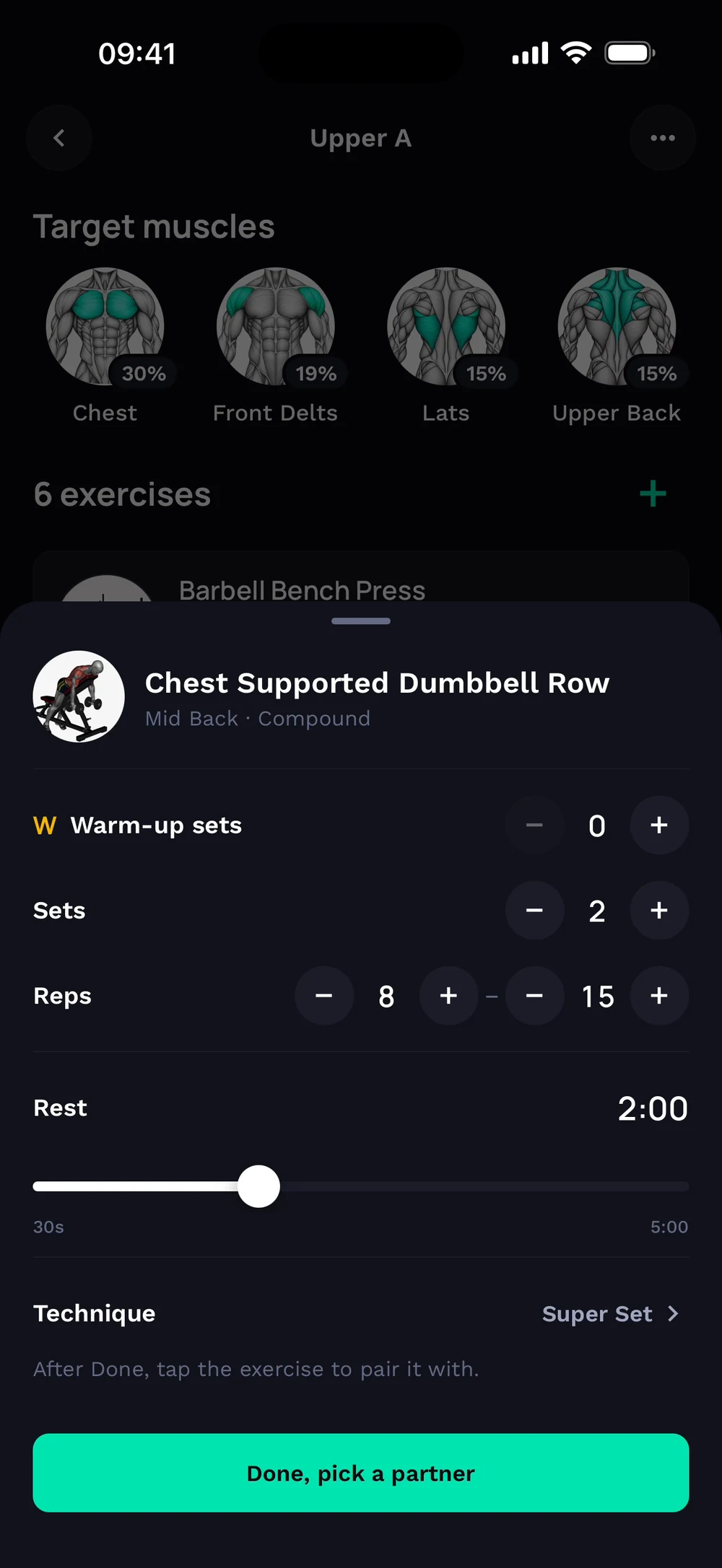
Open a day and find the exercise you want to pair. Tap its three dots and choose Configure.
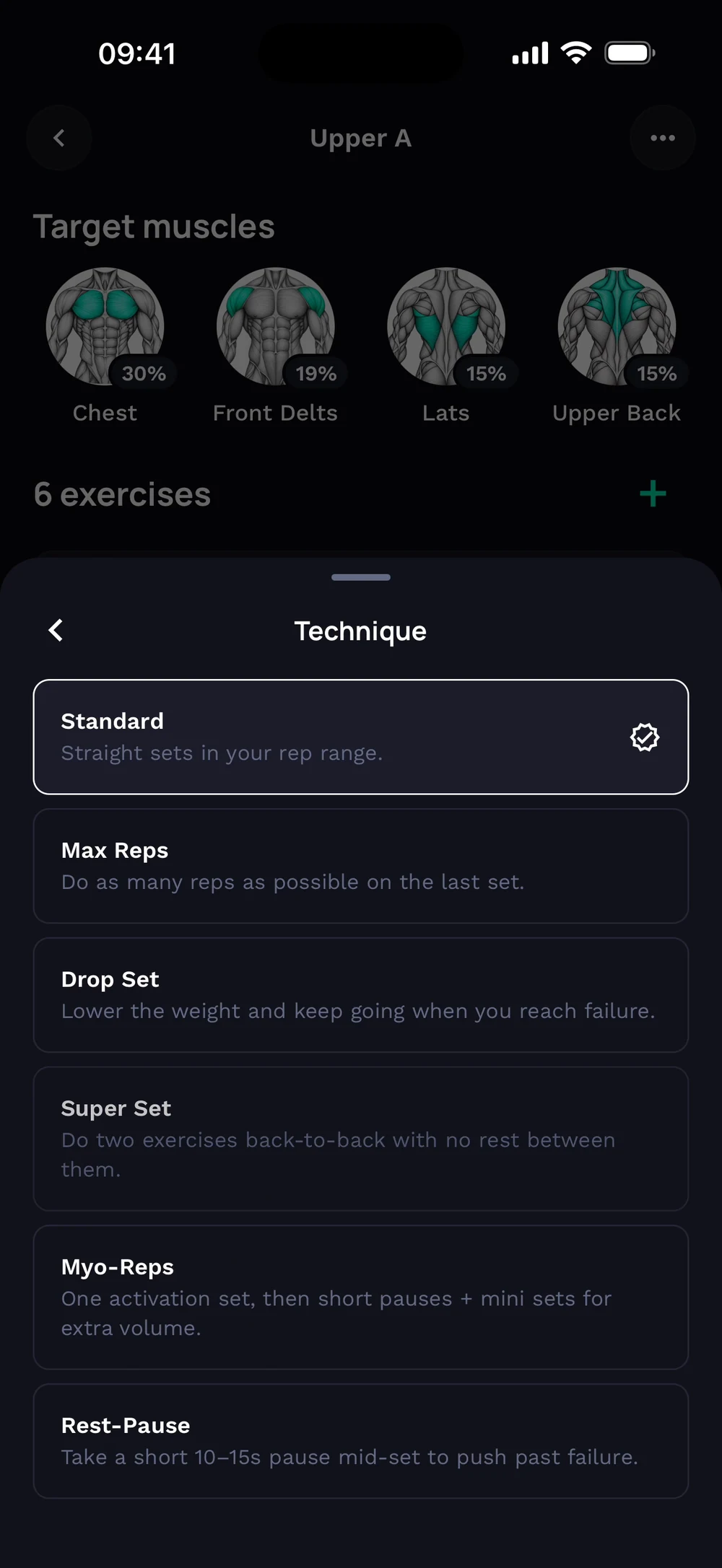
Open Technique. Choose Super Set.
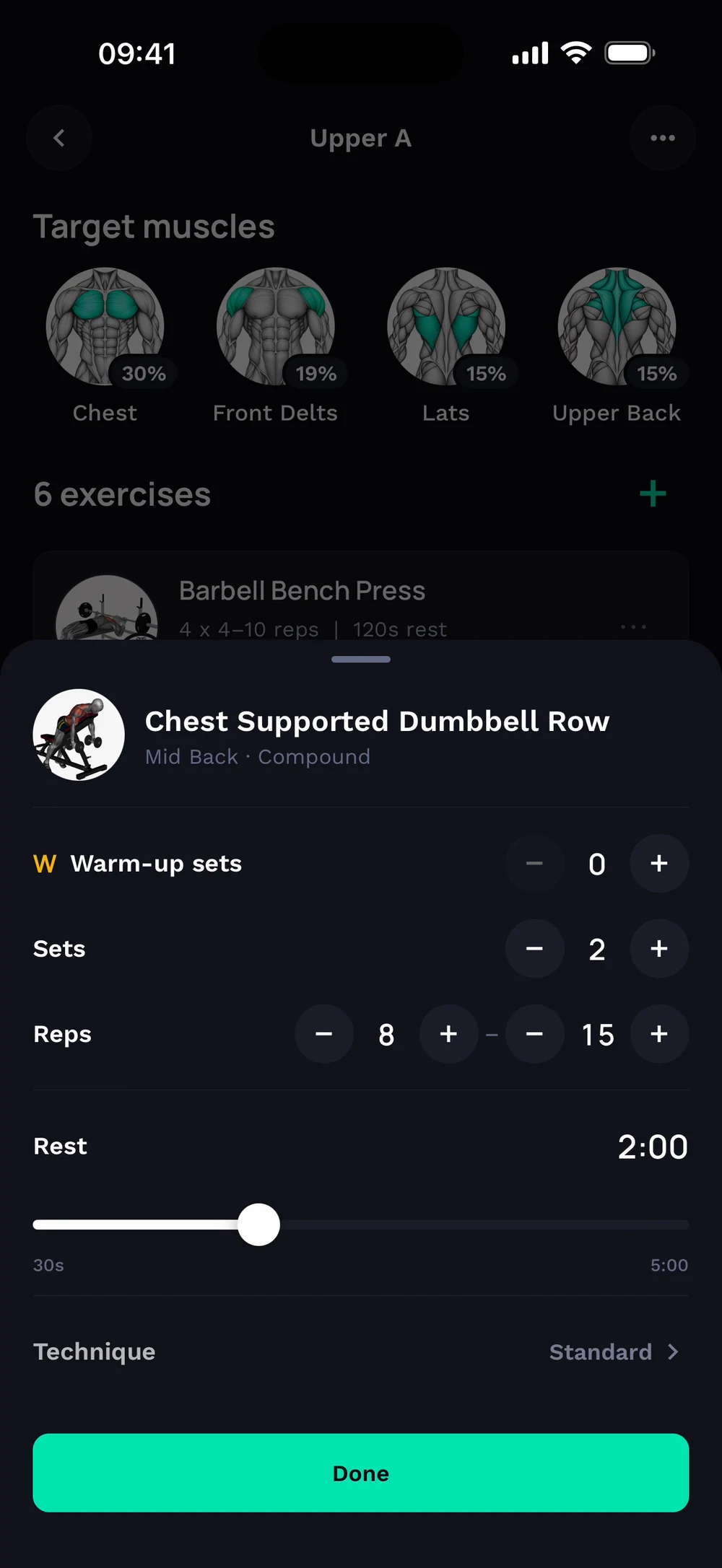
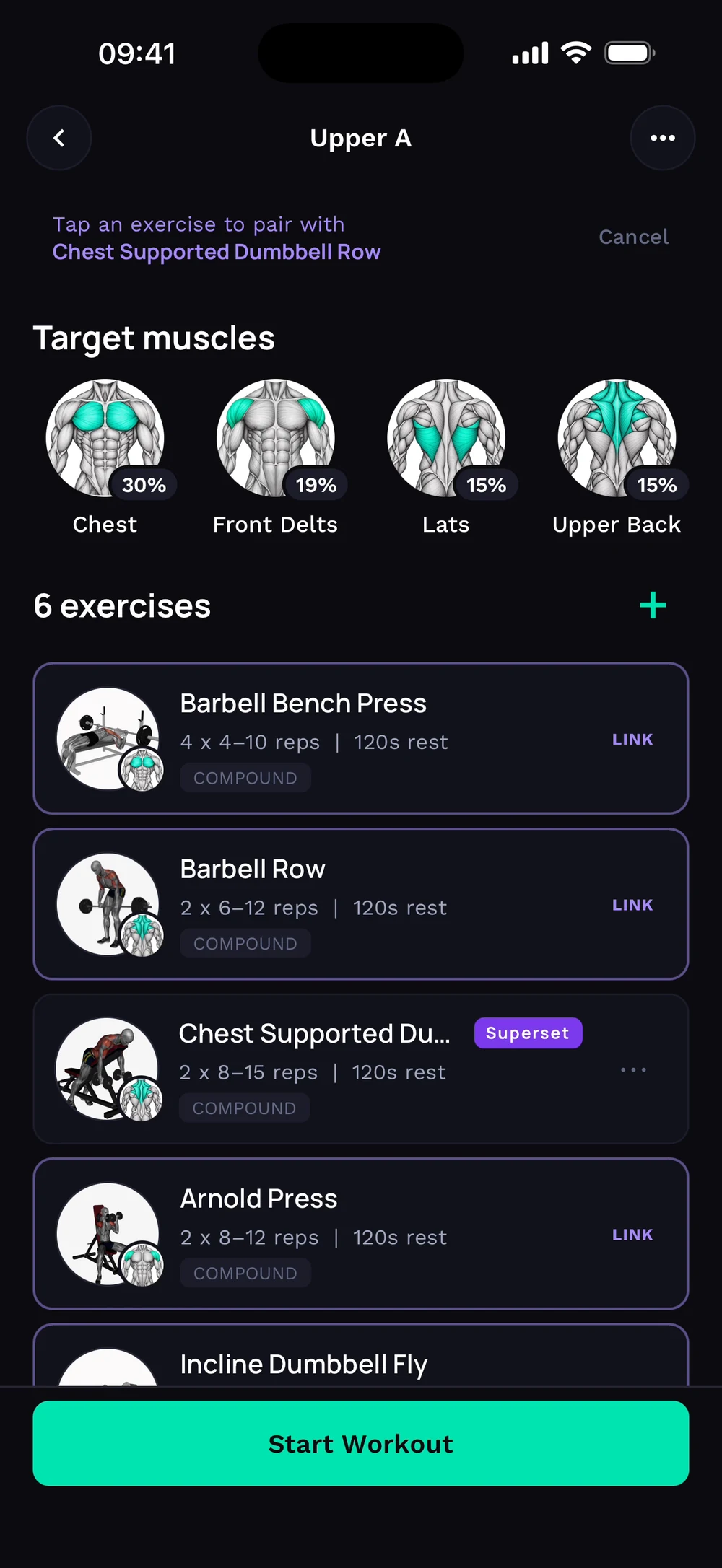
Tap Done, pick a partner. Tap the exercise to pair it with. Both exercises now carry a Superset badge.
Frequently asked questions
How do I make a superset in my program?
Pair two exercises as a superset in your program. Here is how: Open the three dots on the first exercise. Choose Configure and pick Superset. Tap the partner exercise. Both exercises show a Superset badge.
Is link a superset in a program free in Bite?
Yes. Link a superset in a program is part of the free Bite app.
Where do I find link a superset in a program in the app?
Go to Program > exercise > Superset.