
Share a program
Share your program with a friend so they can copy it.
Free
Find it: Program > Share

 Coming soon

How do I share my program?
Share your program with a friend so they can copy it.
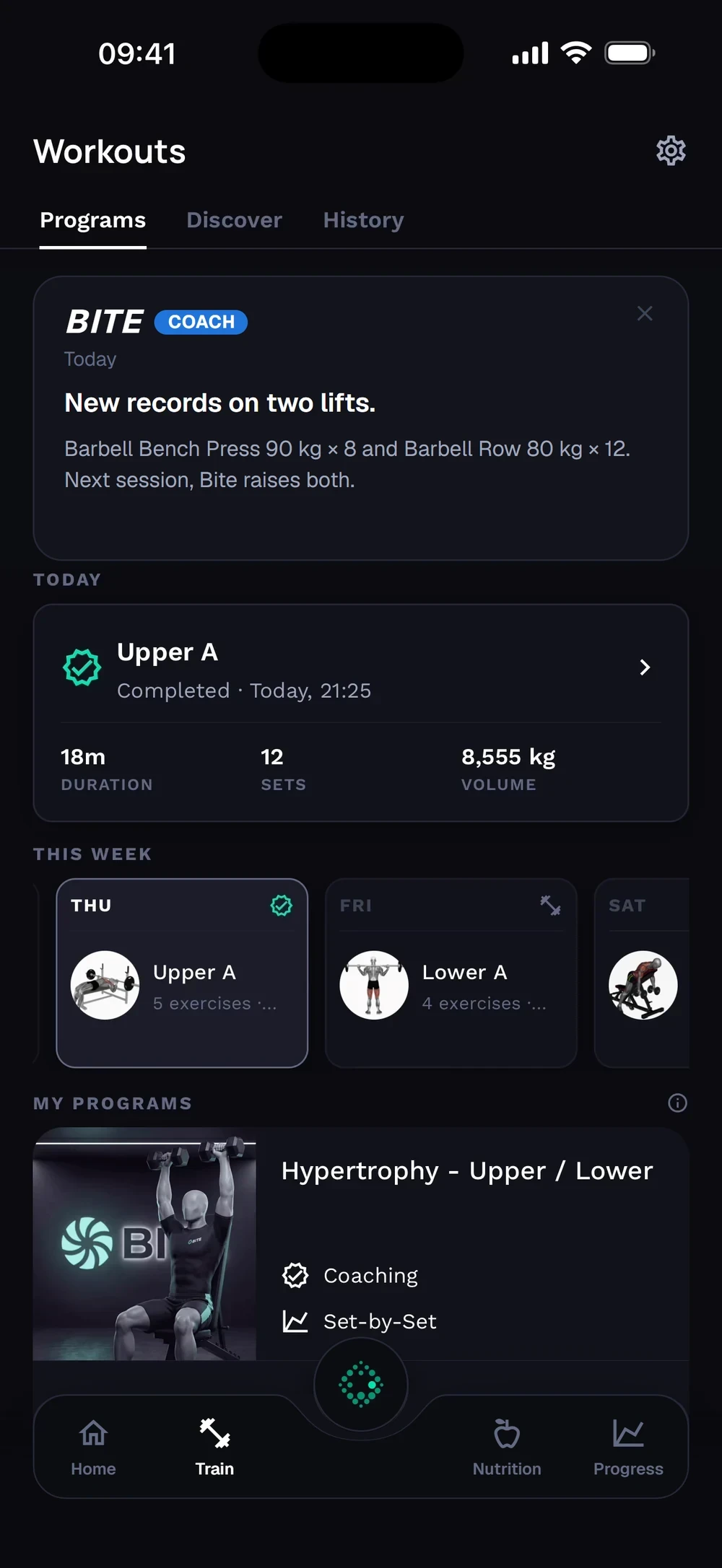
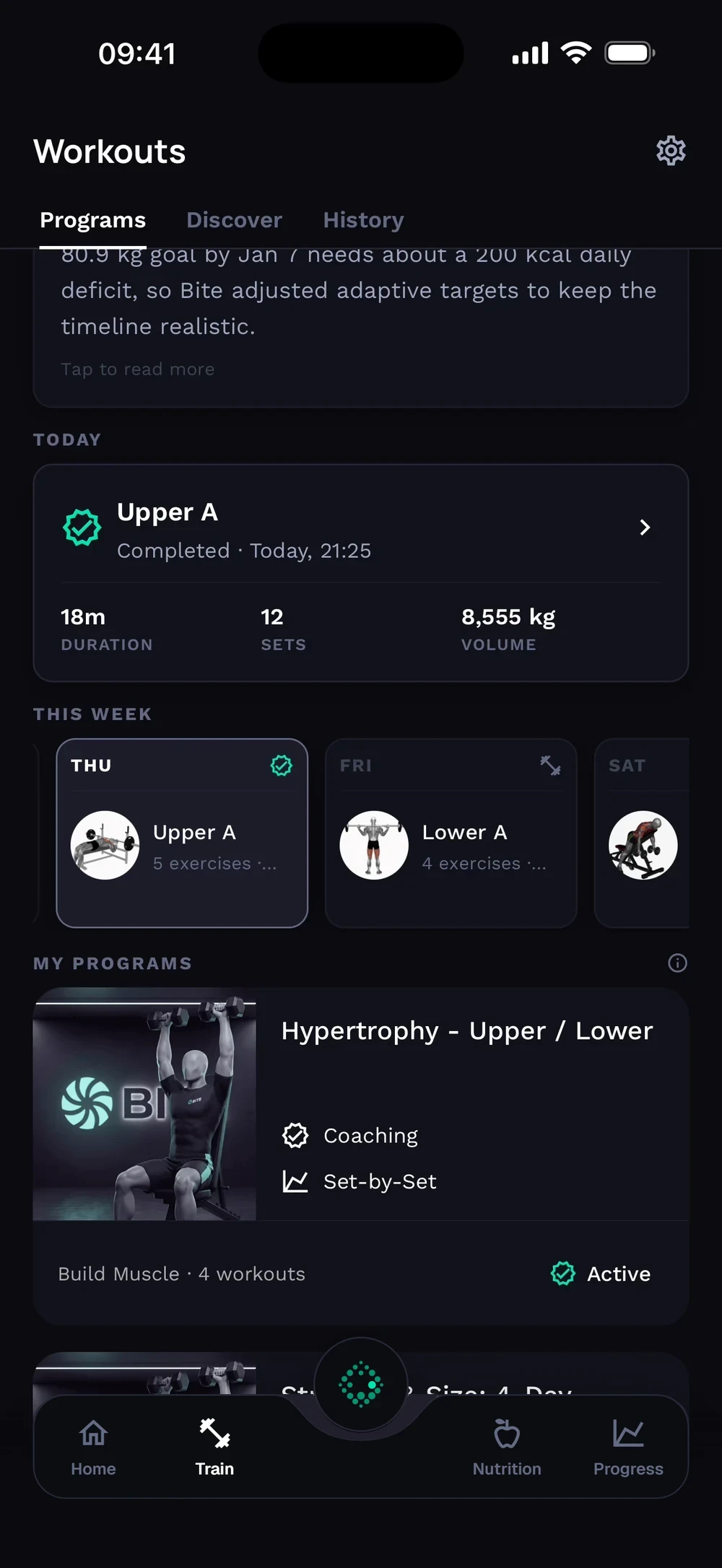
Open Train and find the program you want to share. Tap the program to open it.
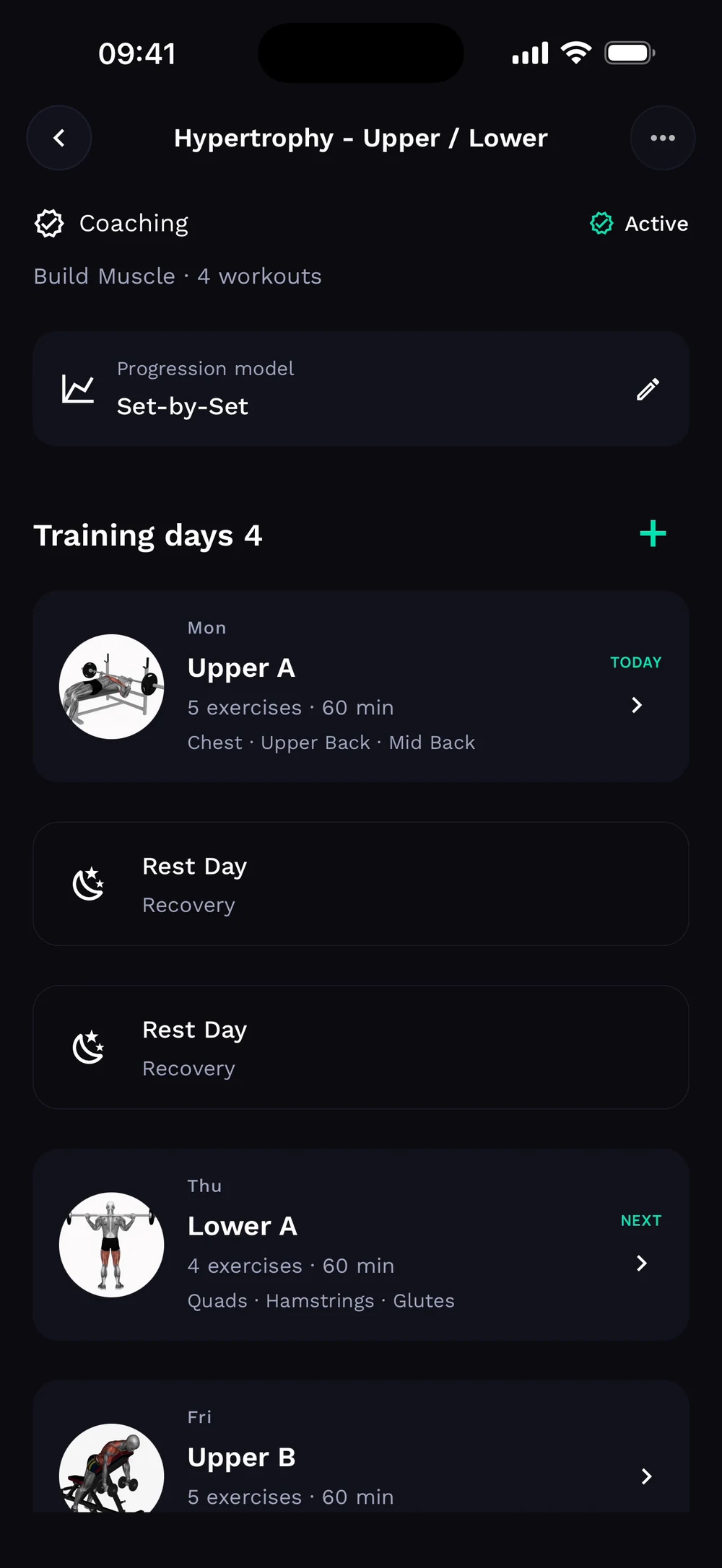
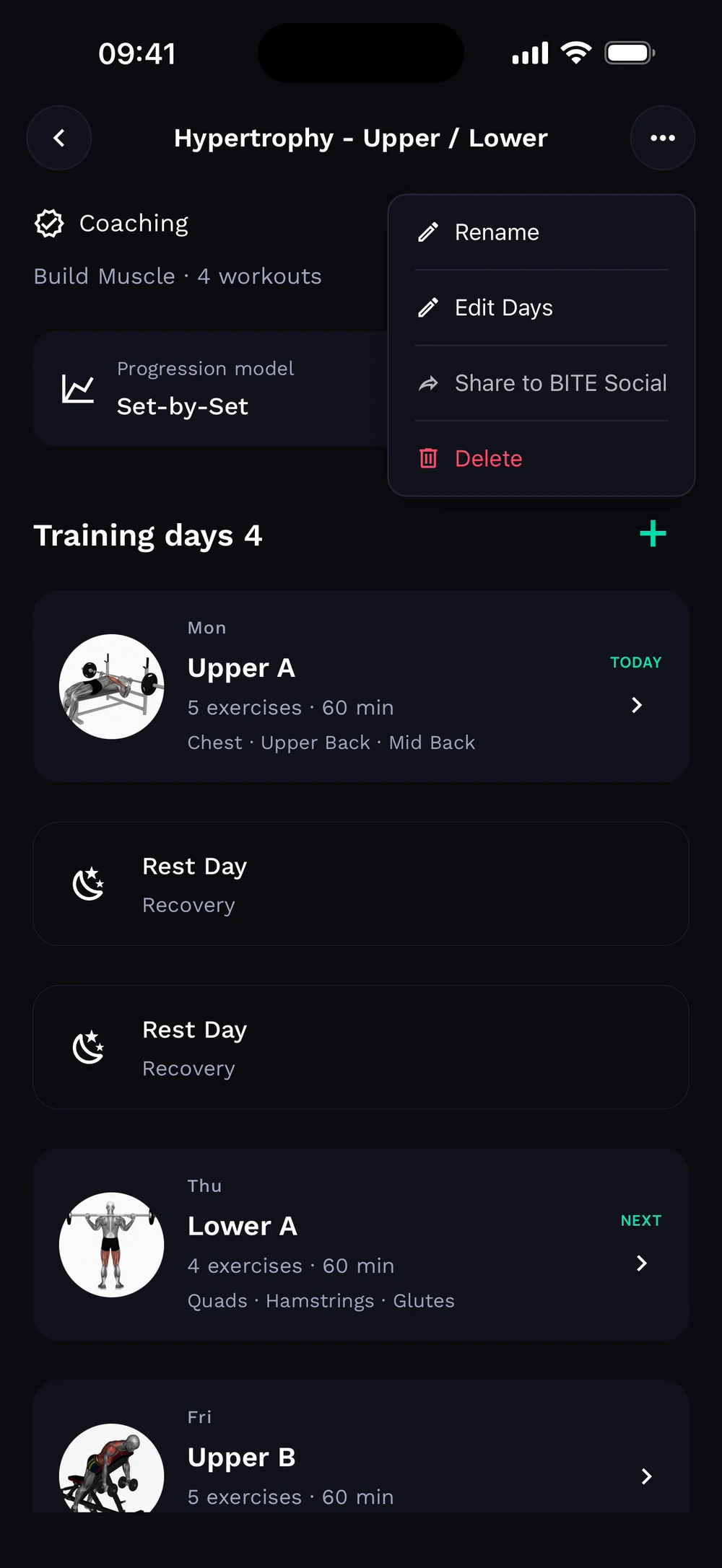
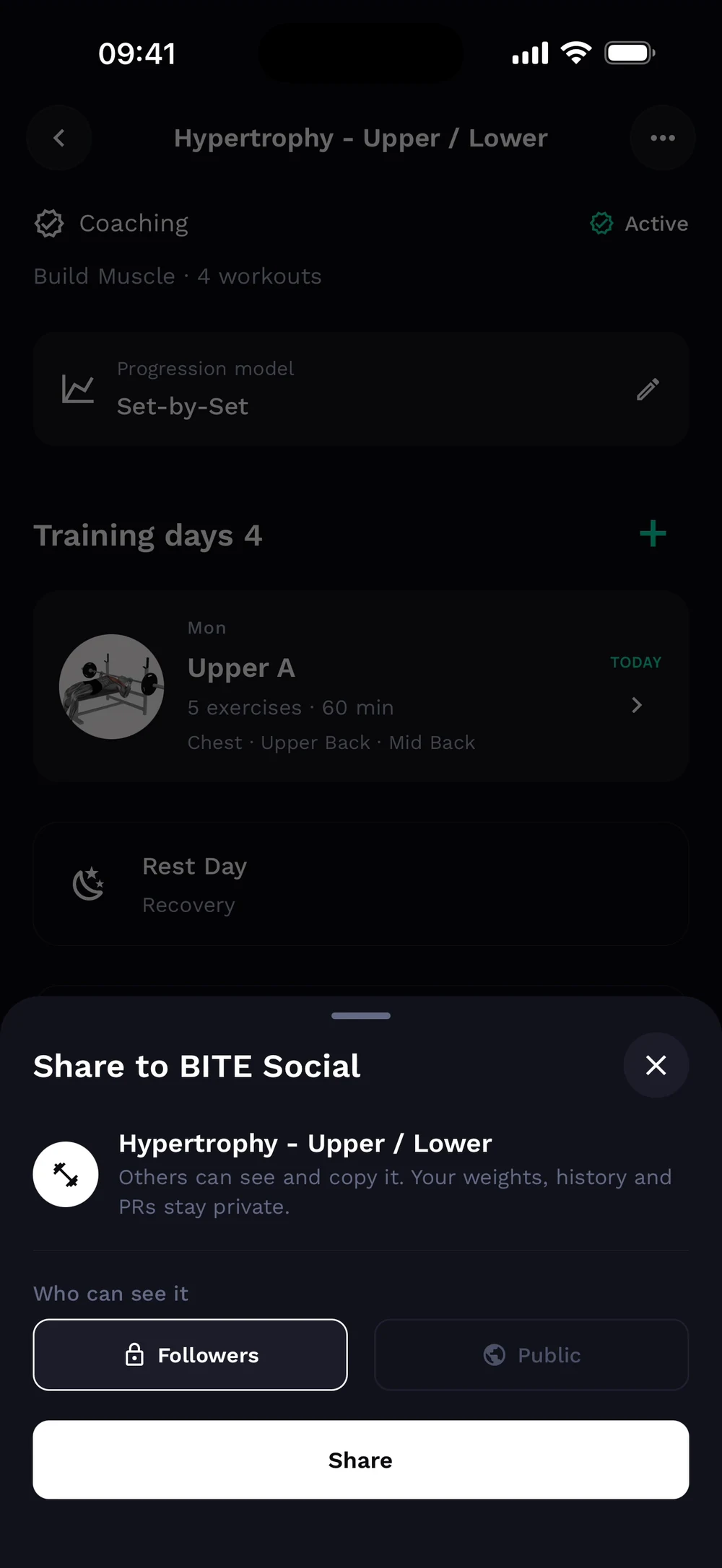
Tap the three dots at the top right. Choose Share to BITE Social.
Choose who can see it, followers or public, and tap Share.
Frequently asked questions
How do I share my program?
Share your program with a friend so they can copy it. Here is how: Open a program. Tap the three dots and choose Share program. Pick how to share it.
Is share a program free in Bite?
Yes. Share a program is part of the free Bite app.
Where do I find share a program in the app?
Go to Program > Share.